hasura / hasura/graphql-engine
Data Connector metadata import example fails
- Dominant language
- TypeScript
- Stars
- 32.1k
- Forks
- 3k
- PR merge metrics
- PR metrics pending
Description
### Version Information
Server Version:
CLI Version (for CLI related issue):
### Environment
Hasura/graphql-engine:v2.15.1 on a local K8s cluster.
### What is the current behaviour?
The `POST /v1/metada` request succeeding (following https://github.com/hasura/graphql-engine/tree/master/dc-agents#setting-up-data-connector-agents-with-graphql-engine).
### What is the expected behaviour?
400 Bad Request error returned:
```json
{
"code": "unexpected",
"error": "cannot continue due to inconsistent metadata",
"internal": [
{
"definition": "reference",
"name": "data_connector_agent reference",
"reason": "Inconsistent object: Error in Data Connector backend: Connection failure",
"type": "data_connector_agent"
},
{
"definition": "chinook",
"name": "source chinook",
"reason": "Inconsistent object: Data connector named \"reference\" was not found in the data connector backend info",
"type": "source"
}
],
"path": "$.args"
}
```
### How to reproduce the issue?
1. Have `hasura/graphql-engine` running on a K8s pod (which makes Hasura available on http://localhost:8550).
2. `cd graphql-engine\dc-agents` then run `docker-compose up -d`.
3. Send a POST request to http://localhost:8550/v1/metadata with the body from https://github.com/hasura/graphql-engine/tree/master/dc-agents#setting-up-data-connector-agents-with-graphql-engine.
4. See the output.
### Screenshots or Screencast
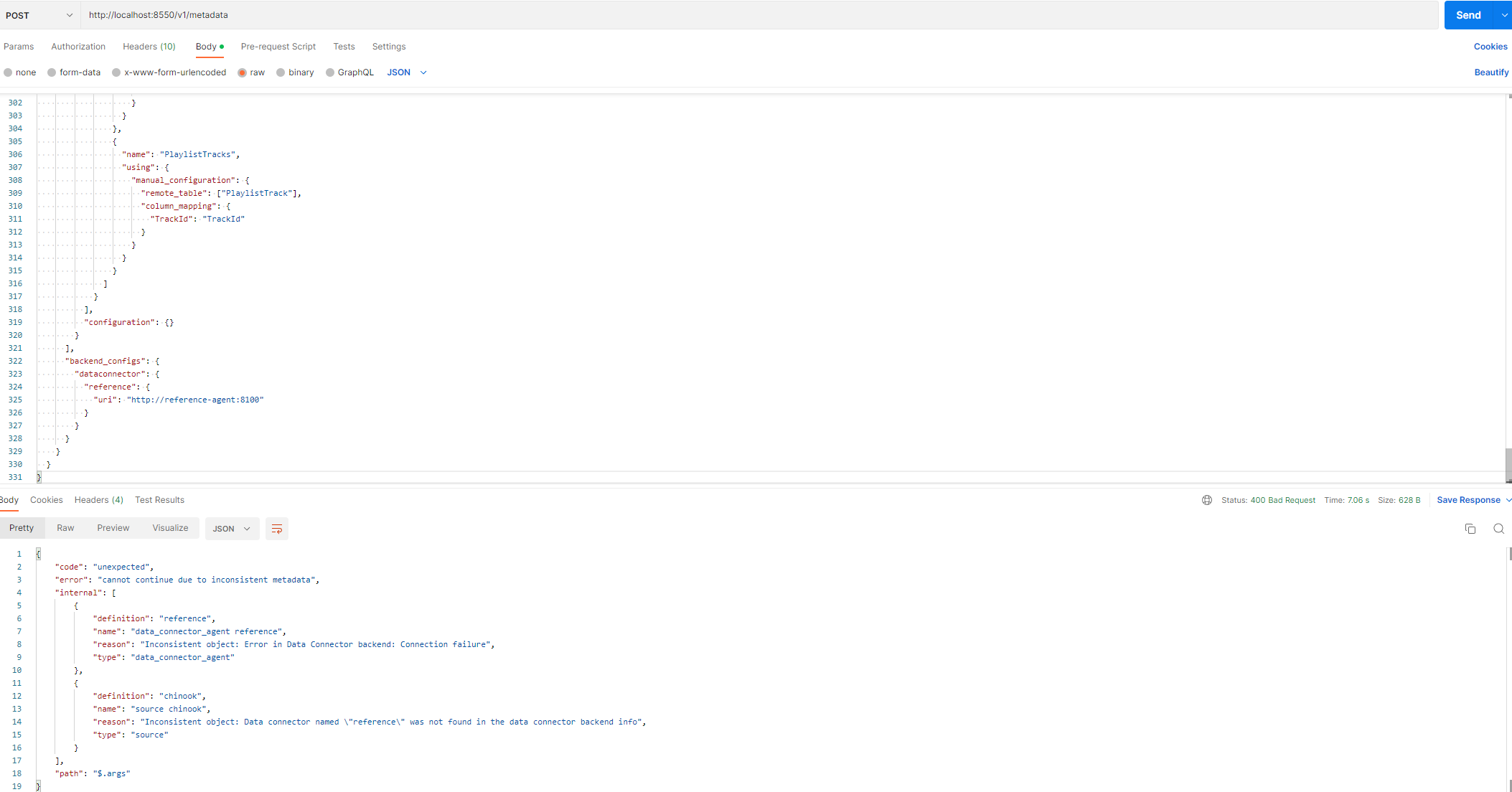
### Please provide any traces or logs that could help here.
Hasura pod logs:
```
{"detail":{"http_info":{"content_encoding":null,"http_version":"HTTP/1.1","ip":"192.168.65.3","method":"POST","status":400,"url":"/v1/metadata"},"operation":{"error":{"code":"unexpected","error":"cannot continue due to inconsistent metadata","internal":[{"definition":"reference","name":"data_connector_agent reference","reason":"Inconsistent object: Error in Data Connector backend: Connection failure","type":"data_connector_agent"},{"definition":"chinook","name":"source chinook","reason":"Inconsistent object: Data connector named \"reference\" was not found in the data connector backend info","type":"source"}],"path":"$.args"},"request_id":"a96b352d-5a3d-431a-a6da-d93755dce097","request_mode":"error","response_size":467,"uncompressed_response_size":467,"user_vars":{"x-hasura-role":"admin"}},"request_id":"a96b352d-5a3d-431a-a6da-d93755dce097"},"level":"error","timestamp":"2022-12-15T10:35:20.950+0000","type":"http-log"}
```
### Any possible solutions/workarounds you're aware of?
No, I tried replacing `reference` with `experimental` which was suggested when I tried adding the metadata for the DC alongside an existing data source and actions (I also tried with `sqlite` which I saw being used a lot in the codebase but got the same error).
I also tried changing the data sent to match the expected format based on the errors I was getting on Postman, so `table` and `remote_table` are strings rather than `string[]`.
And using `postgres` as the kind and adding to `configuration`:
```json
"connection_info": {
"use_prepared_statements": false,
"database_url": {
"from_env": "SUBSCRIPTIONS_DB_URL"
},
"isolation_level": "read-committed"
}
```
### Keywords
Data connected name, was not found in the data connector backend, v1/metadata, chinook,
Contributor guide
Research direction
Start with the dc-agents setup instructions and the docker-compose configuration, then reproduce the POST /v1/metadata request against the Kubernetes-hosted Hasura instance. Trace the data connector agent connection failure and verify the documented example imports successfully without inconsistent metadata errors.
Written by the indexing model from the issue text.
Assessment
- Tech stack
- docker-compose, kubernetes
- Domain
- api, devops
- Issue type
- Bug
- Difficulty
- 4/5
- Estimated time
- 3-5 days
- Activity status
- Stale
- Clarity
- Needs clarification
- Newbie friendliness
- 25/100