hasura / hasura/graphql-engine
Console: The styling of the data table view and edit row sections needs an improvement
- Dominant language
- TypeScript
- Stars
- 32.1k
- Forks
- 3k
- PR merge metrics
- PR metrics pending
Description
### Problem Description
The recent commit meddled some of the styling in the table view and edit row sections. So it needs improvement.
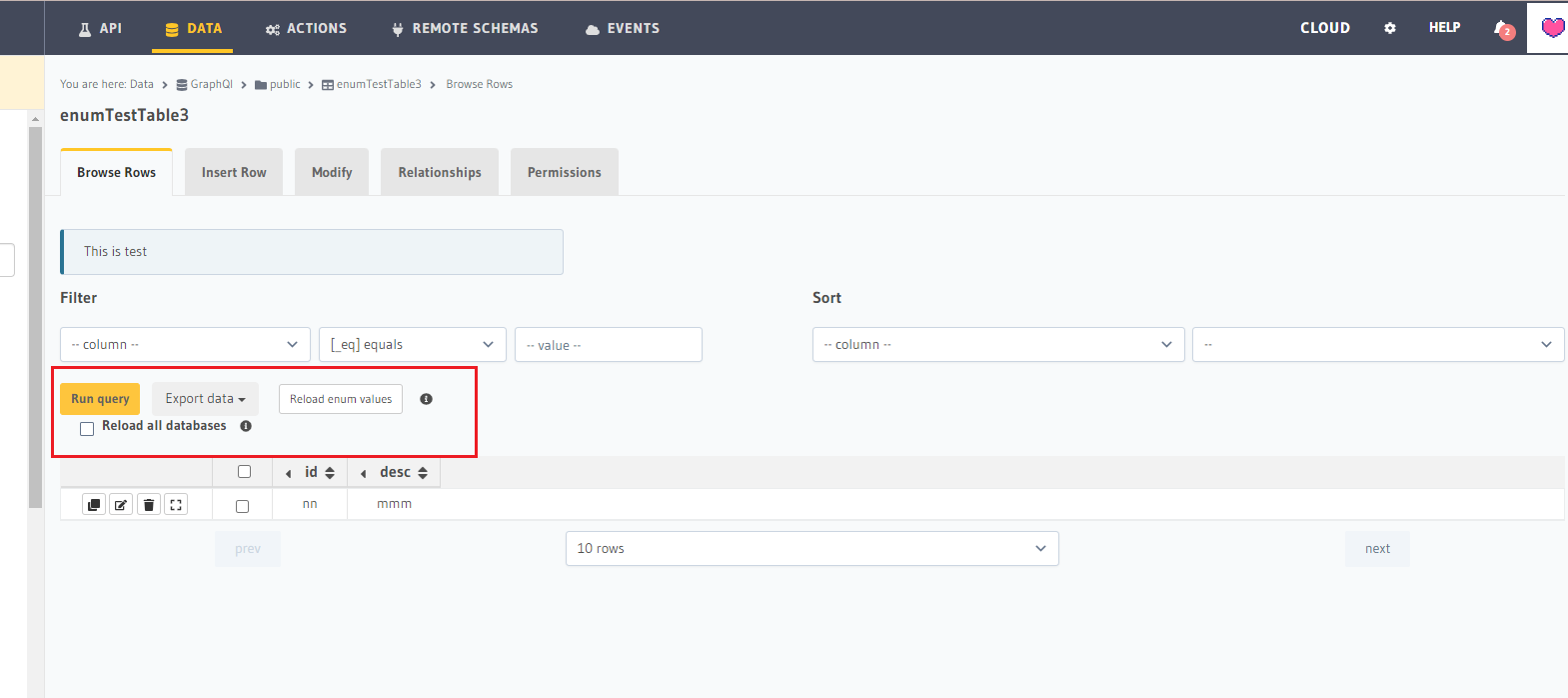
1. In the data table view section, If the table is an enum table, the elements displayed should be inline with Run query button and Export data dropdown, but they appear just below the other elements.
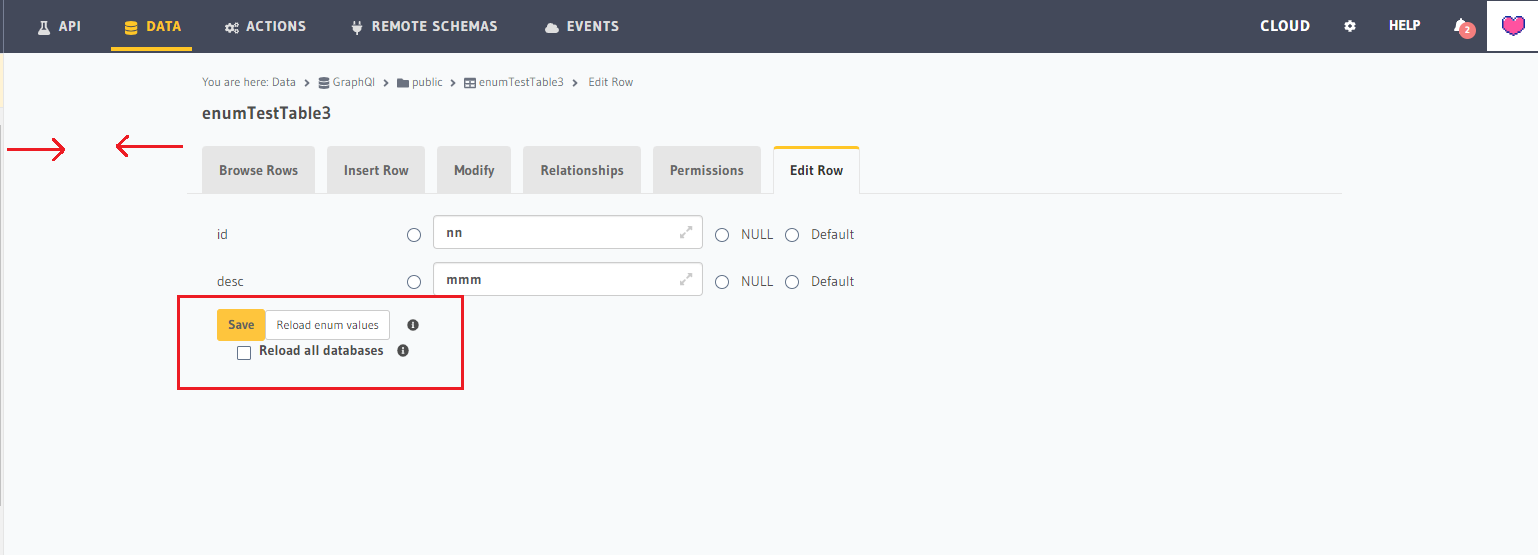
2. In the edit row section, the large space between the side bar and the main section does not match other views of the hasura console.
3. There's no space between save button and other elements.
Screenshot for 1 (Table view section)
Screenshot for 2 and 3 (Edit row view section)
### Describe the solution you'd like
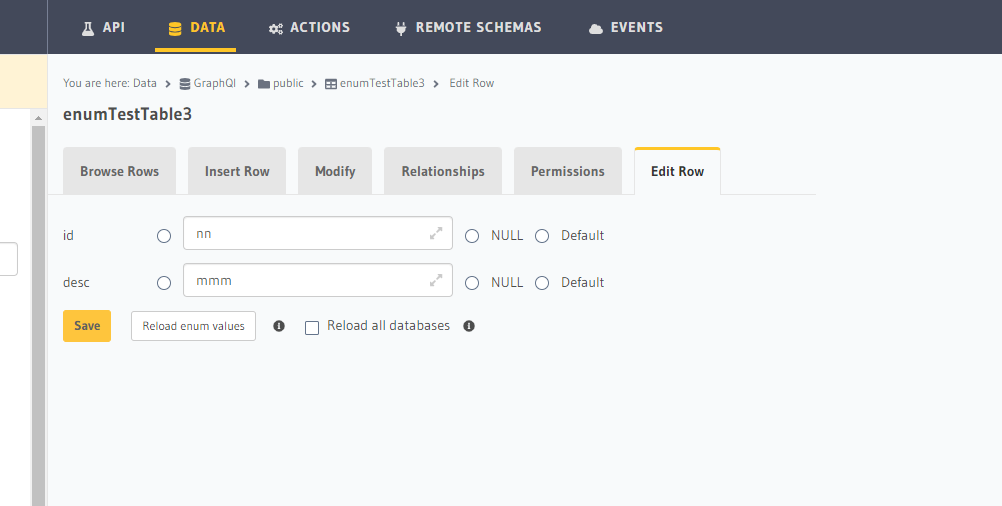
1. Inline the elements in the data table view section.
2. Remove the space between the side bar and the main section and match it with other views of the application.
3. Create space between the button and other elements.
Screenshot of the solution:
### Describe alternatives you've considered
### If the feature is approved, would you be willing to submit a PR?
Yes, I'm working on it.
Contributor guide
Research direction
No files or tests are named. Start by locating the Console data table view and edit row sections, then compare their layout with other Console views. Done means enum-table controls are inline, the edit-row spacing matches the other views, and the save button has visible separation from adjacent elements.
Written by the indexing model from the issue text.
Assessment
- Tech stack
- typescript
- Domain
- design, frontend
- Issue type
- Bug
- Difficulty
- 3/5
- Estimated time
- 1-2 days
- Activity status
- Stale
- Clarity
- Mostly clear
- Newbie friendliness
- 30/100