hasura / hasura/graphql-engine
v1 cloud projects are unable to create or update Heroku integrations in Cloud Dashboard
- Dominant language
- TypeScript
- Stars
- 32.1k
- Forks
- 3k
- PR merge metrics
- PR metrics pending
Description
### Version Information
Server Version: v1
### Environment
Cloud
### What is the expected behaviour?
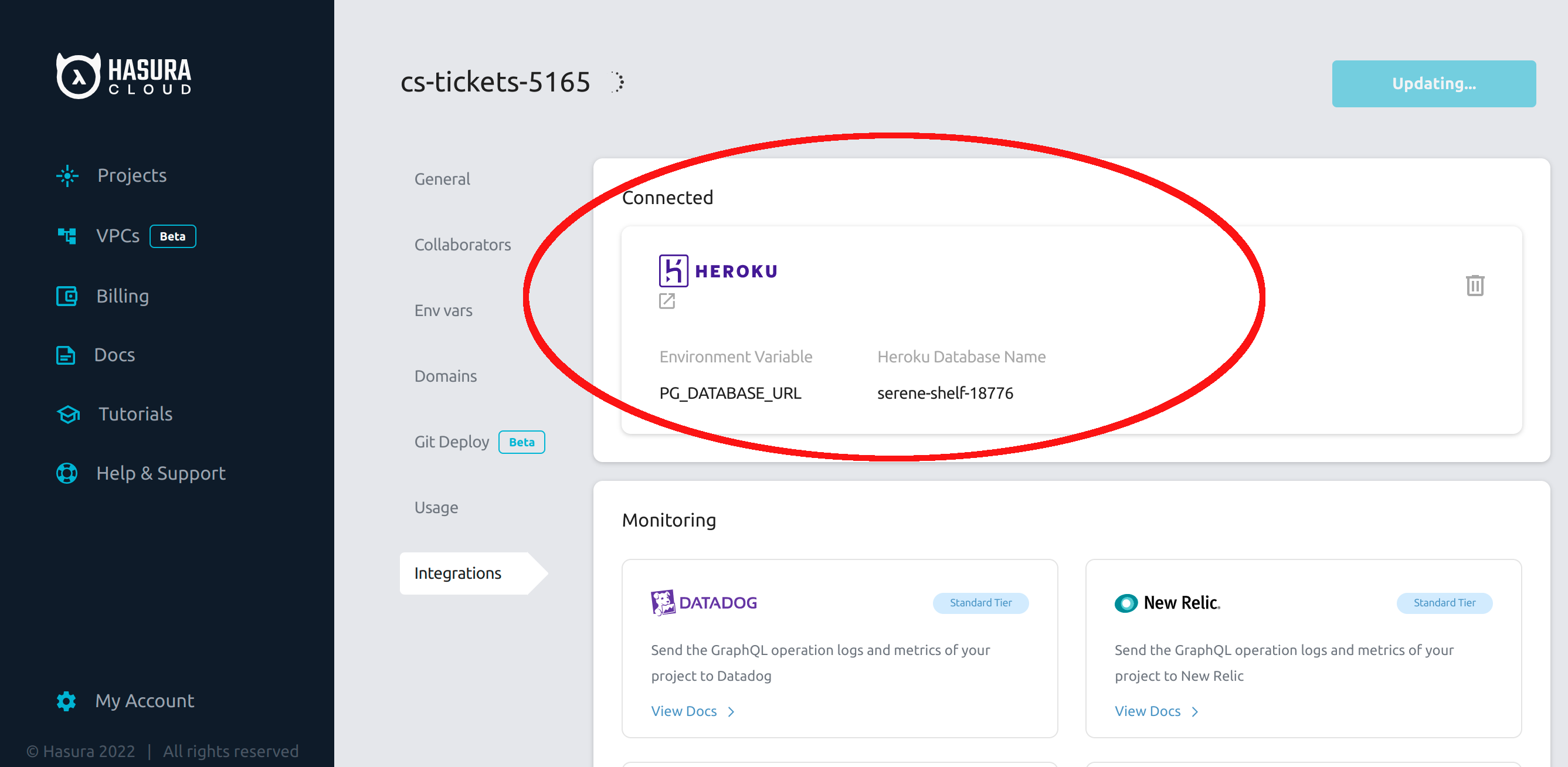
Hasura Cloud should offer the Heroku card for v1 projects just as it does for v2 projects
### Keywords
heroku integration sync
### What is the current behaviour?
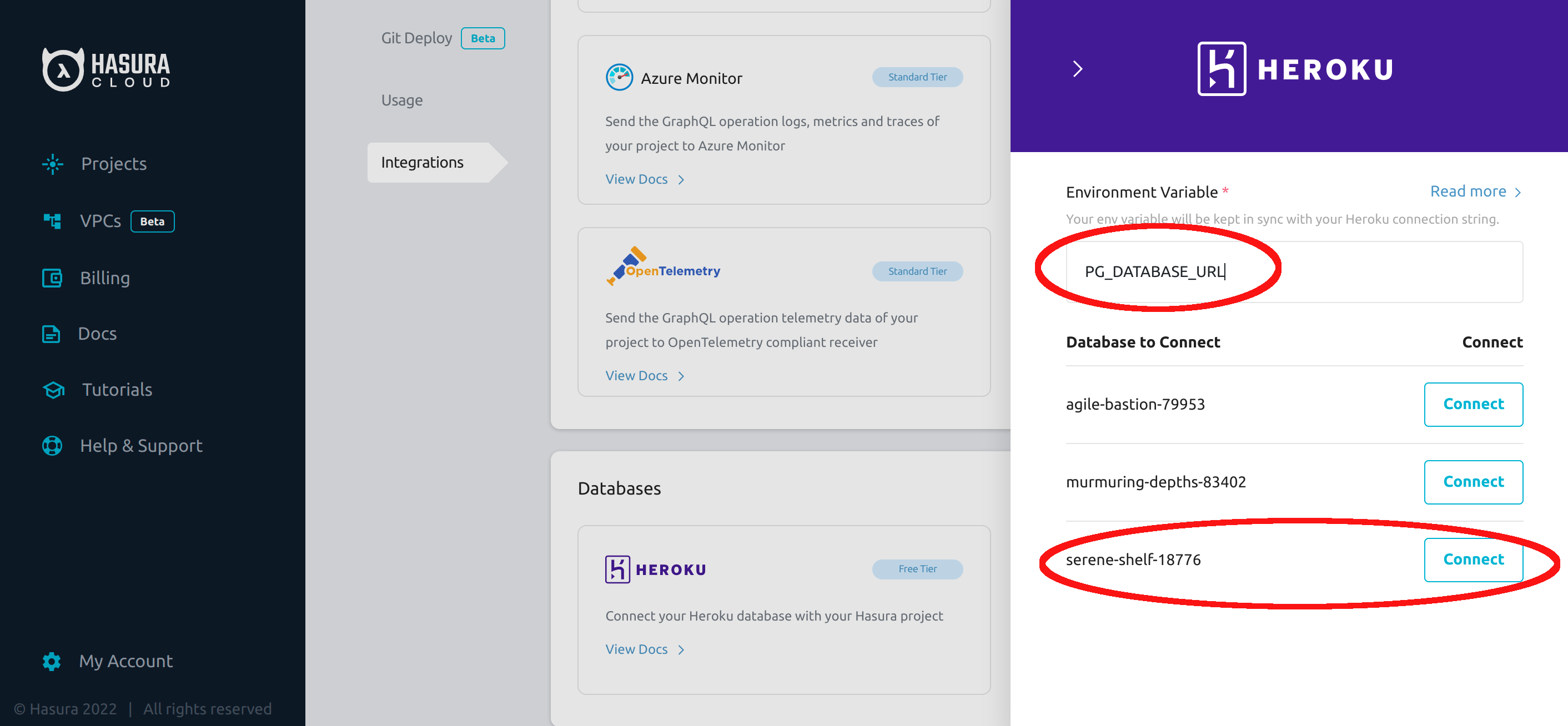
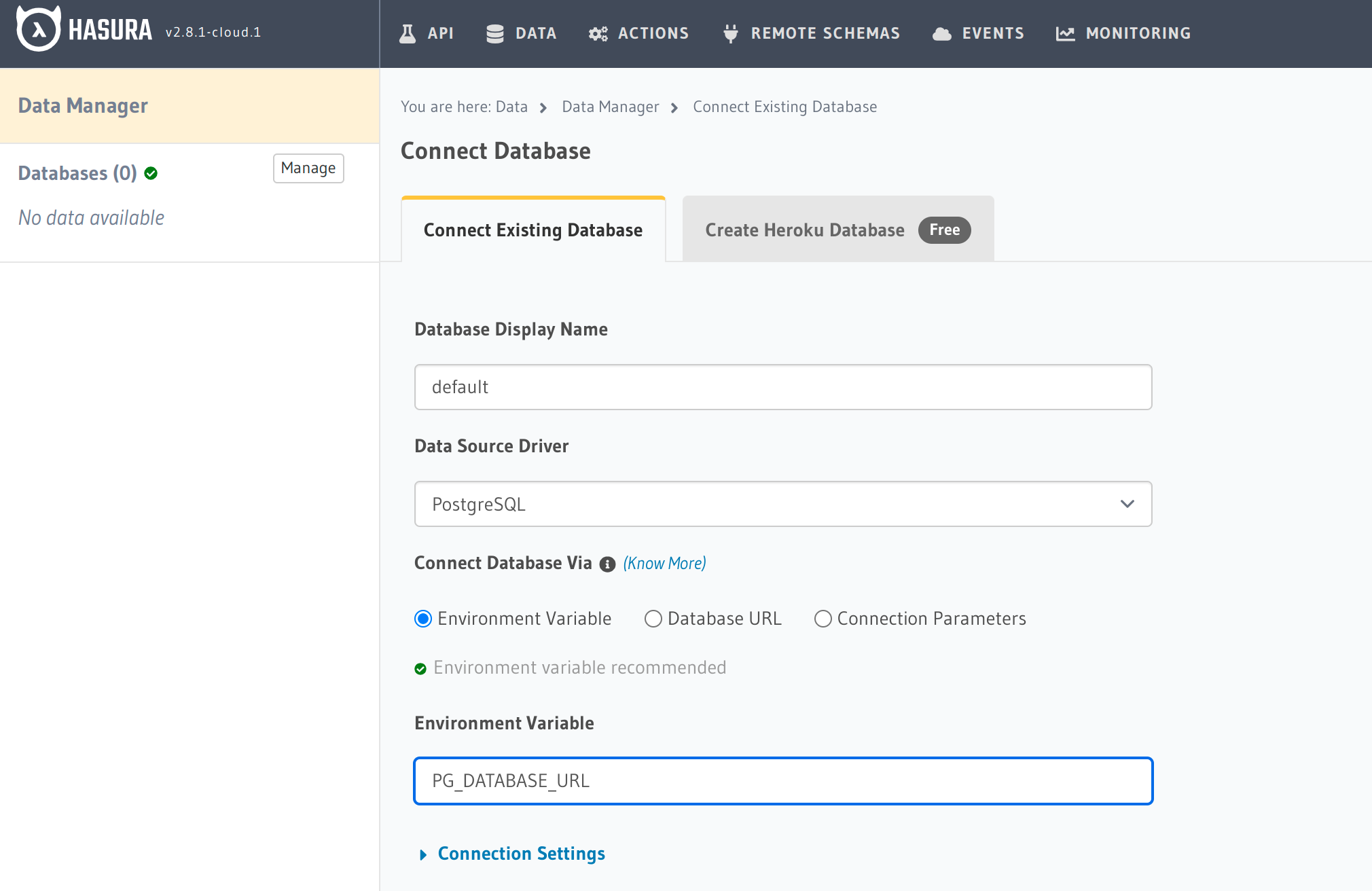
Users with v1 projects on Hasura Cloud should have the Heroku card under the "Connections" header within the "Integrations" section of Hasura Cloud Dashboard--and [Heroku database URL sync](https://hasura.io/docs/latest/graphql/cloud/projects/heroku-url-sync/#heroku-database-url-sync) should function--when they have created a Heroku database using the "Create Heroku Database" section of the "Data" tab within Hasura Console. Currently, this card (and perhaps the sync) are locked to v2 projects. The problem this creates is that v1 users can create a Heroku database within Hasura Console and thereby avail themselves of Heroku database URL sync. However, because v1 users don't have the Heroku card, they cannot delete and recreate the Heroku database URL sync. Sometimes, Heroku database URL sync ceases to function (e.g., because of a Heroku maintenance event), but it can be restored by v2 users in Hasura Cloud. Unfortunately, v1 users in Hasura Cloud do not have this option. If Hasura database URL sync ceases to function for v1 users, they cannot self-serve to restore it, and have to reach out to the Customer Success team.
### How to reproduce the issue?
1. create a v1 project in Hasura Cloud (if that's possible)
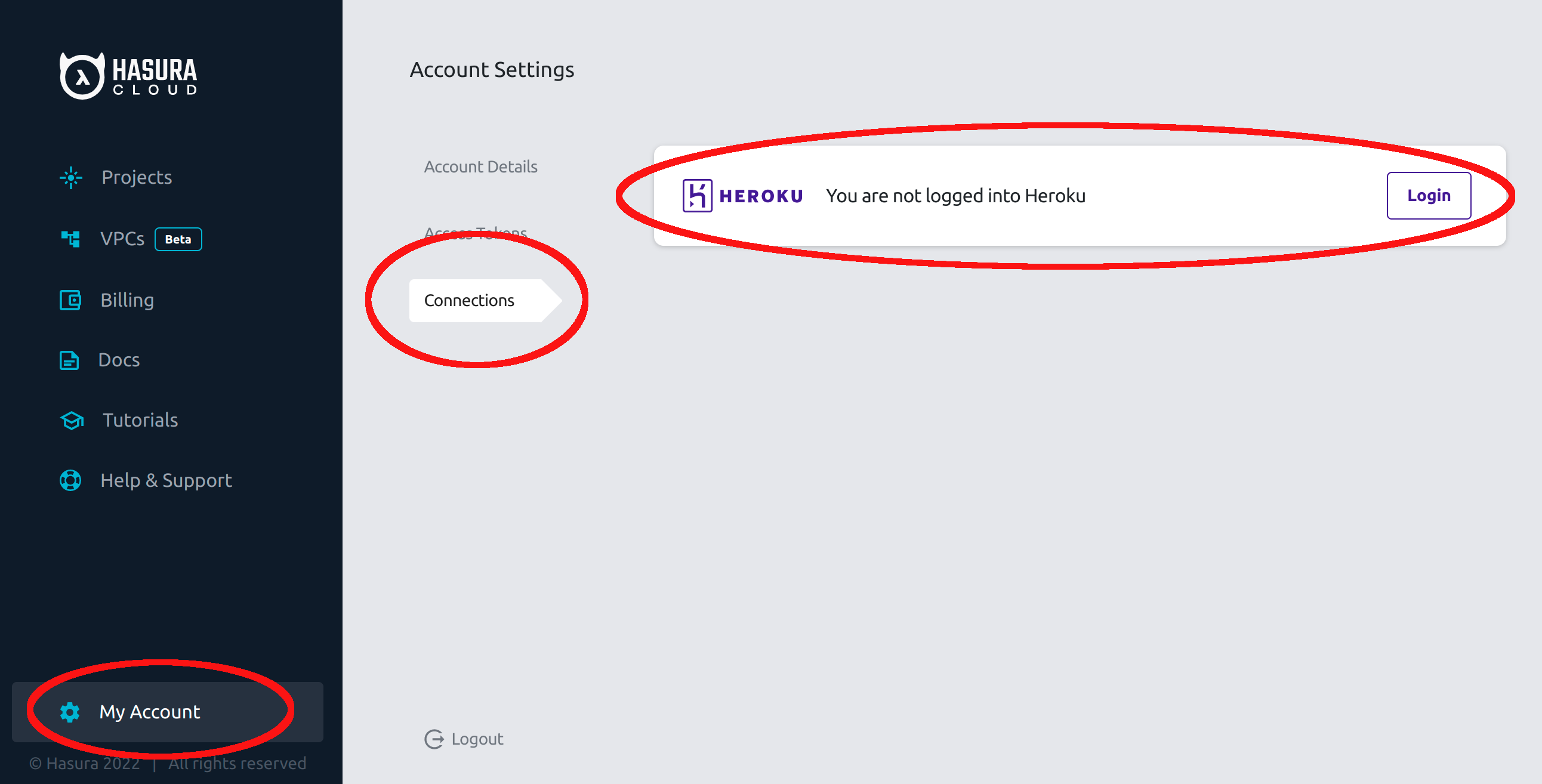
2. link the Hasura Cloud account to a Heroku account
3. create a new Heroku database in the v1 project's data tab
4. rotate the Heroku DB credentials using the Heroku CLI with `heroku pg:credentials:rotate -a --confirm `
5. observe that Heroku DB credentials are synced to the Hasura project and that the database can still be used
6. in Hasura Cloud "My Account" >> "Connections" log out of Heroku
7. again rotate the Heroku DB credentials
8. observe that Heroku DB credentials are not synced to the Hasura project and that the database can no longer be used
9. observe that without a Heroku card in "Integrations" the user cannot re-establish Heroku database URL sync
10. note that though the user can manually fix the DB connection string in the env var, it will no longer be updated when Heroku rotates credentials
### Screenshots or Screencast

### Any possible solutions?
One possible solution is not to treat this as a bug, but rather as the behavior v1 customers will have to accept.
### Can you identify the location in the source code where the problem exists?
It may be in [this PR](https://github.com/hasura/lux/pull/2887)
### If the bug is confirmed, would you be willing to submit a PR?
No
Contributor guide
Assessment
This issue has not been assessed yet.