hasura / hasura/graphql-engine
Aggregation query with custom check permission does not work
- Dominant language
- TypeScript
- Stars
- 32.1k
- Forks
- 3k
- PR merge metrics
- PR metrics pending
Description
### Version Information
Server Version: `2.0.7`
### Environment
Self-hosted
### What is the expected behavior?
Aggregation queries with "custom checks" should not return count for records that do not satisfy the rules in the "custom checks."
### Keywords
aggregate permissions, aggregation permissions
### What is the current behavior?
Aggregate queries do not respect "custom checks" in the permissions and returns `count` of all records.
### How to reproduce the issue?
1. Create these 3 tables:
```
content (id uuid, data text, source_id uuid)
sources (id uuid, name text, collection_id uuid)
collections (id uuid, name text, team_id uuid)
```
2. Create the following relationships:
```
content.source_id --> sources.id
sources.collection_id --> collections.id
```
3. Add the following permission on the `content` table:
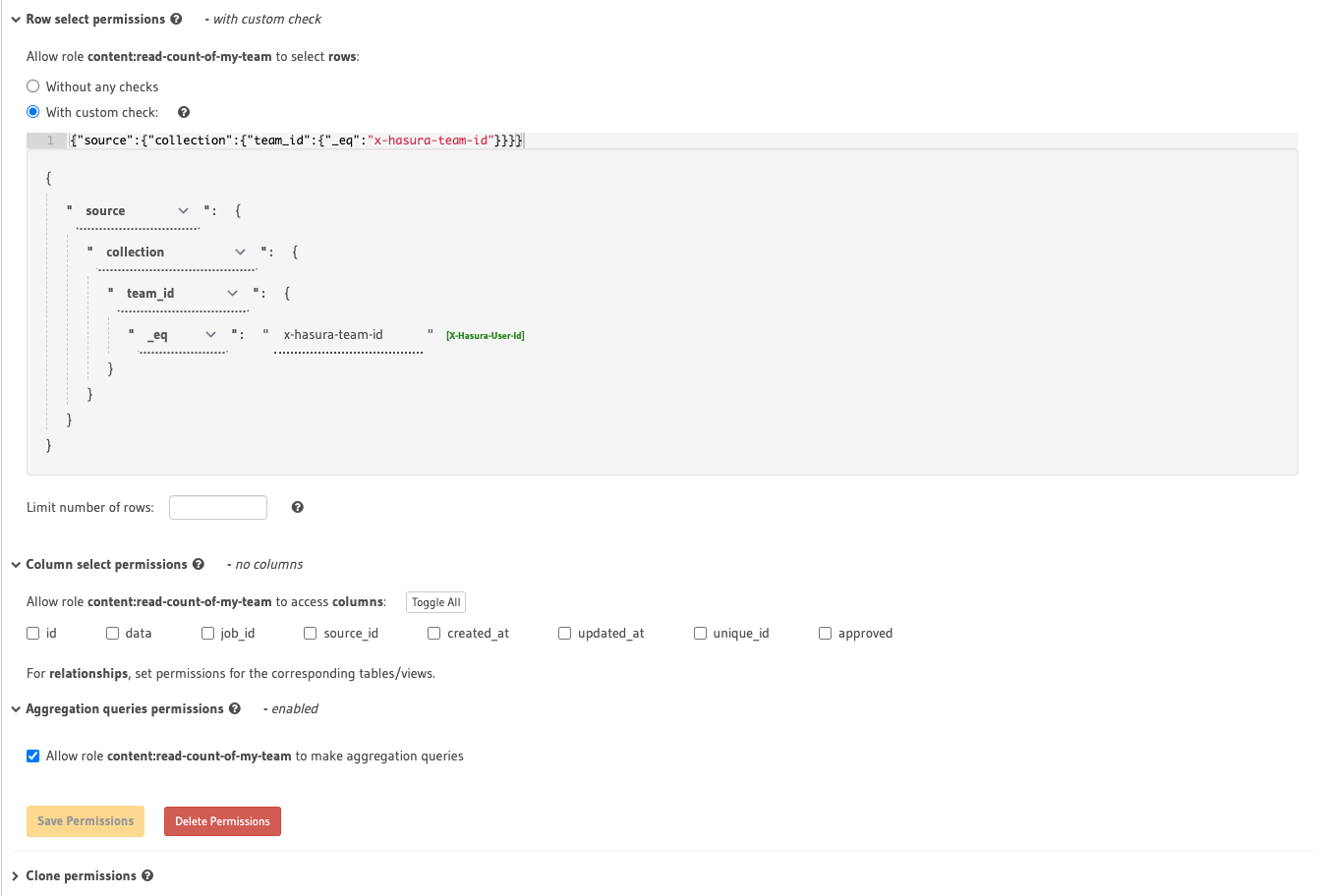
4. Add a few records in all tables with different `team_Id`
5. Run the following query with the `role` you added permission for.
```graphql
query {
content_aggregate {
aggregate {
count
}
}
}
```
Notice how count for all records is returned instead of records for a specific `team_id`
** `team_id` value is properly passed to Hasura in JWT and is being used in many other queries and permissions without any issues.
@tirumaraiselvan @praveenweb thoughts, options?
Contributor guide
Research direction
Start by reproducing the content_aggregate query with the three-table schema, relationships, JWT team_id, and custom-check permission described in the issue. Trace how aggregation counts apply permission checks. Done means the count excludes records from other team_id values, while ordinary permission queries remain correct.
Written by the indexing model from the issue text.
Assessment
- Tech stack
- graphql
- Domain
- api, authorization, database
- Issue type
- Bug
- Difficulty
- 4/5
- Estimated time
- 3-5 days
- Activity status
- Stale
- Clarity
- Mostly clear
- Newbie friendliness
- 25/100