First allocation exec socket always fails with permissions error
- Dominant language
- Go
- Stars
- 17k
- Forks
- 2.1k
- Avg merge
- 1d 9h
- Merged PRs (30d)
- 105
Description
### Nomad version
`Nomad v0.10.4 (f750636ca68e17dcd2445c1ab9c5a34f9ac69345)`
### Operating system and Environment details
macOS 10.14.6
I’m running in `dev` mode.
### Issue
When I try to start an allocation exec session, either via the command line or WebSocket, the first attempt always fails with an error like this:
```
2020-02-20T14:29:53.060-0500 [INFO] client: task exec session ended with an error: error="rpc error: code = Unknown desc = failed to start command: fork/exec /bin/bash: operation not permitted" code=0xc0013c6000
```
Subsequent attempts succeed though! And sometimes it appears to fail but actually succeeds; see the logs below that show that happening.
Here’s a GIF of it failing in the CLI:
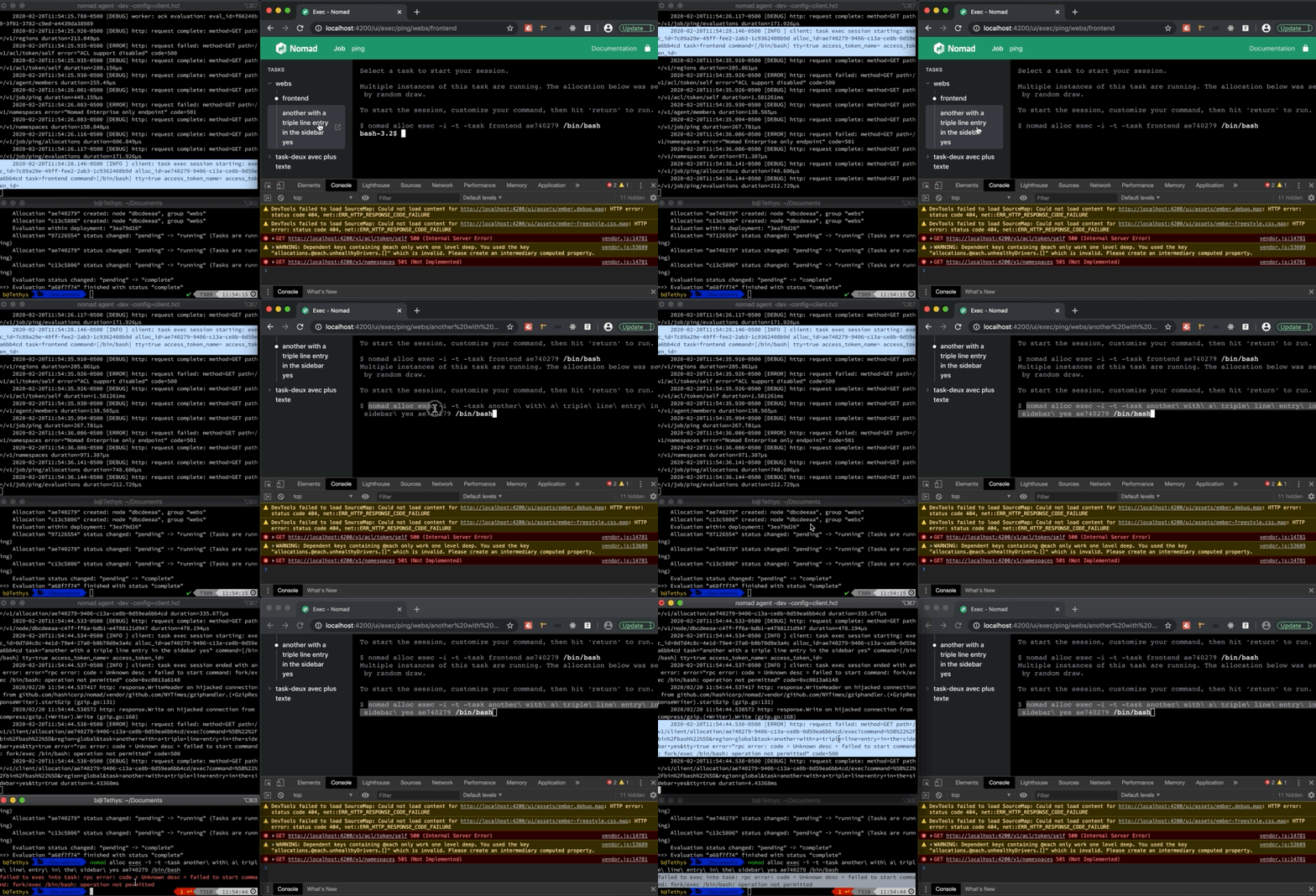
And via the web UI exec interface I’m working on:

Sorry for the blurry and small GIFs, there’s a 10MB limit 😞
### Reproduction steps
Try to open an allocation exec session after starting up the agent in `dev` mode. I’ve only tried this on macOS 10.14.6 though! 🤔
### Job file (if appropriate)
Job file (weird formatting…?!)
job "ping" {

  region = "global"

  datacenters = ["dc1"]

  type = "service"

  update {

    stagger      = "30s"

    max_parallel = 2

  }

  group "webs" {

    count = 2

    task "frontend" {

      driver = "raw_exec"

      config {

          command = "ping",

          args = [ "8.8.8.8" ]

      }

      env {

        "DB_HOST" = "db01.example.com"

        "DB_USER" = "web"

        "DB_PASS" = "loremipsum"

      }

      resources {

        cpu    = 250 # MHz

        memory = 128 # MB

      }

    }

    task "another with a triple line entry in the sidebar yes" {

      driver = "raw_exec"

      config {

          command = "ping",

          args = [ "8.8.8.8" ]

      }

      resources {

        cpu    = 250 # MHz

        memory = 128 # MB

      }

    }

  }

  group "task-deux avec plus texte" {

    count = 1

    task "une tâche (\"c’est vrai\")" {

      driver = "raw_exec"

      config {

          command = "ping",

          args = [ "8.8.8.8" ]

      }

      env {

        "DB_HOST" = "db01.example.com"

        "DB_USER" = "web"

        "DB_PASS" = "loremipsum"

      }

      resources {

        cpu    = 250 # MHz

        memory = 128 # MB

      }

    }

  }

}
### Nomad logs
A subset of dev agent logs
    2020-02-20T14:37:33.512-0500 [INFO]  client: task exec session starting: exec_id=6f9e83ec-d07e-98dc-8489-023a2a75642b alloc_id=07217ab5-eabd-f6be-0900-5f20da63d9cd task=frontend command=[/bin/bash] tty=true access_token_name= access_token_id=

    2020-02-20T14:37:33.516-0500 [INFO]  client: task exec session ended with an error: error="rpc error: code = Unknown desc = failed to start command: fork/exec /bin/bash: operation not permitted" code=0xc0012f4978

    2020/02/20 14:37:33.516354 http: response.WriteHeader on hijacked connection from github.com/hashicorp/nomad/vendor/github.com/NYTimes/gziphandler.(*GzipResponseWriter).startGzip (gzip.go:131)

    2020/02/20 14:37:33.516388 http: response.Write on hijacked connection from compress/gzip.(*Writer).Write (gzip.go:168)

    2020-02-20T14:37:33.516-0500 [ERROR] http: request failed: method=GET path=/v1/client/allocation/07217ab5-eabd-f6be-0900-5f20da63d9cd/exec?task=frontend&tty=true&command=%5B%22%2Fbin%2Fbash%22%5D error="rpc error: code = Unknown desc = failed to start command: fork/exec /bin/bash: operation not permitted" code=500

    2020-02-20T14:37:33.516-0500 [DEBUG] http: request complete: method=GET path=/v1/client/allocation/07217ab5-eabd-f6be-0900-5f20da63d9cd/exec?task=frontend&tty=true&command=%5B%22%2Fbin%2Fbash%22%5D duration=3.944348ms

    2020-02-20T14:37:33.527-0500 [INFO]  client: task exec session starting: exec_id=9e287fc2-cdf3-15f0-7f31-ecb0bbeb4012 alloc_id=07217ab5-eabd-f6be-0900-5f20da63d9cd task=frontend command=[/bin/bash] tty=true access_token_name= access_token_id=
Contributor guide
No contributing guide indexed for this repository
Research direction
Reproduce the first allocation exec session failure in Nomad dev mode on macOS, using the CLI or the WebSocket interface and the supplied job file. Start from the allocation exec session path and the reported fork/exec permission error; done means the first attempt succeeds consistently without the logged operation-not-permitted failure.
Written by the indexing model from the issue text.
Assessment
- Tech stack
- go, macos
- Domain
- backend
- Issue type
- Bug
- Difficulty
- 4/5
- Estimated time
- 3-5 days
- Activity status
- Stale
- Clarity
- Mostly clear
- Newbie friendliness
- 35/100