Guide Pages - Sticky Navigation Fix
- Dominant language
- JavaScript
- Stars
- 363
- Forks
- 872
- Avg merge
- 2d 21h
- Merged PRs (30d)
- 18
Description
### Dependency
- [ ] Guides interface is relaunched.
- [x] https://github.com/hackforla/website/issues/1630
### Overview
As a developer, we need to make sure that our web page is visually appealing for people to view when visiting our website. For this issue, we will correct issues found in the sticky navigation bar of the Redesigned Guide Pages.
### Action Items
- [ ] Correct the scroll in the `assets\js\guidepages.js`
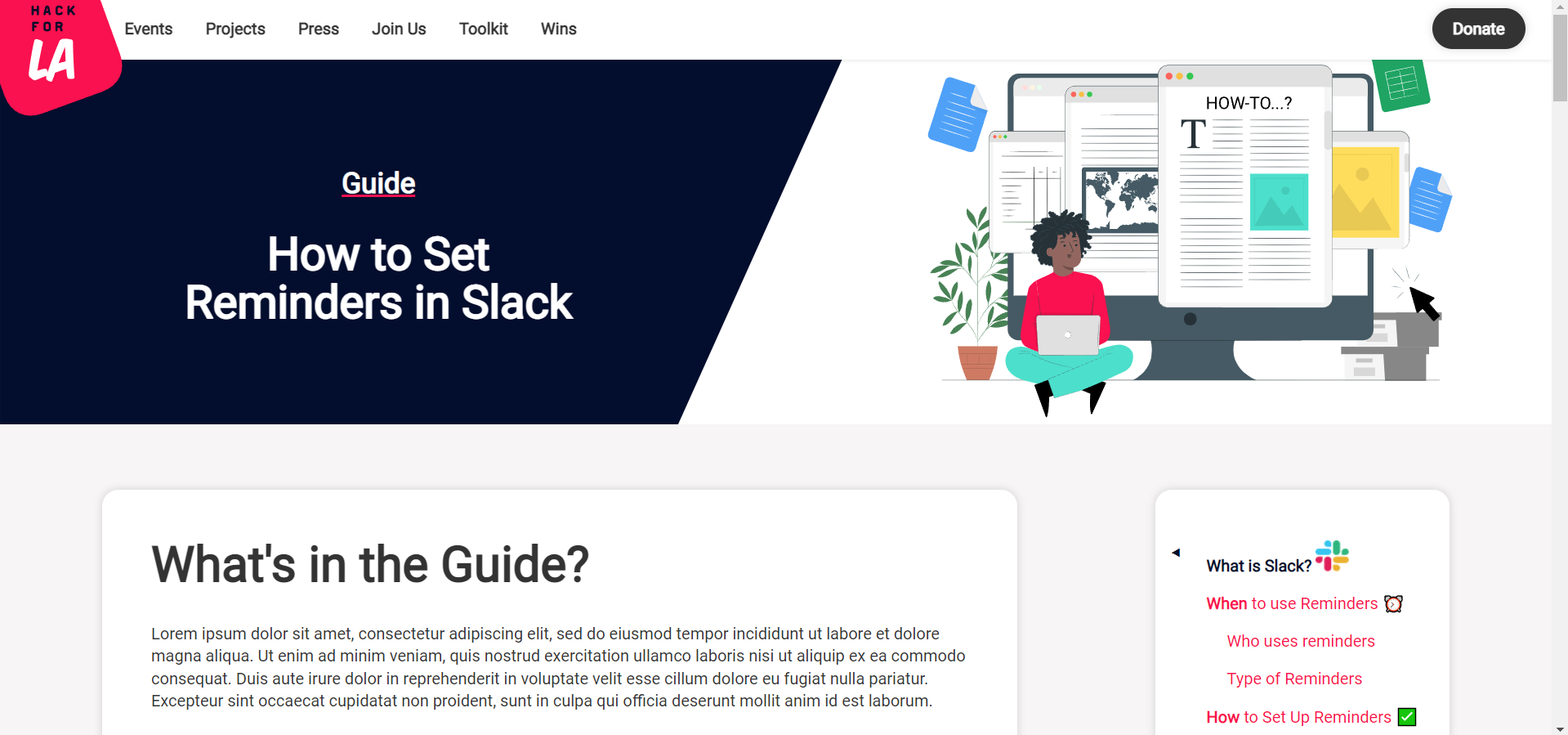
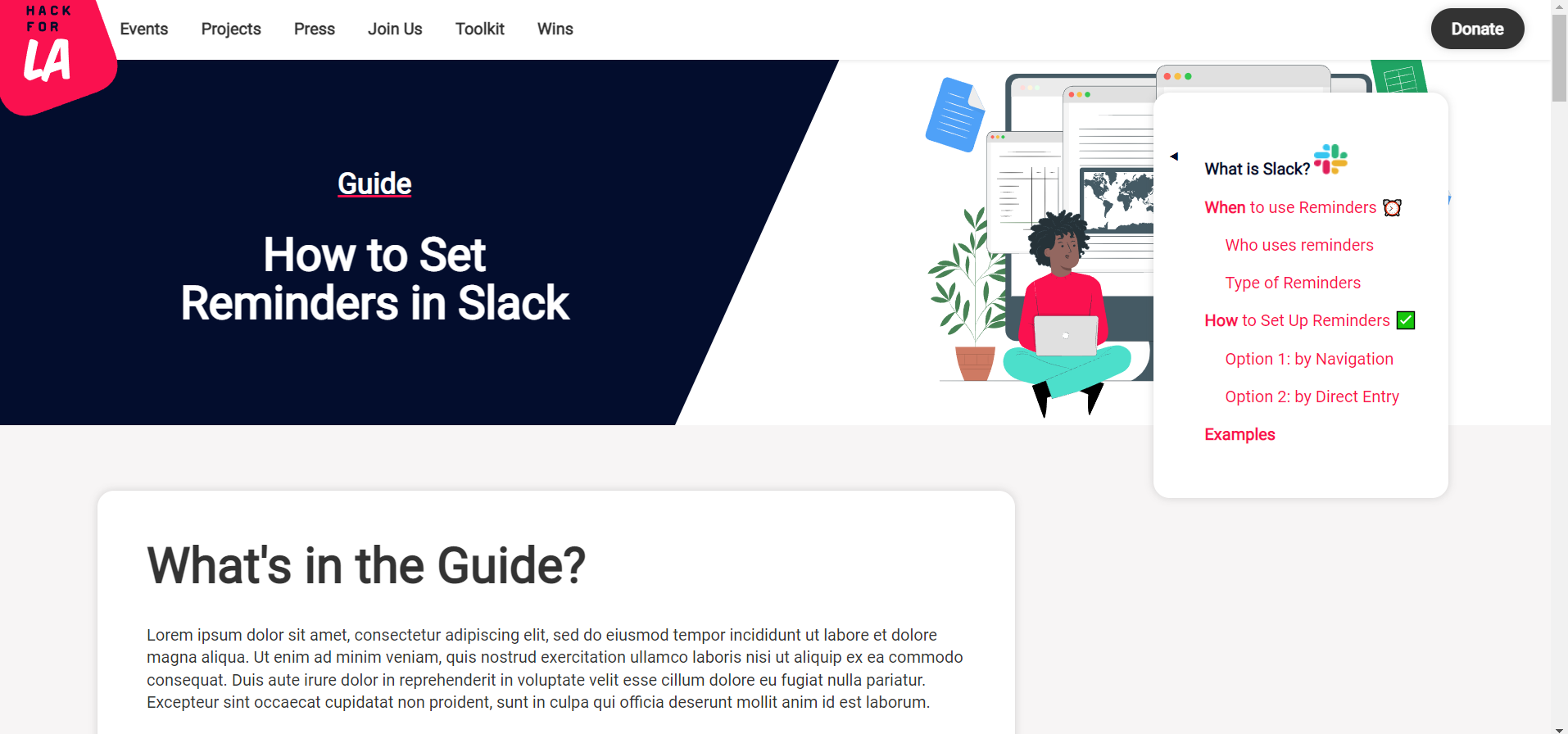
- After the user scrolls down the Guide Page, the sticky bar would jump up and hover over the hero section. Please see visuals below under Resources/Instructions for more details.
- [ ] Fix/Update the code so that the Guide Pages collect the following section titles (and potentially future section titles): "What's in the Guide?" and "Guide Authors"
- Currently using an automated table of contents tool located in `_includes\toc.html` that automatically collects all sections and subsections based on the markdown's headings without needing to include them in the front matter.
- It would be an excellent opportunity to explore how we can customize the `_includes\toc.html` to take the headings from `_layouts\guides.html` and generate their section titles in the sticky navigation bar.
- [ ] Edit the code in `_layouts\guides.html` to remove images and emojis from the section titles.
- [ ] Ensure that the sticky navigation bar redirects users to the heading and not below it.
- [ ] Once the pull request associated with this issue is approved and merged
- [ ] Please update and edit issue #1515 by
- [ ] Checking off the dependency for this issue
- [ ] If all dependencies are checked off, please move issue #1515 to the New Issue Approval column and remove the Dependency label
### Resources/Instructions
- ~~https://github.com/hackforla/website/pull/3161~~
- https://github.com/hackforla/website/pull/3476 : New PR
- More about `toc.html`
- Here's how 100Automations used the tool to automate their navigation bar:
- [[Repository]](https://github.com/100Automations/Website/blob/gh-pages/_includes/toc.html)
- [[Live - All Guides]](https://100automations.org/all_guides)
- Jekyll Pure Liquid Table of Contents - Repository [[Link]](https://github.com/allejo/jekyll-toc)
- List of all of the files related to the Redesigned Guide Pages and their respective folders:
- `_guide-pages\how-to-set-reminders-in-slack.md` - New Guide Page called "How to Set Reminders in Slack"
- `_includes\toc.html` - Generates section and subsection titles for the sticky navigation of the Guide Pages.
- `_layouts\guides.html` - Layout used for the Guides' MD files.
- `_sass\components\_guides.scss` - Styling for the redesigned Guide Pages.
- `assets\images\guides\how-to-set-reminders-in-slack` - Contains all of the images included in "How to Set Reminders in Slack"
- `assets\images\guides\guide-page-hero.svg` - New hero image for the redesigned Guide Pages.
- `assets\js\guidepages.js` - JS for Guide Pages that enables the functionality of the sticky navigation bar and the Return to the Top Button. (Return to the Top Button is only visible on mobile.)
- `pages\guides.html`
Sticky Nav Bar Scrolling Issue - Visuals
https://www.hackforla.org/guide-pages/how-to-set-reminders-in-slack
Before Scrolling -
After Scrolling -
Contributor guide
Assessment
This issue has not been assessed yet.