Improve Analytics dashboard messaging to include difference scenarios for non reporting of data
- Dominant language
- JavaScript
- Stars
- 1.4k
- Forks
- 383
- Avg merge
- 4d 14h
- Merged PRs (30d)
- 77
Description
## Bug Description
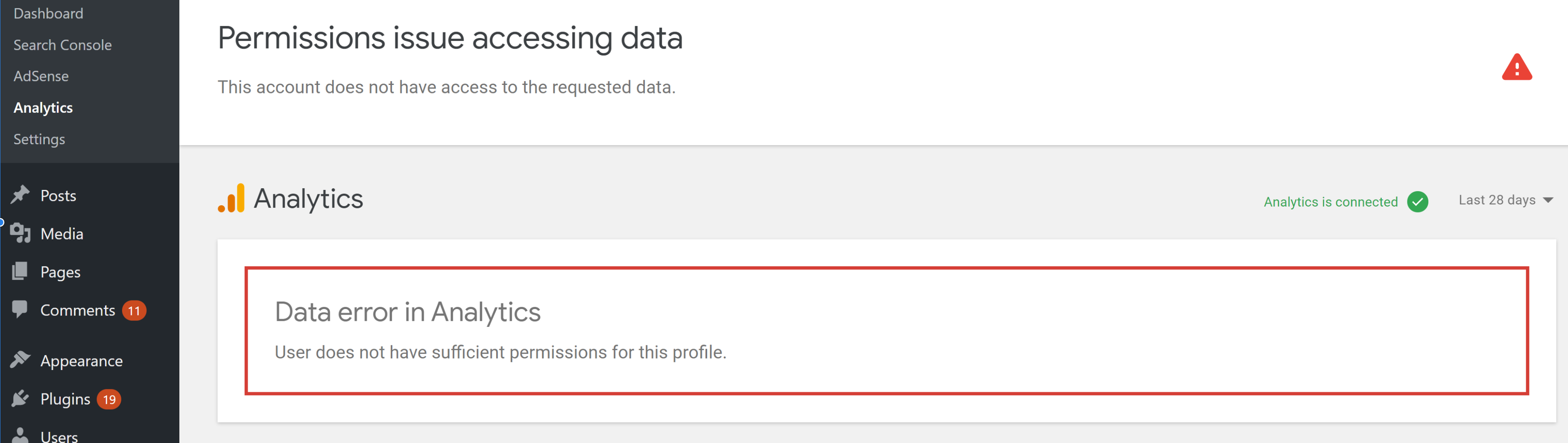
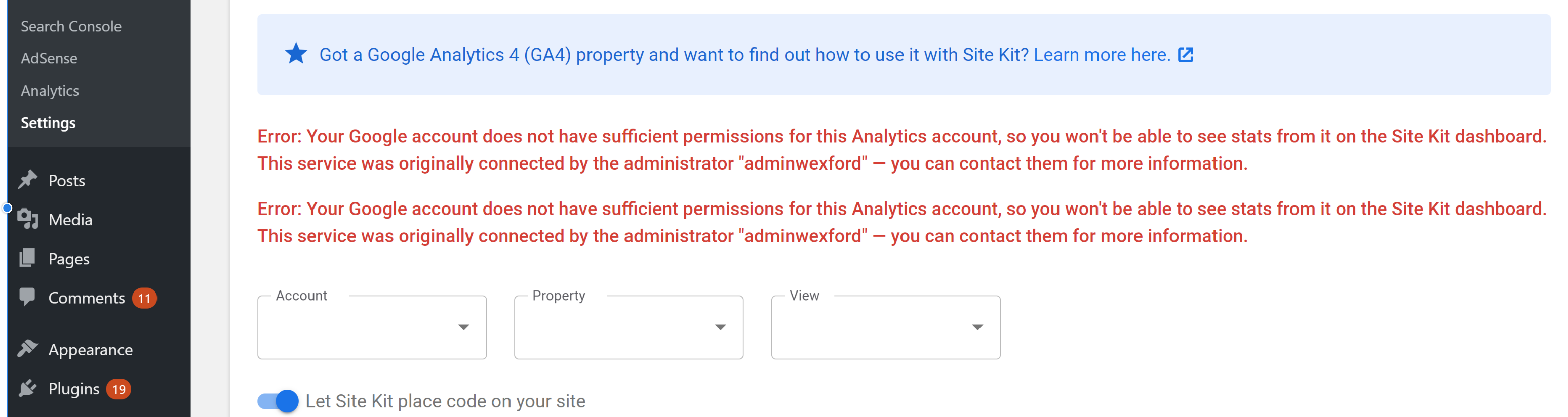
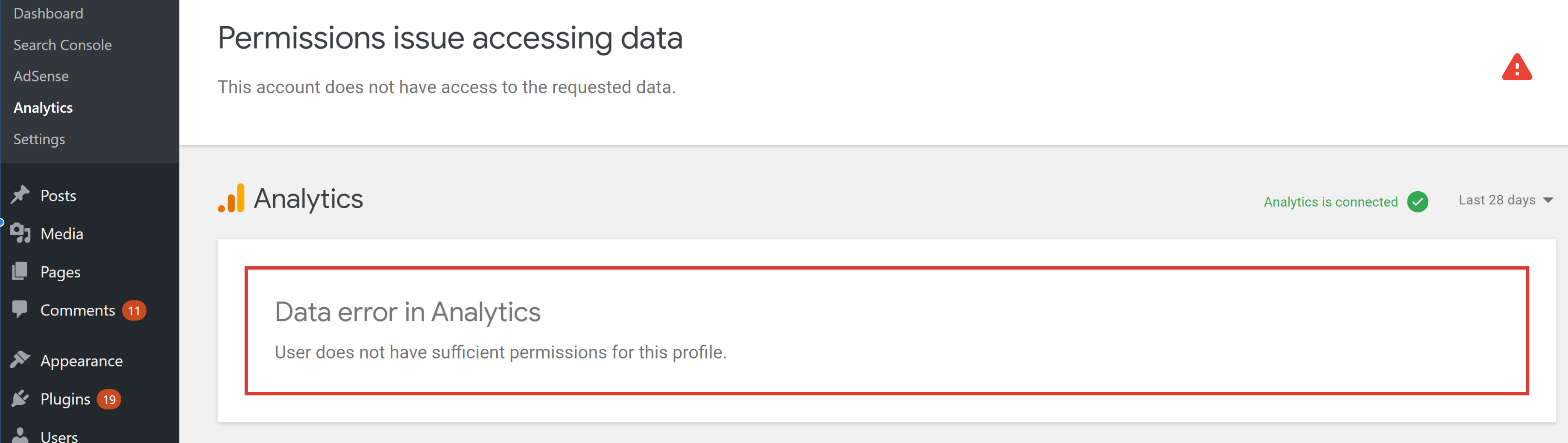
At present if an already connected Analytics account is trashed within the Analytics web UI a user will encounter the following SK dashboard errors, with messaging that could be expanded on to cover all scenarios:
_**Trashed account - Analytics tab:** "User does not have sufficient permissions for this profile" message when visiting the Analytics tab._
_**Trashed account - Analytics settings tab:**_
**_Trashed account - Primary Dashboard Tab:_**
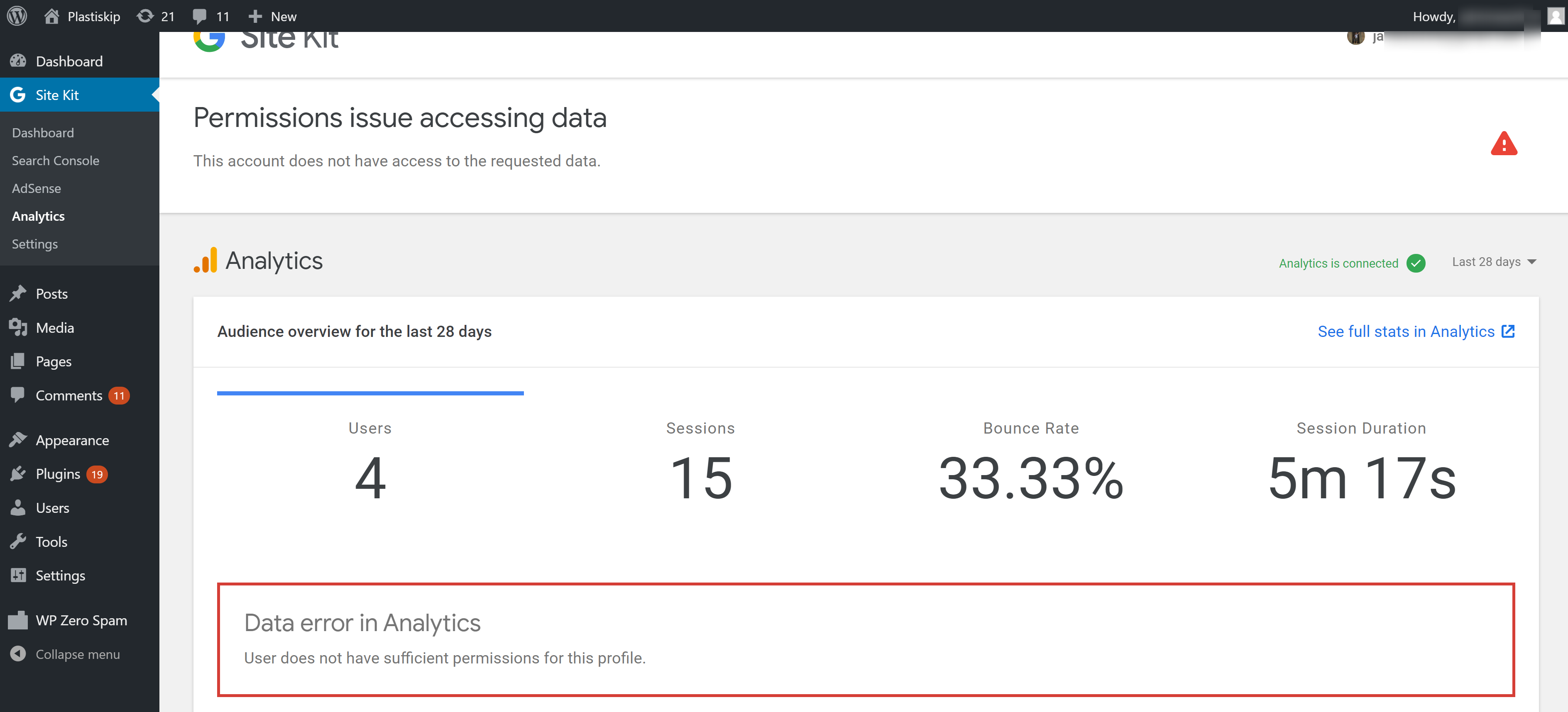
If it can be determined that an account doesn't exist then as opposed to outputting a 'permissions..' issue the messaging could be improved to include the possibility that an account (or property) may not exist. ,
Note that once an account is "Moved to trash can" it remains in that state for [35 days](https://support.google.com/analytics/answer/6154772?hl=en).
Console error within Analytics settings tab below:
```
Failed to load resource: the server responded with a status of 403 ()
googlesitekit-api.ab…3a29589c0a79d4.js:4 Google Site Kit API Error
Object
code: 403
data: {status: 403, reason: "insufficientPermissions"}
message: "User does not have sufficient permissions for this account."
__proto__: Object
```
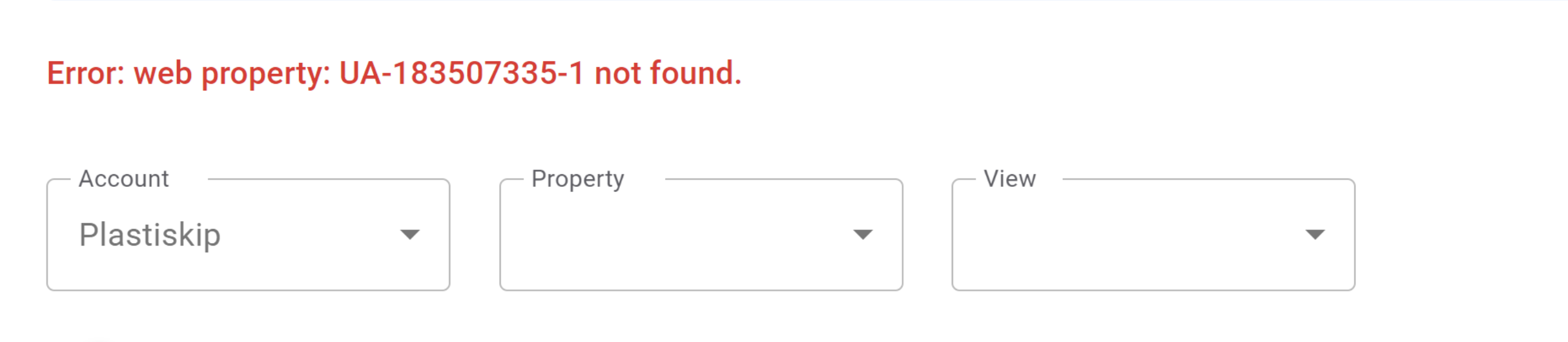
Note that improvements in messaging may be considering for trashed properties along with trashed accounts, however the Analytics settings page in the case of trashed properties is sufficient:
**_Trashed property - SK analytics settings tab:_**
**_Trashed property - SK analytics dashboard tab:_**
## Steps to reproduce
1. Connect Site Kit to any Analytics account
2. Delete that account from analytics.google.com ("Move to trash")
3. Revisit the Site Kit dashboard and Analytics settings tab
## Additional Context
- SK 1.20.0
- No known definitive support topics in the WP support forums as of yet , although some users did report such permissions issues when they were the only connected administrator
---------------
_Do not alter or remove anything below. The following sections will be managed by moderators only._
## Acceptance criteria
*
## Implementation Brief
*
### Test Coverage
*
### Visual Regression Changes
*
## QA Brief
*
## Changelog entry
*
Contributor guide
Research direction
Start by reproducing the trashed-account flow in the Site Kit dashboard and Analytics settings tab, then inspect the 403 insufficientPermissions response shown in the issue. Done means the affected dashboard views explain that an Analytics account or property may be missing or trashed instead of presenting only a permissions error; no files or automated tests are named in the issue.
Written by the indexing model from the issue text.
Assessment
- Tech stack
- javascript
- Domain
- analytics, frontend
- Issue type
- Bug
- Difficulty
- 4/5
- Estimated time
- 3-5 days
- Activity status
- Stale
- Clarity
- Mostly clear
- Newbie friendliness
- 35/100