Some fonts appear doubled when printed as PDF
- Dominant language
- HTML
- Stars
- 20.5k
- Forks
- 2.9k
- Avg merge
- 1d 21h
- Merged PRs (30d)
- 95
Description
Hi,
I have a weird issue where one piece of text using a Google Font appears twice when printed as PDF.
I created a simple html file for demo purposes:
```html
@import url('https://fonts.googleapis.com/css?family=IBM+Plex+Serif&display=swap');
#doubled {
font-family: 'IBM Plex Serif', serif;
}
#not-doubled {
font-family: Helvetica, sans-serif;
}
Font Printing issue
Title in 'IBM Plex Serif' from Google Fonts that will be doubled
Title in 'Helvetica' that will not be doubled
```
Then I simply perform a 'print as pdf' (either using the browser dialog or the one from macOS)
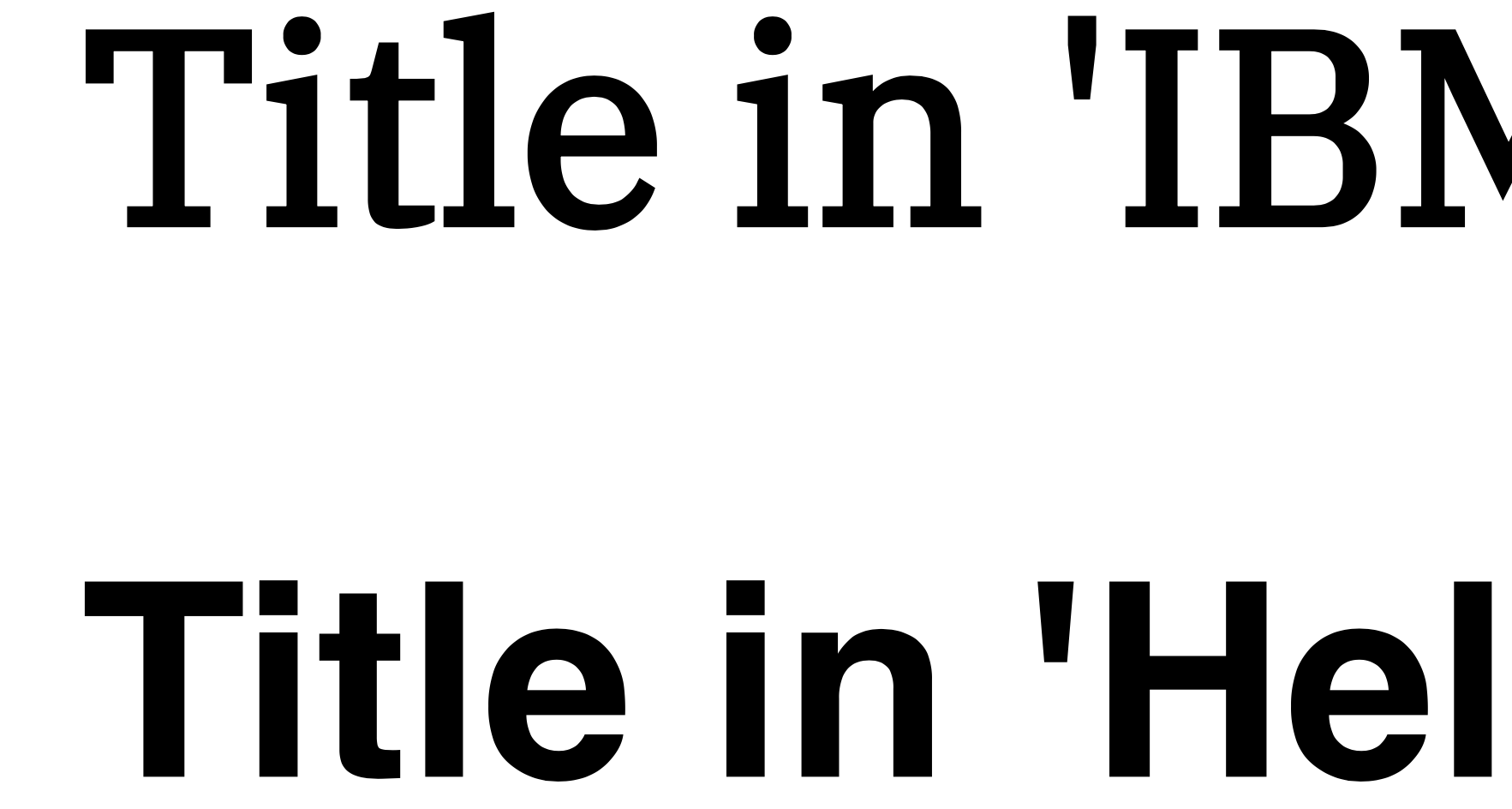
- Chrome (79.0.3945.130): no issue
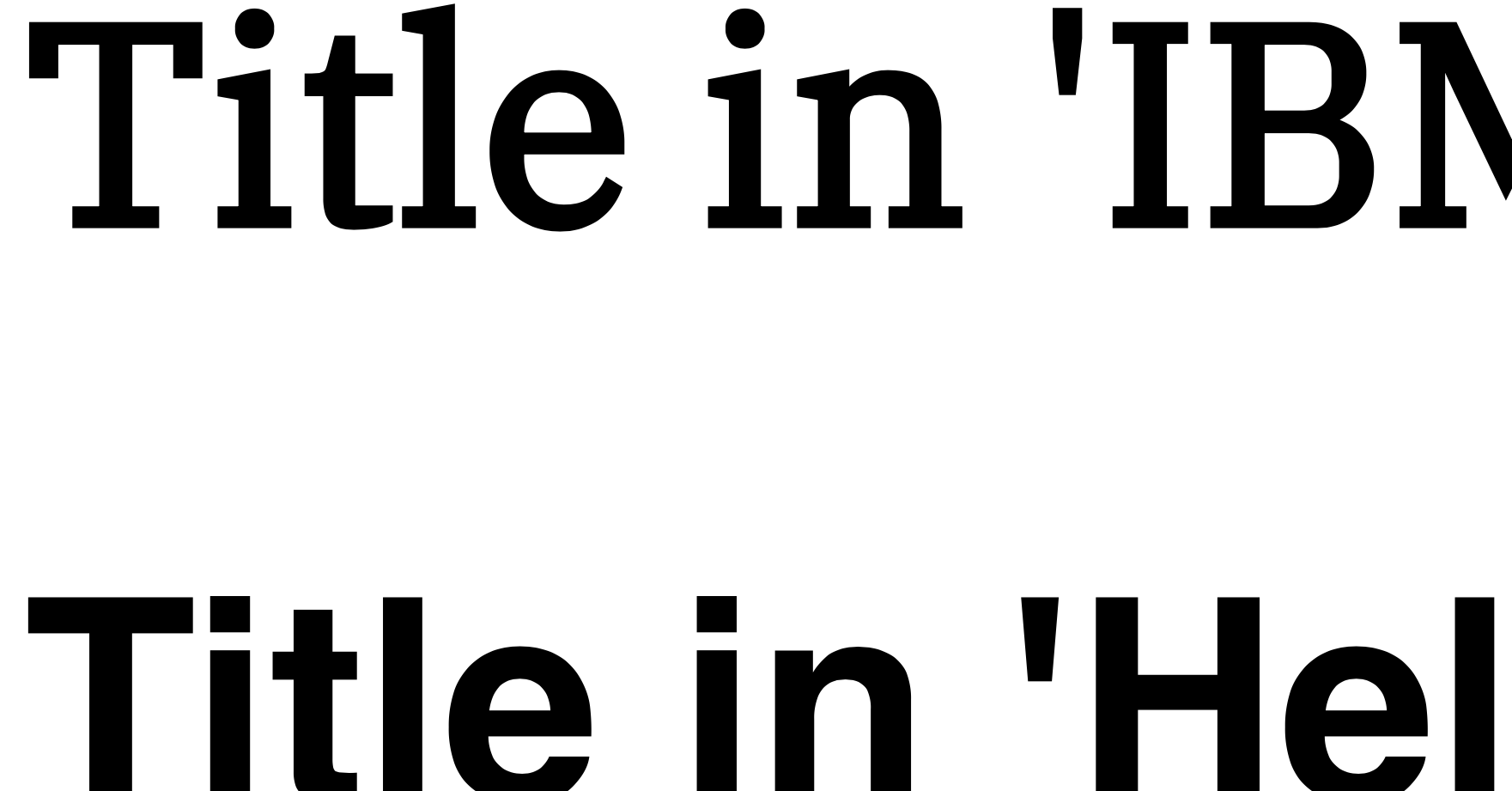
- Edge (79.0.309.68): no issue
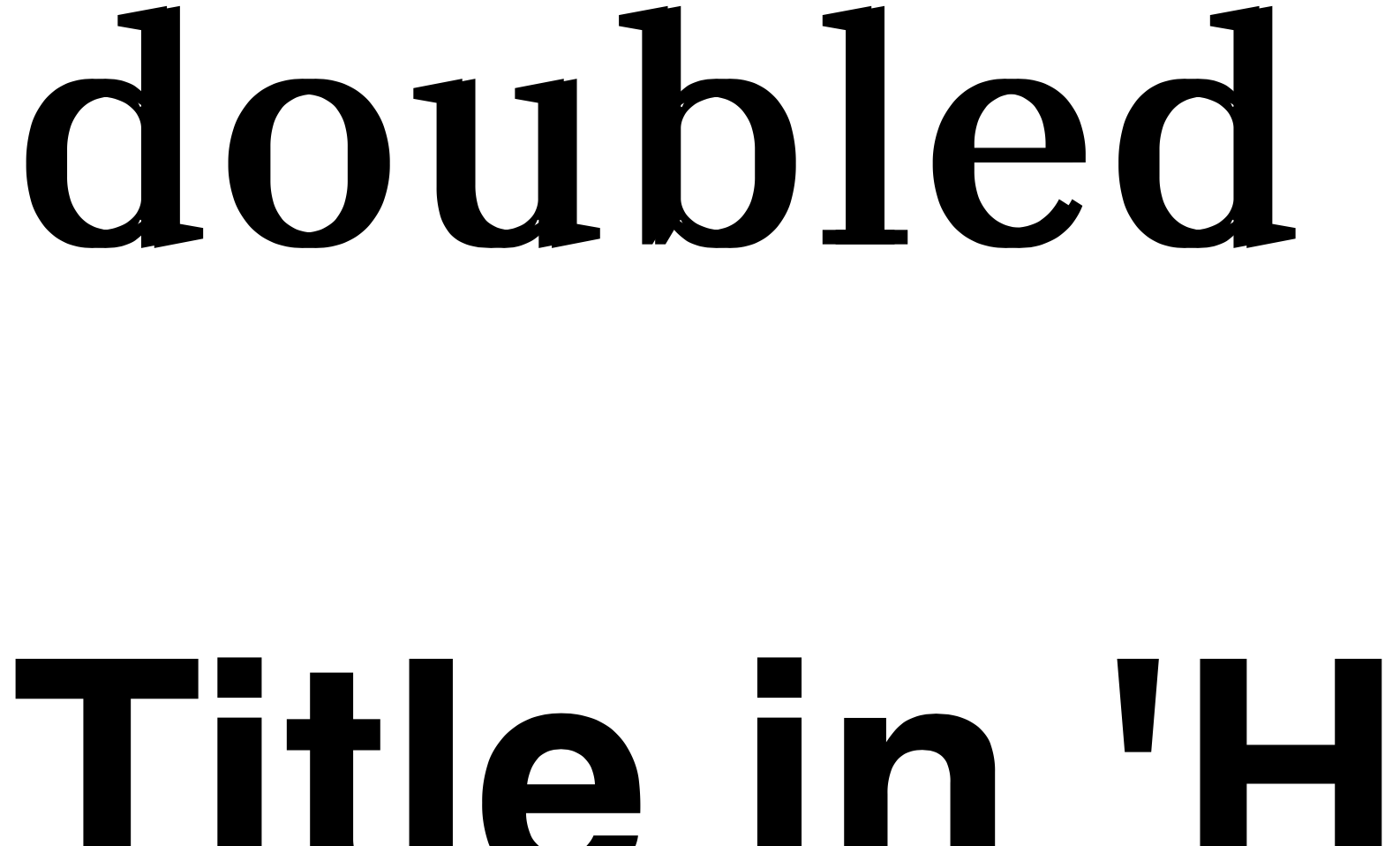
- Safari (13.0.4 (15608.4.9.1.3): the font is doubled
- Firefox (72.0.2): the font is doubled
Here are some zoomed-in screenshots:
### Chrome ✅ :
### Edge ✅ :
### Safari ❌ :
### Firefox ❌ :
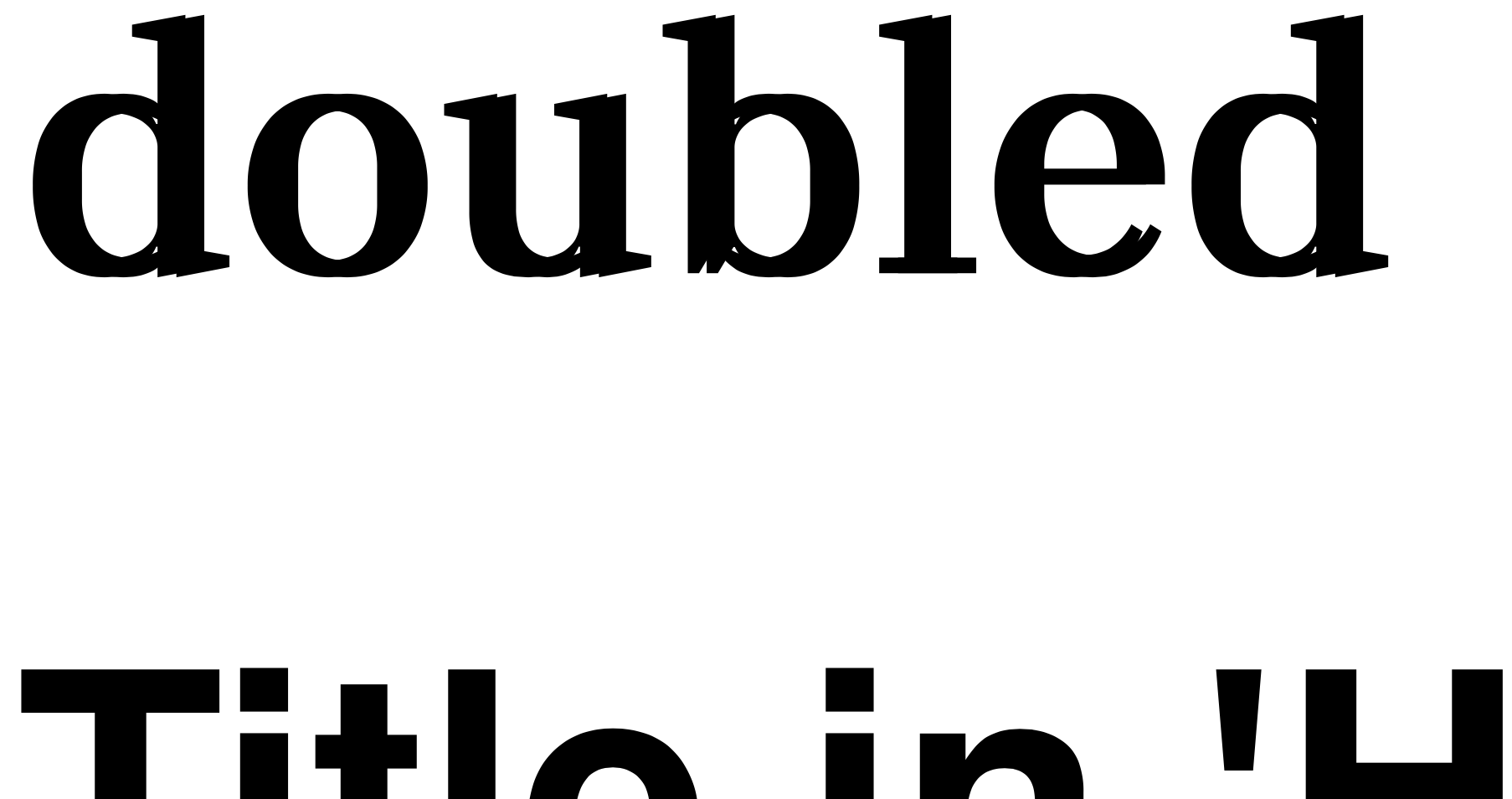
You can see that the word `doubled` is made of 2 words stacked.
It feels like this could be a browser issue maybe?
Thanks a lot for any help on this.
Contributor guide
Assessment
This issue has not been assessed yet.