[IntelliJ] Set-up documentation out of date
- Dominant language
- Java
- Stars
- 7.2k
- Forks
- 820
- Avg merge
- 5h 9m
- Merged PRs (30d)
- 50
Description
The [documentation for setting up IntelliJ](https://errorprone.info/docs/installation#intellij-idea) is out of date.
It says that "To enable Error Prone, choose Settings | Compiler | Java Compiler | Use compiler: Javac with error-prone". There now is a new root level: "**Build, Execution, Compiler** | Compiler | Java Compiler | Use compiler: Javac with error-prone".
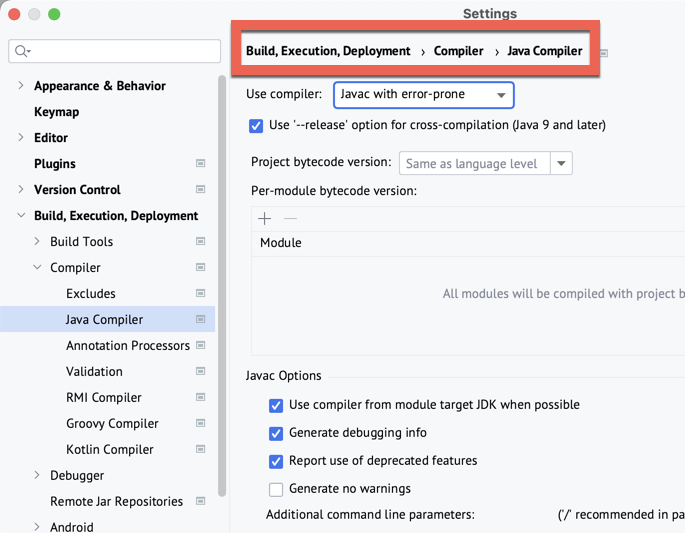
I couldn't find the "Use external build" setting that's supposedly is in "Build, Execution, Compiler | Compiler" (again, the new root level is missing).
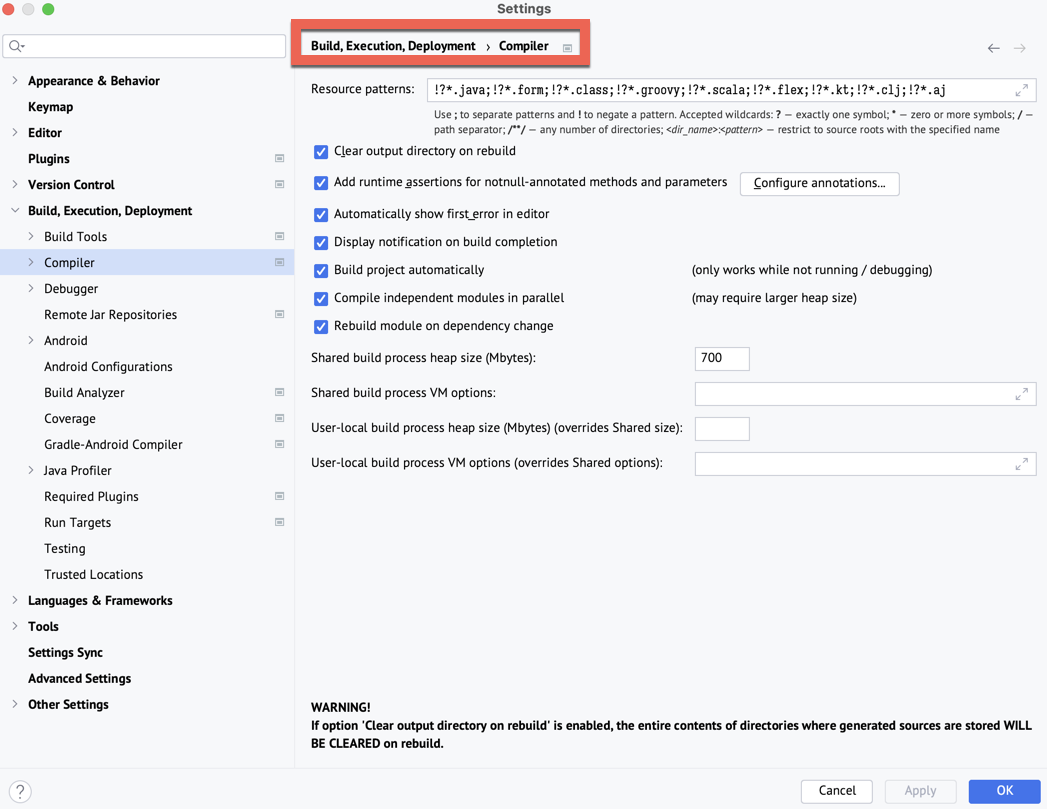
I'm using IntelliJ IDEA 2022.3.3 (Ultimate Edition) on macOS 13.2.1 (Ventura) with a Maven project and the latest version of the Error Prone plugin.
Contributor guide
Assessment
This issue has not been assessed yet.