WebView-based subtitle styling renders EDGE_TYPE_DROP_SHADOW with bottom clipped
- Dominant language
- Java
- Stars
- 21.9k
- Forks
- 6k
- PR merge metrics
- No merged PRs in 30d
Description
### ExoPlayer Version
2.17.1
### Devices that reproduce the issue
Mi 11 Lite
### Devices that do not reproduce the issue
_No response_
### Reproducible in the demo app?
Yes
### Reproduction steps
//I added this codes in demo app PlayerActivity#onCreate to reproduce the issue
SubtitleView subView = playerView.getSubtitleView();
subView.setViewType(SubtitleView.VIEW_TYPE_WEB);
subView.setStyle(new CaptionStyleCompat(
/* foregroundColor= */ Color.WHITE,
/* backgroundColor= */ 0,
/* windowColor= */ 0,
CaptionStyleCompat.EDGE_TYPE_DROP_SHADOW,
/* edgeColor= */ Color.RED,
/* typeface= */ null
));
//the following code helps showing the issue clearly but is not necessary
subView.setFractionalTextSize(0.12f);
ViewGroup.MarginLayoutParams lp = (ViewGroup.MarginLayoutParams) subView.getLayoutParams();
lp.bottomMargin = 50;
subView.requestLayout();
### Expected result
subtitle shows correctly
### Actual result
subtitle shows with some letter's bottom shadow clipped, like y,g,p
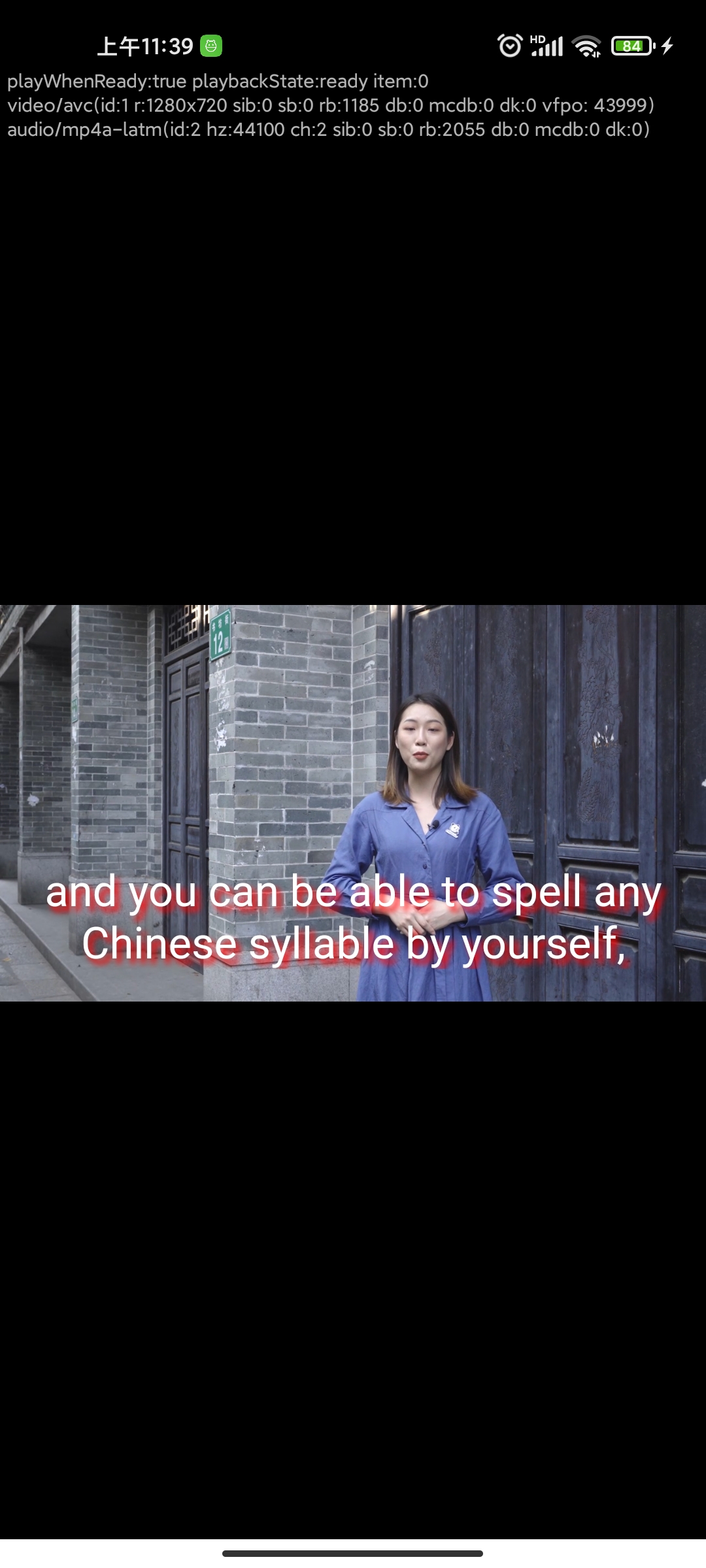
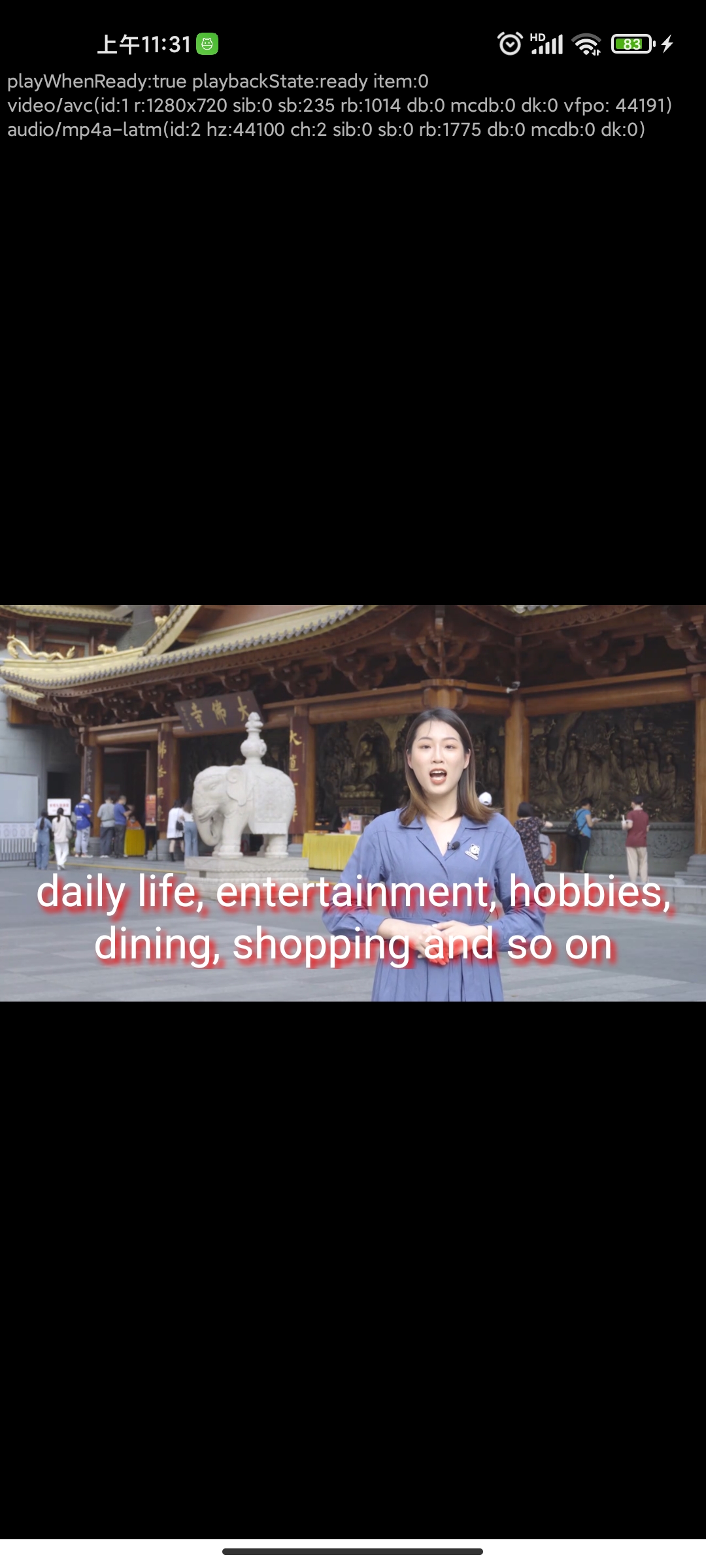
.
### Media
{
"name": "test",
"samples": [
{
"name": "test subtitle shadow",
"uri": "https://test.5ideachinese.com/profile/video/2022/02/42846ed3e5f7dac6d1ab45638764c6ff_02_09.mp4",
"subtitle_uri": "https://test.5ideachinese.com/profile/2022/02/ee07baee3ad31d7d2d674b59d3d849c9.vtt",
"subtitle_mime_type": "text/vtt",
"subtitle_language": "en"
}
]
}
### Bug Report
- [ ] You will email the zip file produced by `adb bugreport` to dev.exoplayer@gmail.com after filing this issue.
Contributor guide
Assessment
This issue has not been assessed yet.