godotengine / godotengine/godot-vscode-plugin
Debug Console only shows variable's correct value after hovering it
- Dominant language
- TypeScript
- Stars
- 2.1k
- Forks
- 257
- PR merge metrics
- No merged PRs in 30d
Description
### Godot version
3.4.4.stable
### VS Code version
1.68.0
### Godot Tools VS Code extension version
1.3.1
### System information
Windows 10
### Issue description
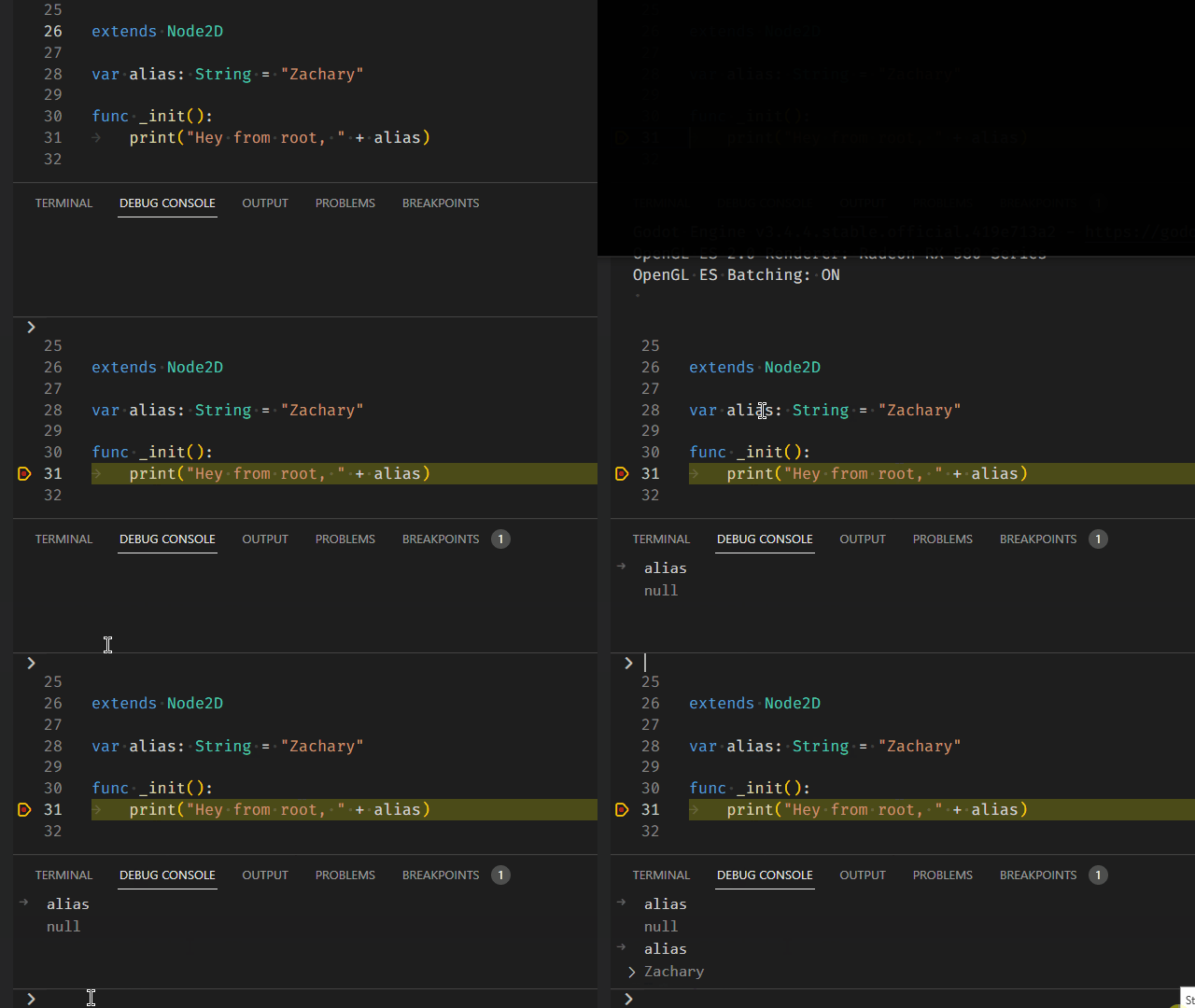
As you can see in the gif below the Debug Console doesn't reliably show the correct value of a variable. Only after highlighting a variable with the mouse will it show the correct value.
### Steps to reproduce
- Place breakpoint in VS Code
- Run project
- After hitting breakpoint type in a name of a variable in the Debug Console (it will be wrong)
- Highlight the variable with your mouse
- Typing the variable again will give you the correct value
Contributor guide
Assessment
This issue has not been assessed yet.