godotengine / godotengine/godot-docs
"Your first 3D game" Bug: Mobs should not rotate on Y axis following player jumping on spawn
- Dominant language
- reStructuredText
- Stars
- 5.7k
- Forks
- 3.8k
- Avg merge
- 1d 20h
- Merged PRs (30d)
- 25
Description
**Your Godot version:**
4.0.1.stable
**Issue description:**
Mobs also follow player on the vertical axis in the 3D game tutorial. Mobs work in, basically, 2D plane and should only get the direction of the player in X/Y planes. If player is above or below the mobs shouldn't matter since their rotation is only defined initially on instantiation. If player, say, falls below the ground we would experience this kind of bug:
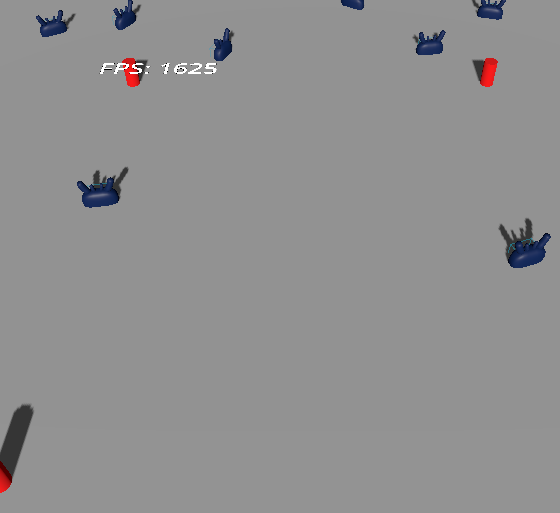
Normally, this wouldn't be an issue since player should be unable to leave boundaries of the level, but, in this game Player is able to jump altering the Y position, thus mobs using it to position themselves on spawn. You can see the issue present on the game's GIF advertised on the Godot's tutorial where one of the last mobs coming from top right is a bit too tilted:

Specifically you can see one of the latest mobs is a bit too tilted due to player jumping and it being incorrectly set:
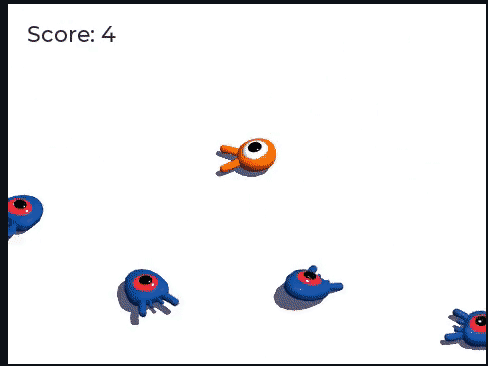
Looks like the issue is in this line in the Mob's script:
`look_at_from_position(start_position, player_position, Vector3.UP)`
It is supposed to be something like the following to not reference the player's Y position):
`look_at_from_position(start_position, Vector3(player_position.x, 0, player_position.z), Vector3.UP)`
I am new to godot which is why I haven't opened a PR, although I could if this solution seems viable enough for the documentation, please let me know.
**URL to the documentation page:**
https://docs.godotengine.org/en/stable/getting_started/first_3d_game/04.mob_scene.html
Contributor guide
No contributing guide indexed for this repository
Assessment
This issue has not been assessed yet.