godaddy-wordpress / godaddy-wordpress/coblocks
ISBAT Adjust the Alignment of the Shape Divider Block Consistently
- Dominant language
- JavaScript
- Stars
- 794
- Forks
- 142
- PR merge metrics
- No merged PRs in 30d
Description
### Describe the bug:
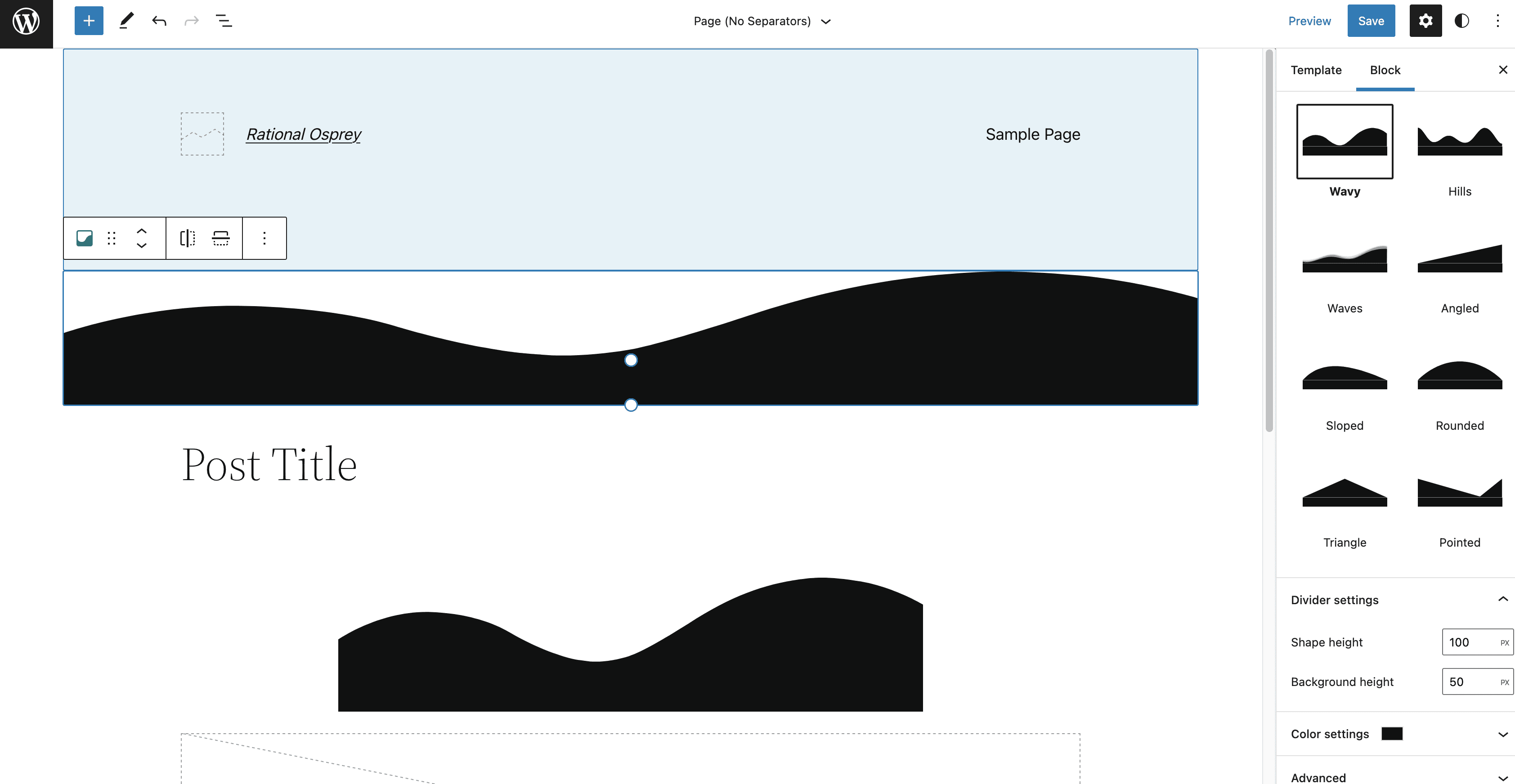
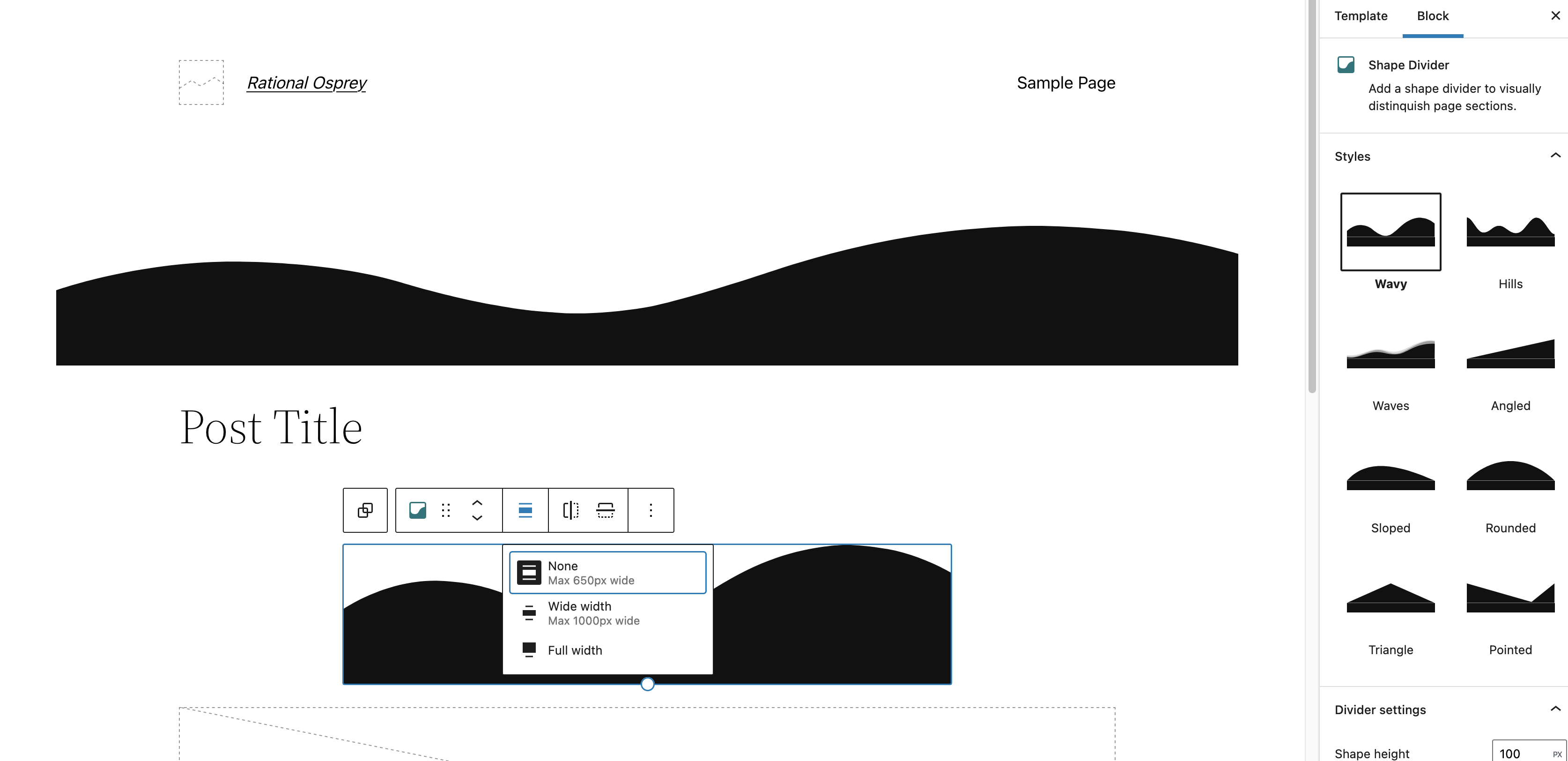
When using full site editing, I should be able to adjust the alignment of the Space Divider block. The control to adjust the alignment doesn't show up consistently.
### To reproduce:
1. Start with a fresh WP v5.9 install with Twenty Twenty Two
2. Go to "Appearance > Editor"
3. Open the "page" template
4. Add a Shape Divider below the header.
5. Observe there are no alignment controls.
6. Add a Shape Divider under the Post Title.
7. Observe that you can adjust the alignment.
### Expected behavior:
I would expect the alignment controls to be present consistently.
### Screenshots:
### Isolating the problem:
- [x] This bug happens with no other plugins activated
- [x] This bug happens with a default WordPress theme active
- [x] This bug happens **without** the Gutenberg plugin active
- [x] I can reproduce this bug consistently using the steps above
### WordPress version:
v5.9
### Gutenberg version:
Contributor guide
Assessment
This issue has not been assessed yet.