godaddy-wordpress / godaddy-wordpress/coblocks
ISBAT see correct Stacked images ratios with the Blockbase theme
- Dominant language
- JavaScript
- Stars
- 794
- Forks
- 142
- PR merge metrics
- No merged PRs in 30d
Description
### Describe the bug:
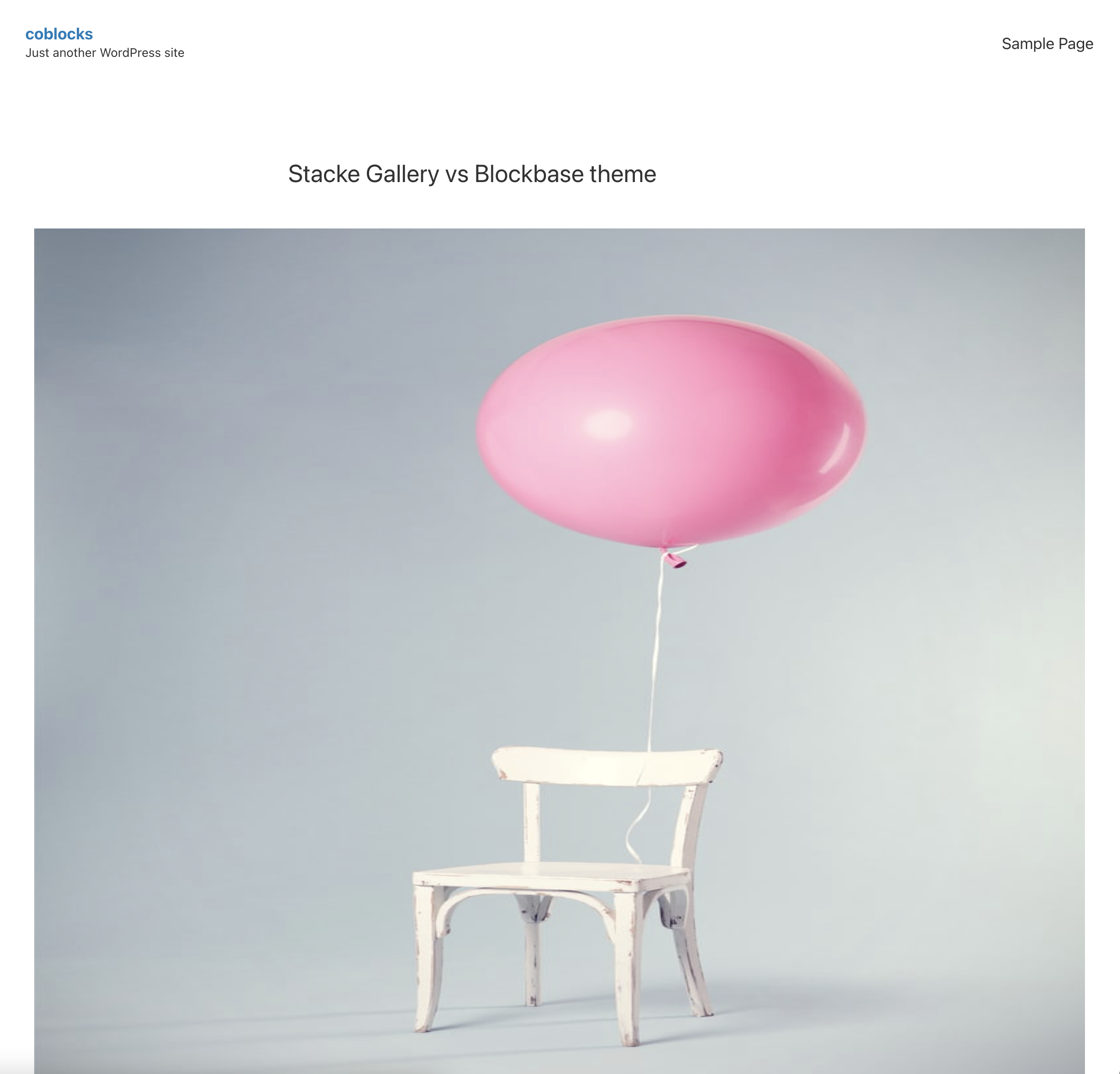
When the Blockbase theme is active, the Stacked gallery's images appear squished in the published post.
### To reproduce:
2. Activate Blockbase theme - you'll need an active Gutenberg plugin for that
3. Start a new post
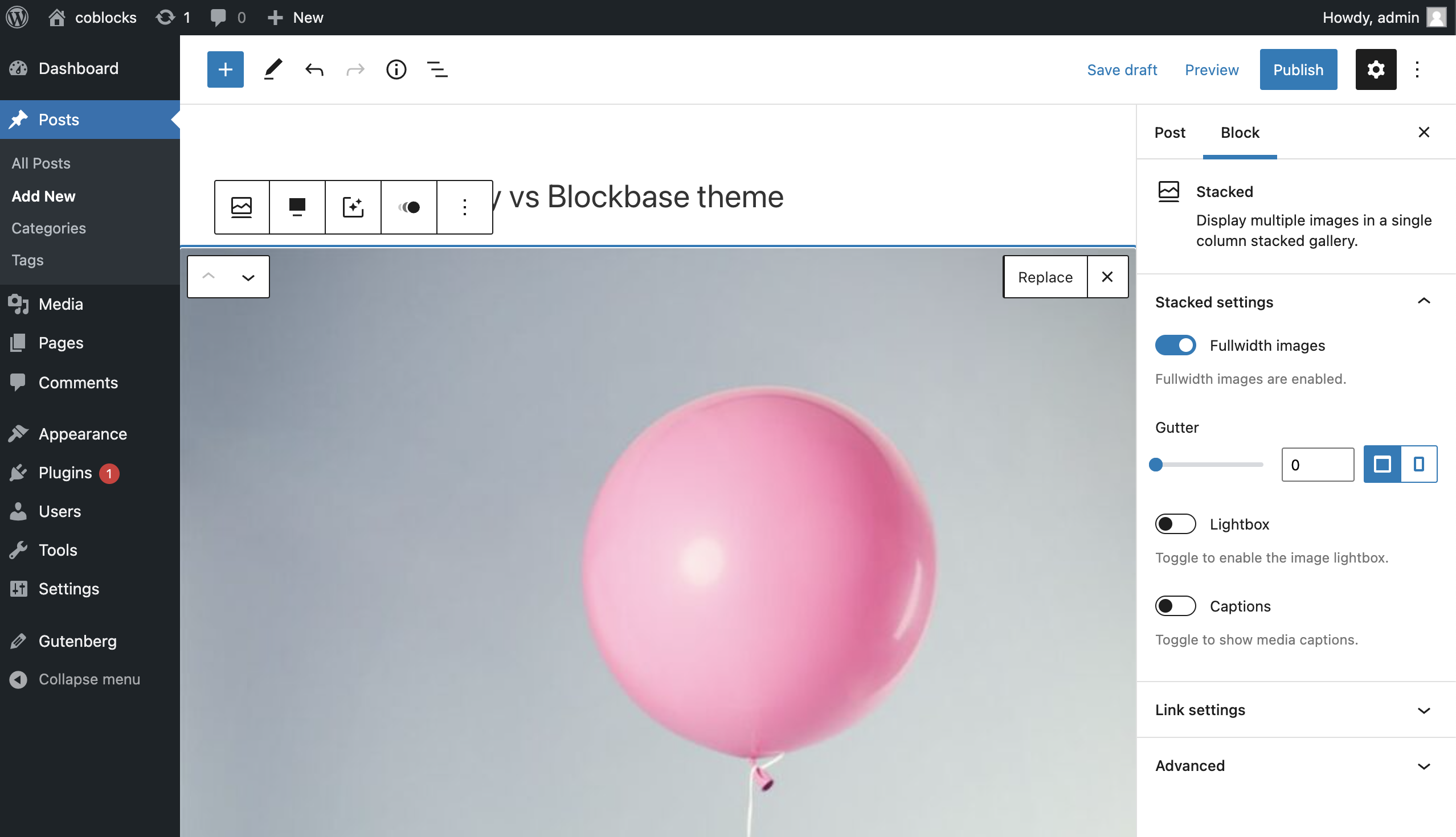
2. Add a Stacked gallery with some images
3. Make sure the `Fullwidth images` option is switched on
4. Preview/publish the post
5. See how the images' height is static, but the width dynamically changes along with the browser window distorting the ratios.
### Expected behavior:
To see the original image ratios in the published post.
### Screenshots:
| Block settings | Published page |
| ------------- | ------------- |
|  |
|  |
|
### Isolating the problem:
- [ ] This bug happens with no other plugins activated
- [ ] This bug happens with a default WordPress theme active
- [ ] This bug happens **without** the Gutenberg plugin active
- [x] I can reproduce this bug consistently using the steps above
### WordPress version:
5.8.2
### Gutenberg version:
12.1.0 (plugin active)
Contributor guide
Assessment
This issue has not been assessed yet.