Running Prebuild on Branch Without New Commits Doesn't Behave as Expected
Nobody has claimed this yet.
- Dominant language
- TypeScript
- Stars
- 13.8k
- Forks
- 1.4k
- Avg merge
- 17h 58m
- Merged PRs (30d)
- 5
Description
Bug description
When running a prebuild manually from the dashboard UI on a branch that doesn't have any new commits compared to where it was branched from it will run a prebuild against where the branch was created from and not the branch itself. For example, if main is my main branch and I create a branch from that, my-new-branch and run a prebuild. It will run the prebuild on main and not my-new-branch. This issue may be related to #14017.
Of note, when a commit is made to the branch and then a prebuild is manually run, this seems to work correctly and the prebuild is made against the branch.
Steps to reproduce
- Create a repository, I used GitHub.
- Create a Project in Gitpod using your repository.
- Spin up a new workspace from your default branch.
- Create a
.gitpod.ymlfile within your repositories default branch. My.gitpod.ymlfile contains:tasks: - init: | echo 'TODO: build project' command: | echo 'TODO: start app' vscode: extensions: - github.github-vscode-theme - esbenp.prettier-vscode - Commit and push the newly created
.gitpod.ymlfile. - At GitHub create a new branch, I called mine
my-new-branch. The branch should appear in the 'Branches' tab in the Gitpod dashboard.
 7. Click on the 3 dots to the right of your new branches name and a dropdown menu should appear. Click on the 'Run Prebuild...' option.
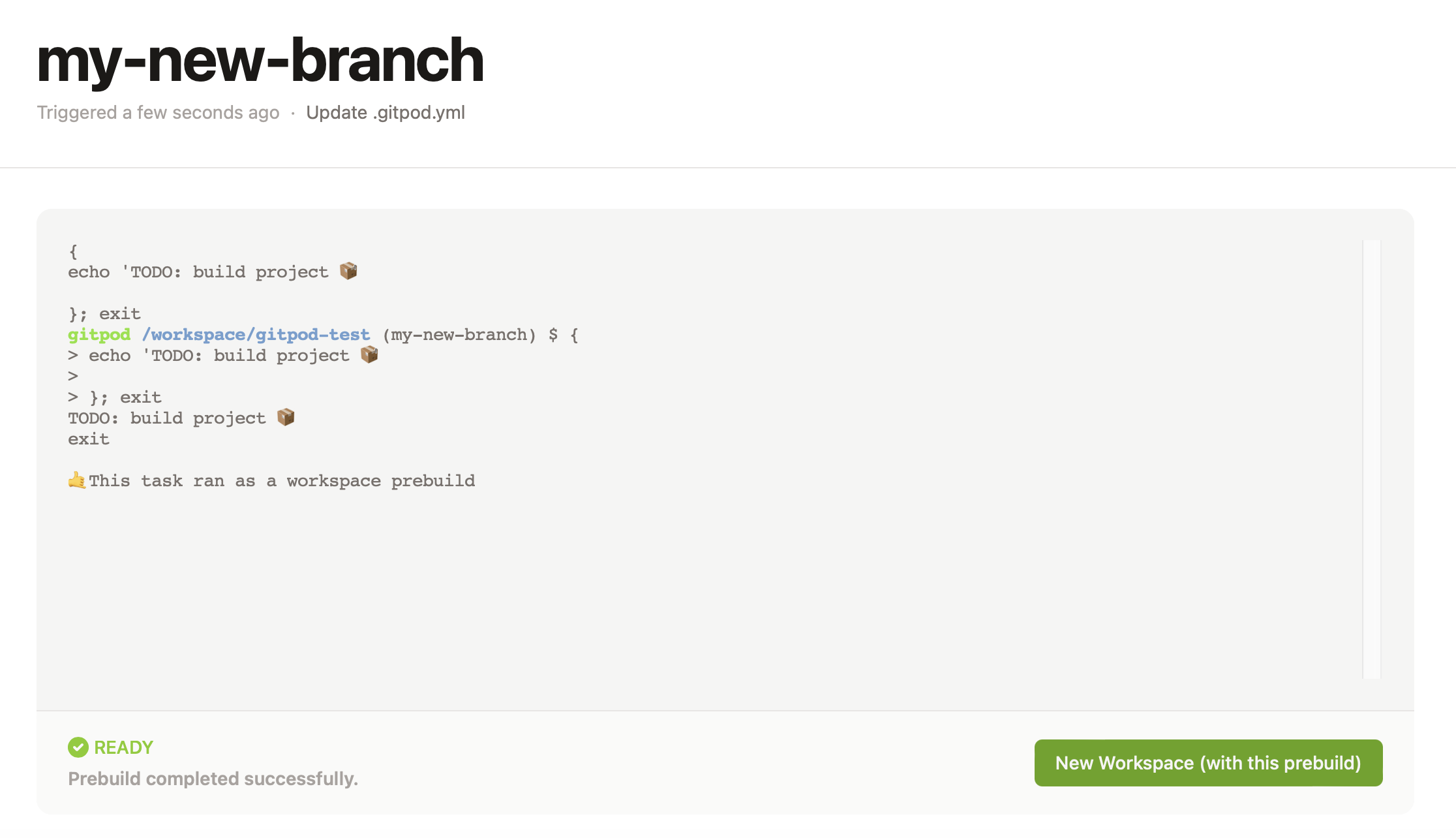
- Observe that the prebuild page shows the name of the default branch, in my case 'main' instead of the name of the branch I ran the prebuild from:
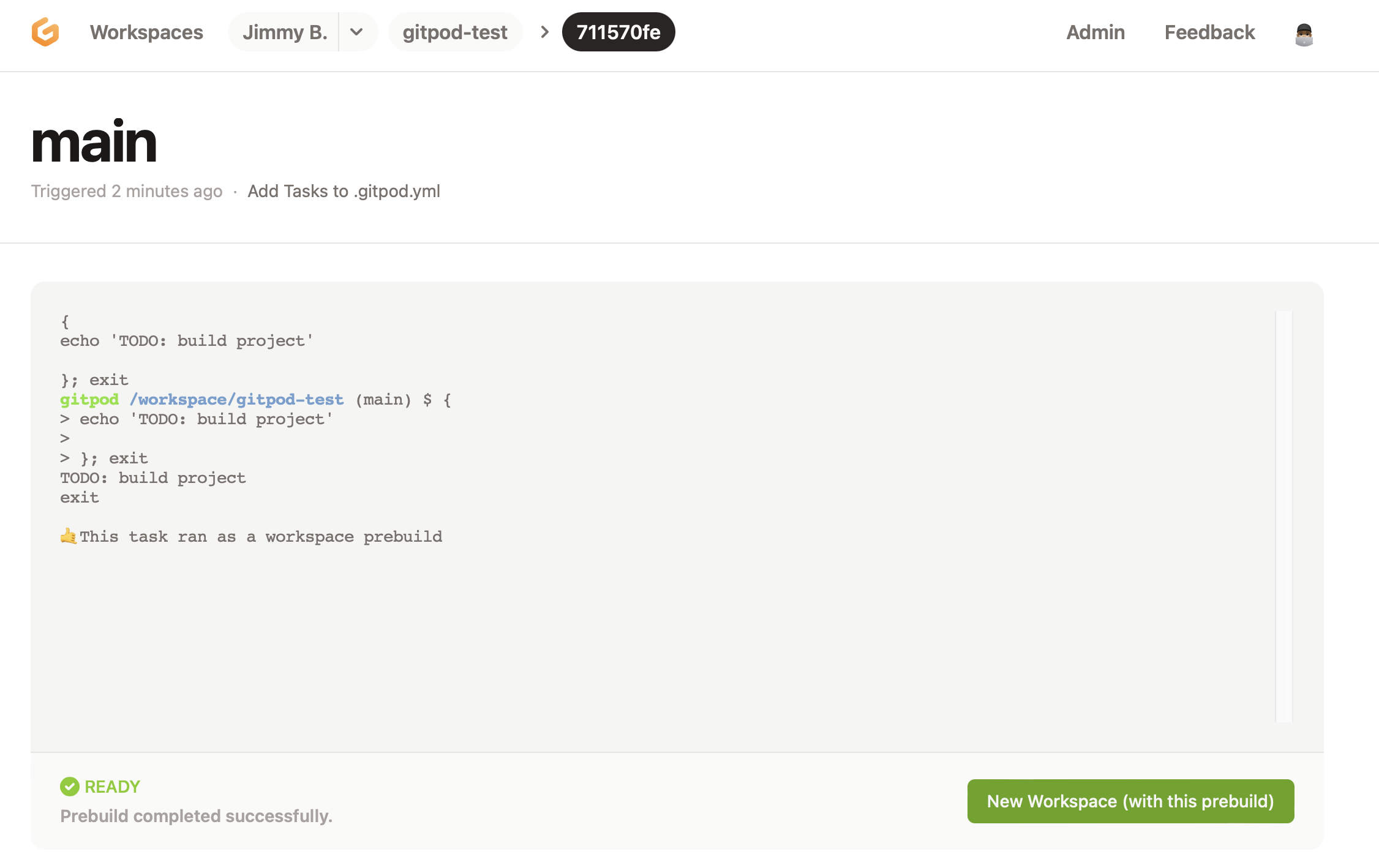 9. Observe when opening a new workspace from that prebuild the terminal prompt indicates you are on the `main` branch instead of `my-new-branch`.
Workspace affected
No response
Expected behavior
I would expect even if there is no new commits made to the new branch that it still uses that branch when I tell it to Run Prebuild on that branch.
Example repository
No response
Anything else?
No response

Contributor guide
First steps
- Read the whole issue, then the project's contributing guide.
- Comment on the issue to say you are picking it up — it saves two people doing the same work.
- Fork the repository and make your change on a branch.
- Open a pull request that references the issue number.
Research direction
Start by reproducing the dashboard UI's “Run Prebuild...” flow for a branch with no commits, then compare it with a branch containing a new commit. Trace how the selected branch is passed into the prebuild and workspace flow; done means the prebuild page and resulting workspace use the selected branch rather than the default branch.
Written by the indexing model from the issue text.
Assessment
- Tech stack
- typescript
- Domain
- cloud, developer-experience
- Issue type
- Bug
- Difficulty
- 4/5
- Estimated time
- 3-5 days
- Activity status
- Stale
- Clarity
- Mostly clear
- Newbie friendliness
- 35/100