getgrav / getgrav/grav-plugin-admin
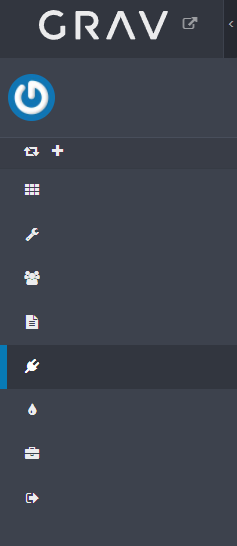
Side panel collapse
Open
- Dominant language
- PHP
- Stars
- 377
- Forks
- 225
- Avg merge
- 11h 51m
- Merged PRs (30d)
- 4
Description
Hi all,
New to Grav here.
Downloaded Grav today and did a fresh install. The Admin side panel starts in uncollapsed state, displaying the full width and displays no text. Pressing the collapse/uncollapse
button displays the text. Opening the inspector for some reason allows the panel to fully collapse.
Contributor guide
Research direction
Reproduce the issue on a fresh Grav Admin install, then inspect the Admin side panel and the #open-handle[data-sidebar-toggle] control while comparing behavior before and after opening the inspector. Done means the panel initializes in the intended collapsed state and the collapse/uncollapse control works without needing the inspector.
Written by the indexing model from the issue text.
Assessment
- Tech stack
- javascript
- Domain
- frontend
- Issue type
- Bug
- Difficulty
- 3/5
- Estimated time
- 1-2 days
- Activity status
- Stale
- Clarity
- Needs clarification
- Newbie friendliness
- 35/100