getgrav / getgrav/grav-plugin-admin
Page editor: an option for a fixed width
- Dominant language
- PHP
- Stars
- 377
- Forks
- 225
- Avg merge
- 11h 51m
- Merged PRs (30d)
- 4
Description
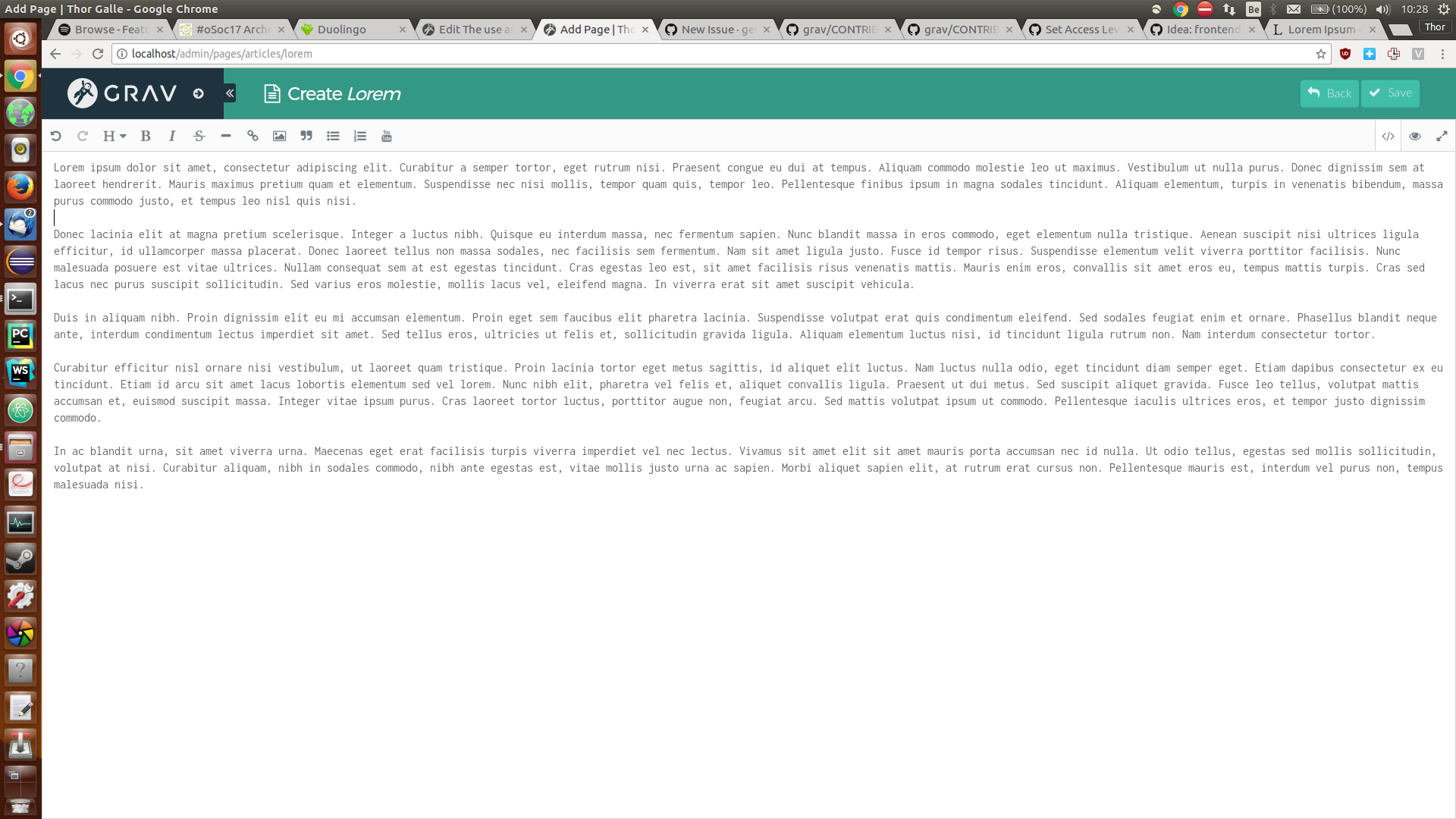
[Feature request] I like the distraction-free writing mode, but I find it annoying to read/write long lines of text. On my 16:9 1080p monitor, this is how the mode looks:
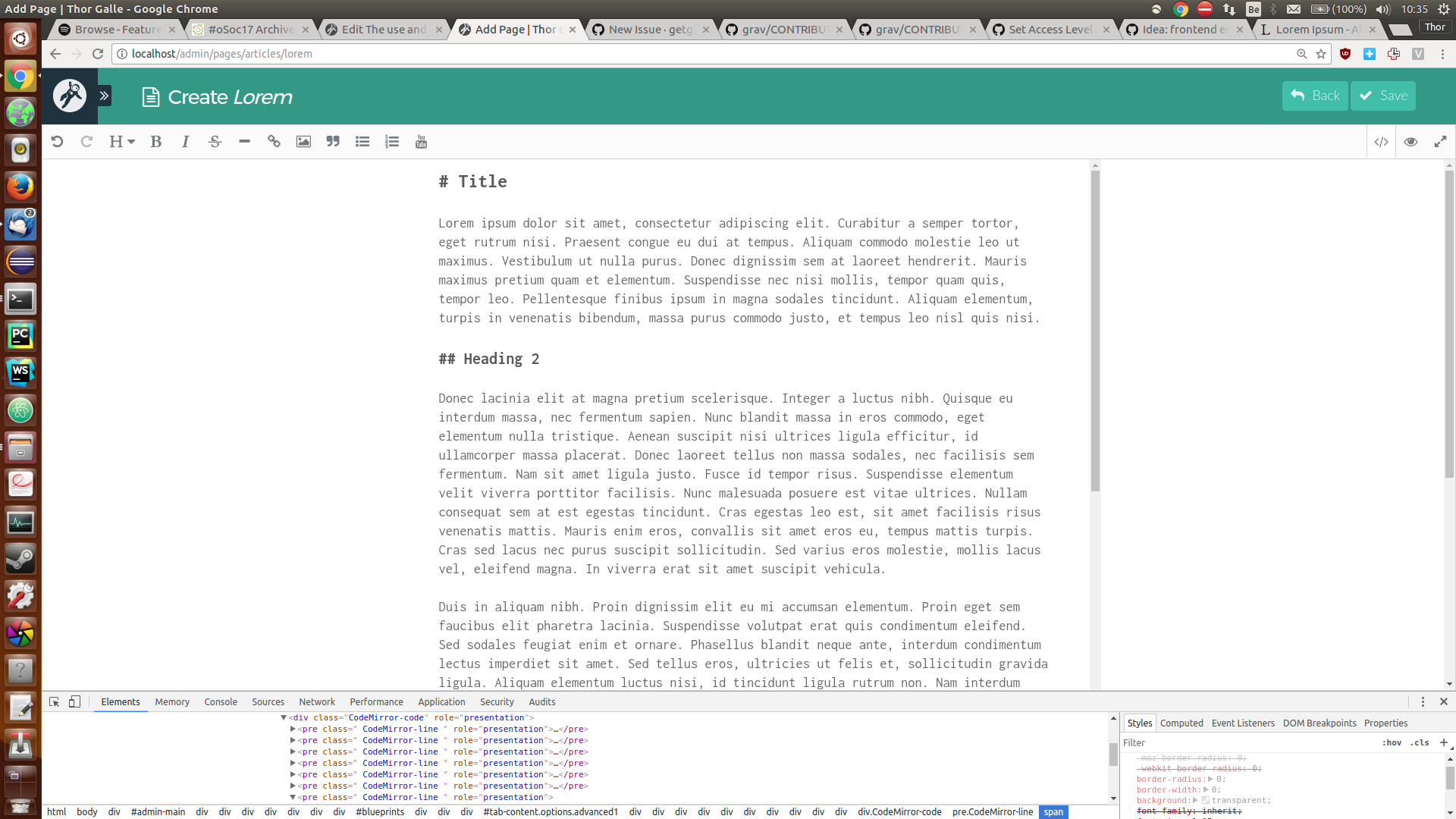
What I'd like to have is something more like this, which was achieved by adding a padding property to an appropriate HTML element locally.
I looked around in the editor toolbar, admin panel settings and issues here, but couldn't really find anything relating to this.
It would be nice to have an option in the admin panel settings to fix the width of the content editor (eg. to 760px), and/or a button in the editor toolbar to switch to a more readable format. But if I could get this done by somehow overriding the CSS of the Page editor in my theme, that would work for me too.
Thanks for reading!
Contributor guide
Research direction
The issue names no files, tests, or entry points. Start by locating the Page editor and its admin-panel settings in grav-plugin-admin, then trace how the editor layout is styled and configured. Done means the editor can use a readable fixed width through a supported option or control, with the behavior verified in the admin interface.
Written by the indexing model from the issue text.
Assessment
- Tech stack
- css, php
- Domain
- design, frontend
- Issue type
- Feature
- Difficulty
- 4/5
- Estimated time
- 3-5 days
- Activity status
- Stale
- Clarity
- Mostly clear
- Newbie friendliness
- 35/100