formulahendry / formulahendry/vscode-docker-explorer
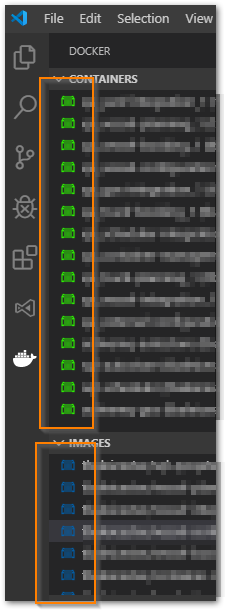
Container and Image Icons corrupted
- Dominant language
- TypeScript
- Stars
- 49
- Forks
- 22
- PR merge metrics
- No merged PRs in 30d
Description
When I start VS Code and start our application via docker-compose up -d the icons for the containers and images are smudges as shown below.
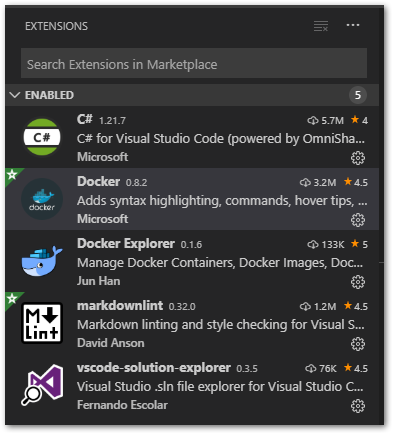
This is the list of extensions I have installed
I raise an issue at https://github.com/microsoft/vscode-docker/issues/1432
Part of the feed back suggested that I should not be running TWO docker explorers.
I have uninstalled one of them and will see how it goes.
Contributor guide
Research direction
The issue names no repository files, tests, or entry points. Start by reproducing the smudged icons after running docker-compose up -d in VS Code, while checking whether the other Docker explorer extension is installed. Done means the container and image icons render correctly without the conflicting extension.
Written by the indexing model from the issue text.
Assessment
- Tech stack
- docker, typescript, vscode
- Domain
- devops, devtools
- Issue type
- Bug
- Difficulty
- 3/5
- Estimated time
- 1-2 days
- Activity status
- Stale
- Clarity
- Needs clarification
- Newbie friendliness
- 20/100