firefox-devtools / firefox-devtools/profiler
Ctrl+click doesn't show the Profiler Specific Contextual Menu on macOS
- Dominant language
- TypeScript
- Stars
- 1.5k
- Forks
- 491
- Avg merge
- 3d 46m
- Merged PRs (30d)
- 27
Description
With Firefox Nightly 92.0a1 (2021-07-22) (64-bit)
on macOS 11.5 (20G71)
without mouse
1. Go to a site
1. Capture a profile
1. Go to the call tree view
1. Select a line
1. Control + click on the trackpad
Expected:
Show the contextual menu for the profiler
Actual:
Show the contextual menu for macOS/Firefox
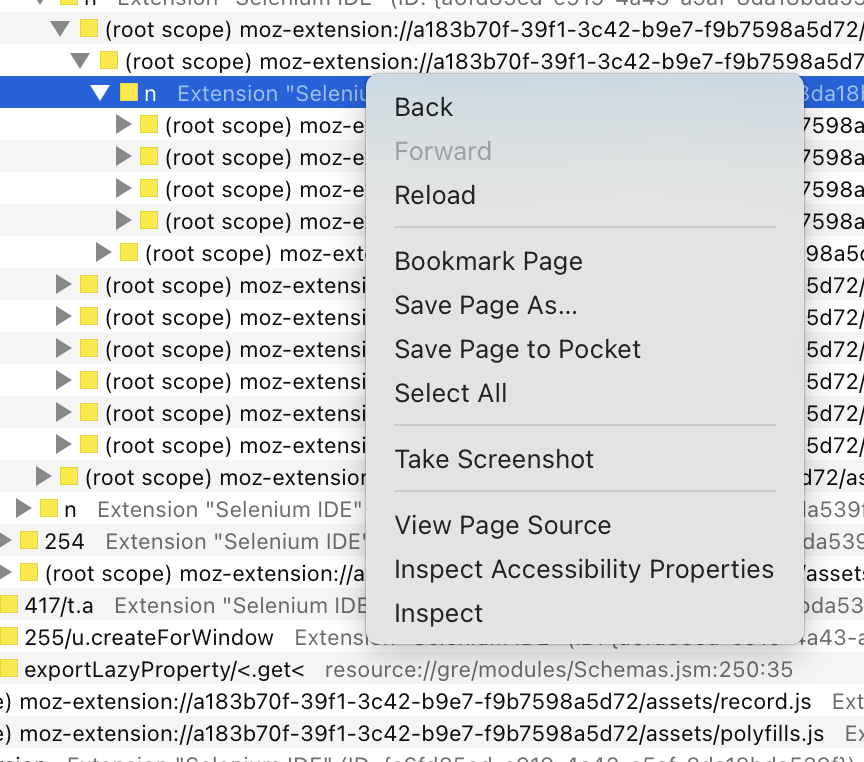
1. Control + tap with two fingers
working: It shows the contextual menu for the profiler.
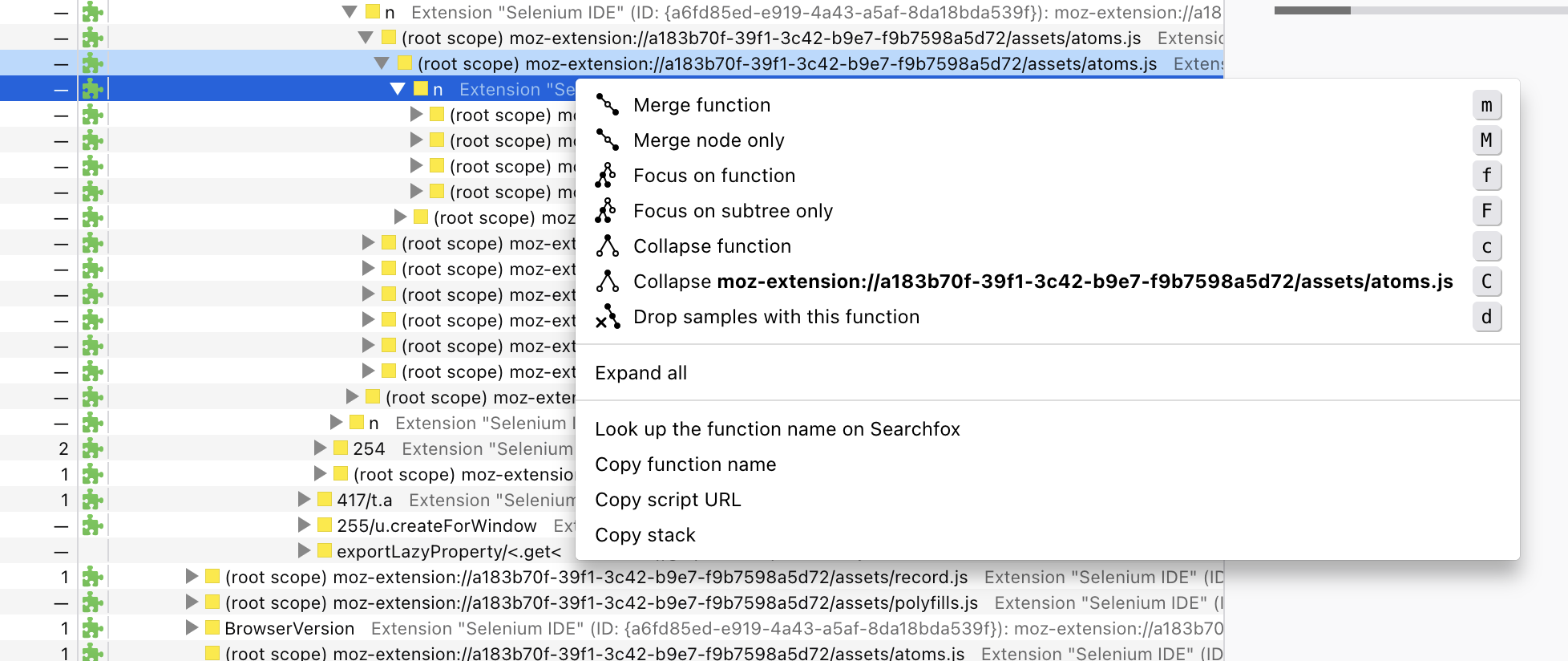
Note: the keyboard shortcuts are working.
Discovered during a 1:1 with fqueze
┆Issue is synchronized with this [Jira Task](https://mozilla-hub.atlassian.net/browse/FP-419)
Contributor guide
Assessment
This issue has not been assessed yet.