firefox-devtools / firefox-devtools/profiler
Firefox Profiler should display precise start and end time of selected profile window
- Dominant language
- TypeScript
- Stars
- 1.5k
- Forks
- 491
- Avg merge
- 3d 46m
- Merged PRs (30d)
- 27
Description
This was filed from https://bugzilla.mozilla.org/show_bug.cgi?id=1588972, copying the description over here:
### Steps to reproduce:
1. Collect a profile and view on profiler.firefox.com.
1. Highlight a section of the profile timeline.
1. Try to figure out the timestamps where the selected interval starts and ends.
### Actual results:
The start and end of the selected profile interval is not displayed. The value must estimated by looking at how far the interval endpoint is between the labeled times on the timeline.
### Expected results:
The start and end of the selected profile interval should be displayed. This makes it difficult to get a precise sense of what the timing of the selected interval is, and difficult to refer to a specific location/interval it if sending the profile to someone else.
### A few proposed solutions:
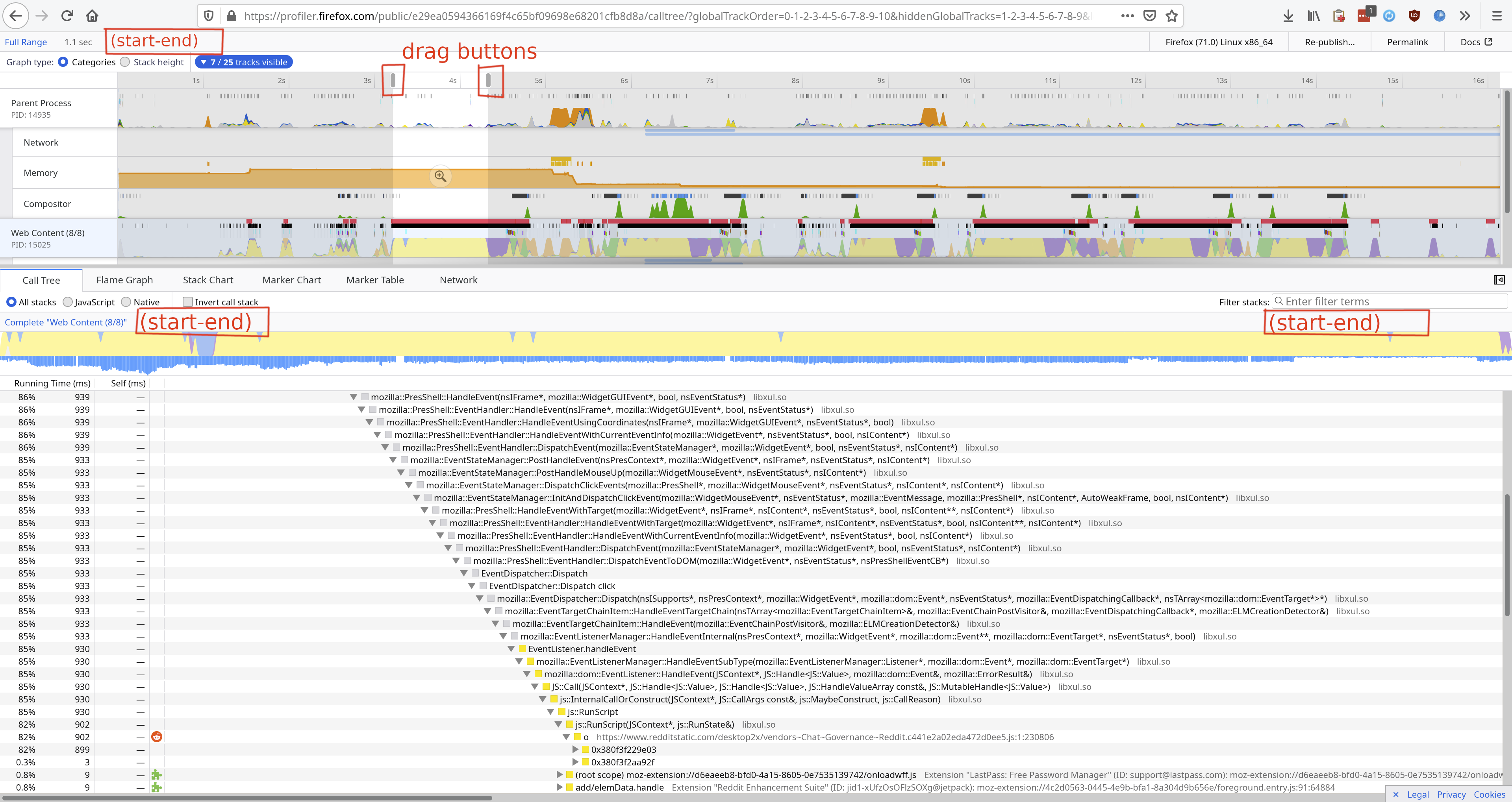
* Show in a tooltip when hovering the drag button for either the start or the end line on the profile timeline (see attached image for drag buttons outlined if this wording is vague).
* Show both the start and the end timestamp in the almost-empty text bar at the bottom of the header above the lower pane (see red boxes for potential locations in attached image).
* Show both the start and the end timestamp in the mostly empty text bar at the very top, which shows the length of the selected interval (see red box at top of the attached image).
### Attachment:
┆Issue is synchronized with this [Jira Task](https://mozilla-hub.atlassian.net/browse/FP-210)
Contributor guide
Assessment
This issue has not been assessed yet.