firebase / firebase/functions-samples
Spotify Auth requires me to sign in every hour (when the access code runs out) - why is the refresh code not being used?
- Dominant language
- JavaScript
- Stars
- 12.2k
- Forks
- 3.8k
- Avg merge
- 3d 23h
- Merged PRs (30d)
- 1
Description
### How to reproduce these conditions
**Sample name or URL where you found the bug**
Spotify auth sample
**Failing Function code used (including require/import commands at the top)**
`/**
* Copyright 2016 Google Inc. All Rights Reserved.
*
* Licensed under the Apache License, Version 2.0 (the "License");
* you may not use this file except in compliance with the License.
* You may obtain a copy of the License at
*
* http://www.apache.org/licenses/LICENSE-2.0
*
* Unless required by applicable law or agreed to in writing, software
* distributed under the License is distributed on an "AS IS" BASIS,
* WITHOUT WARRANTIES OR CONDITIONS OF ANY KIND, either express or implied.
* See the License for the specific language governing permissions and
* limitations under the License.
*/
'use strict';
/*
--------------------------- Google/Dialogflow/Firebase Setup ---------------------------
*/
// Modules being used
const functions = require('firebase-functions');
const { WebhookClient } = require('dialogflow-fulfillment');
const cookieParser = require('cookie-parser');
const crypto = require('crypto');
// Firebase Setup
const admin = require('firebase-admin');
const serviceAccount = require('./service-account.json');
admin.initializeApp({
credential: admin.credential.cert(serviceAccount),
databaseURL: `https://${process.env.GCLOUD_PROJECT}.firebaseio.com`,
});
// Spotify OAuth 2 setup
// TODO: Configure the `spotify.client_id` and `spotify.client_secret` Google Cloud environment variables.
const SpotifyWebApi = require('spotify-web-api-node');
const Spotify = new SpotifyWebApi({
clientId: '372d1ba54cee421681dc46cfc6a2bd15',
clientSecret: '--mysecret--',
redirectUri: `https://${process.env.GCLOUD_PROJECT}.firebaseapp.com/popup.html`,
});
// Scopes to request.
const OAUTH_SCOPES = ['user-read-email'];
/**
* Redirects the User to the Spotify authentication consent screen. Also the 'state' cookie is set for later state
* verification.
*/
exports.redirect = functions.https.onRequest((req, res) => {
cookieParser()(req, res, () => {
const state = req.cookies.state || crypto.randomBytes(20).toString('hex');
console.log('Setting verification state:', state);
res.cookie('state', state.toString(), {maxAge: 3600000, secure: true, httpOnly: true});
const authorizeURL = Spotify.createAuthorizeURL(OAUTH_SCOPES, state.toString());
res.redirect(authorizeURL);
});
});
/**
* Exchanges a given Spotify auth code passed in the 'code' URL query parameter for a Firebase auth token.
* The request also needs to specify a 'state' query parameter which will be checked against the 'state' cookie.
* The Firebase custom auth token is sent back in a JSONP callback function with function name defined by the
* 'callback' query parameter.
*/
exports.token = functions.https.onRequest((req, res) => {
try {
cookieParser()(req, res, () => {
console.log('Received verification state:', req.cookies.state);
console.log('Received state:', req.query.state);
if (!req.cookies.state) {
throw new Error('State cookie not set or expired. Maybe you took too long to authorize. Please try again.');
} else if (req.cookies.state !== req.query.state) {
throw new Error('State validation failed');
}
console.log('Received auth code:', req.query.code);
Spotify.authorizationCodeGrant(req.query.code, (error, data) => {
if (error) {
throw error;
}
console.log('Received Access Token:', data.body['access_token']);
Spotify.setAccessToken(data.body['access_token']);
Spotify.getMe(async (error, userResults) => {
if (error) {
throw error;
}
console.log('Auth code exchange result received:', userResults);
// We have a Spotify access token and the user identity now.
const accessToken = data.body['access_token'];
const spotifyUserID = userResults.body['id'];
const profilePic = userResults.body['images'][0]['url'];
const userName = userResults.body['display_name'];
const email = userResults.body['email'];
// Create a Firebase account and get the Custom Auth Token.
const firebaseToken = await createFirebaseAccount(spotifyUserID, userName, profilePic, email, accessToken);
// Serve an HTML page that signs the user in and updates the user profile.
res.jsonp({token: firebaseToken});
});
});
});
} catch (error) {
return res.jsonp({error: error.toString});
}
return null;
});
/**
* Creates a Firebase account with the given user profile and returns a custom auth token allowing
* signing-in this account.
* Also saves the accessToken to the datastore at /spotifyAccessToken/$uid
*
* @returns {Promise} The Firebase custom auth token in a promise.
*/
async function createFirebaseAccount(spotifyID, displayName, photoURL, email, accessToken) {
// The UID we'll assign to the user.
const uid = `spotify:${spotifyID}`;
// Save the access token to the Firebase Realtime Database.
const databaseTask = admin.database().ref(`/spotifyAccessToken/${uid}`).set(accessToken);
// Create or update the user account.
const userCreationTask = admin.auth().updateUser(uid, {
displayName: displayName,
photoURL: photoURL,
email: email,
emailVerified: true,
}).catch((error) => {
// If user does not exists we create it.
if (error.code === 'auth/user-not-found') {
return admin.auth().createUser({
uid: uid,
displayName: displayName,
photoURL: photoURL,
email: email,
emailVerified: true,
});
}
throw error;
});
// Wait for all async tasks to complete, then generate and return a custom auth token.
await Promise.all([userCreationTask, databaseTask]);
// Create a Firebase custom auth token.
const token = await admin.auth().createCustomToken(uid);
console.log('Created Custom token for UID "', uid, '" Token:', token);
return token;
}
/*
---------------------------Google Assistant Fulfillment----------------------------------------------------------------------------------------
Below is the dialogflow firebase fulfillment code which controls what happens when various intents happen:
*/
exports.dialogflowFirebaseFulfillment = functions.https.onRequest((request, response) => {
const agent = new WebhookClient({ request, response });
//53 to 64
function playSadSong(agent) {
// Get the database collection 'dialogflow' and document 'agent'
var randomNumber = Math.floor(Math.random() * (64 - 53 + 1)) + 53;
return admin.database().ref(`${randomNumber}`).once('value').then((snapshot) => {
const song = snapshot.child('song').val();
const artist = snapshot.child('artist').val();
agent.add(`I will play ${song} by ${artist}`);
});
}
//22 to 53
function playHappySong(agent) {
// Get the database collection 'dialogflow' and document 'agent'
var randomNumber = Math.floor(Math.random() * (53 - 22 + 1)) + 22;
return admin.database().ref(`${randomNumber}`).once('value').then((snapshot) => {
const song = snapshot.child('song').val();
const artist = snapshot.child('artist').val();
agent.add(`I will play ${song} by ${artist}`);
});
}
//4
function playAngrySong(agent) {
// Get the database collection 'dialogflow' and document 'agent'
var randomNumber = Math.floor(Math.random() * (3 - 3 + 1)) + 3;
return admin.database().ref(`${randomNumber}`).once('value').then((snapshot) => {
const song = snapshot.child('song').val();
const artist = snapshot.child('artist').val();
agent.add(`I reccomend ${song} by ${artist}`);
admin.database().ref(`spotifyAccessToken`).once('value').then((snapshot) => {
const databaseAccessToken = snapshot.child('spotify:marcz2007').val();
console.log(databaseAccessToken);
// get Authorization Code
// console.log(Spotify.getAccessToken);
// Spotify.setAccessToken(createFirebaseAccount);
Spotify.setAccessToken(databaseAccessToken);
var tempo = '';
Spotify.getAudioAnalysisForTrack('4AKUOaCRcoKTFnVI9LtsrN').then(
function(data) {
var analysis = console.log('Analyser Version', data.body.meta.analyzer_version);
var temp = console.log('Track tempo', data.body.track.tempo);
tempo = data.body.track.tempo;
agent.add(
`The track's tempo is, ${tempo}, does this sound good or would you prefer something else?`
);
var textResponse = `The track's tempo is, ${tempo}, does this sound good or would you prefer something else?`;
agent.add(textResponse);
agent.add(`Here is the song's tempo: ${tempo}`);
return;
},
function(err) {
console.error(err);
}
);
// agent.add(`${agentSays}`);
agent.add(`Here is the tempo for the song: ${tempo}`);
});
});
function createTextResponse(textResponse) {
let response = {
fulfillmentText: 'This is a text response',
fulfillmentMessages: [
{
text: {
text: [ textResponse ]
}
}
],
source: 'example.com',
payload: {
google: {
expectUserResponse: true,
richResponse: {
items: [
{
simpleResponse: {
textToSpeech: 'this is a simple response'
}
}
]
}
},
facebook: {
text: 'Hello, Facebook!'
},
slack: {
text: 'This is a text response for Slack.'
}
}
};
return response;
}
}
//5 to 15
function playConfidentSong(agent) {
// Get the database collection 'dialogflow' and document 'agent'
var randomNumber = Math.floor(Math.random() * (15 - 5 + 1)) + 5;
return admin.database().ref(`${randomNumber}`).once('value').then((snapshot) => {
const song = snapshot.child('song').val();
const artist = snapshot.child('artist').val();
agent.add(`I will play ${song} by ${artist}`);
});
}
// Map from Dialogflow intent names to functions to be run when the intent is matched
let intentMap = new Map();
intentMap.set('-Sad - yes', playSadSong);
intentMap.set('-Happy - yes', playHappySong);
intentMap.set('-Angry - yes', playAngrySong);
intentMap.set('-Confident - yes', playConfidentSong);
agent.handleRequest(intentMap);
});
`
**Steps to set up and reproduce**
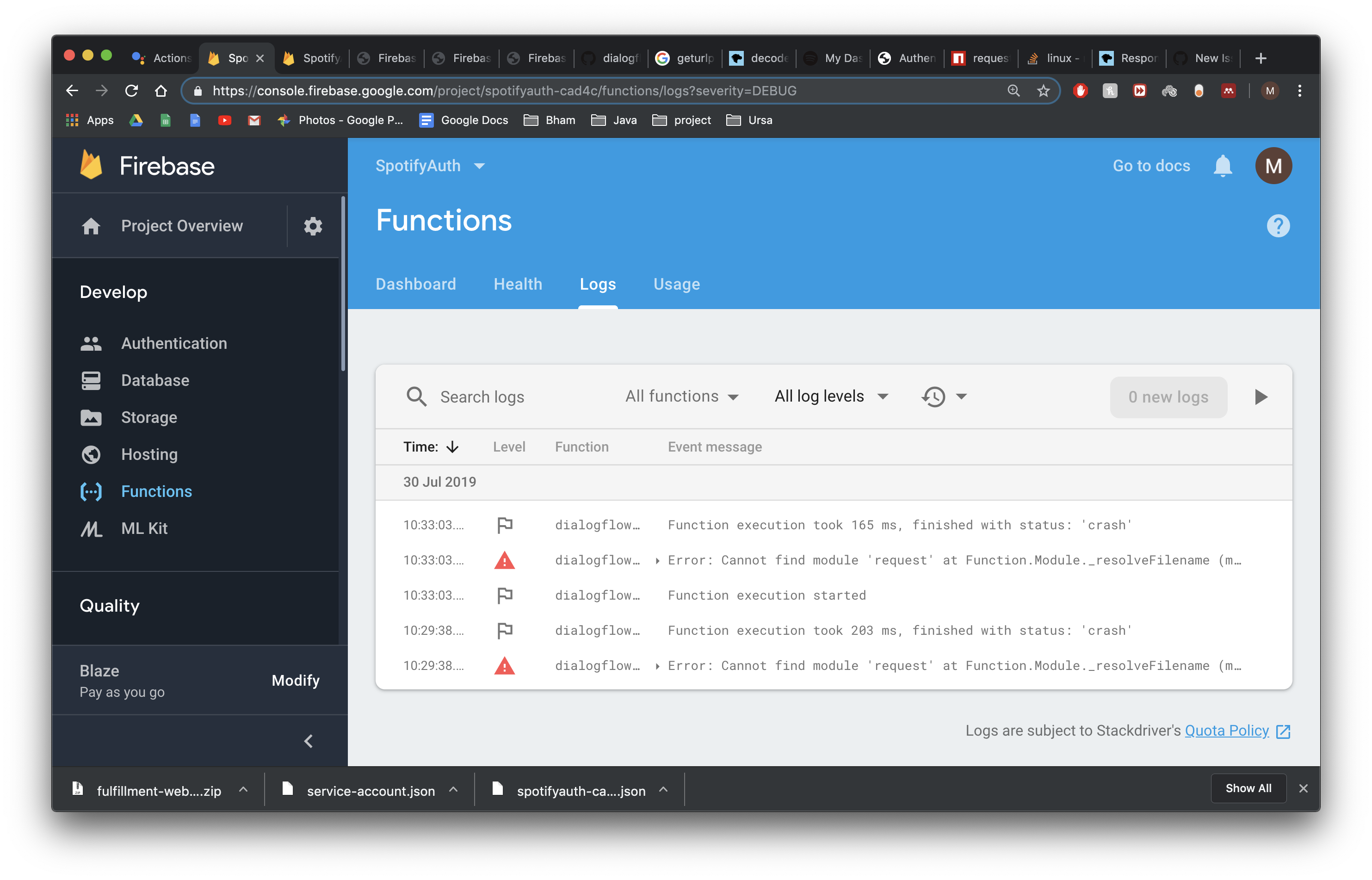
Followed the sample steps. api call worked the first time and for the next hour with one sign in. But then I had to sign out and the back in again for the access code to be usable. Also, the Spotify.setaccesscode method in the token function does not work in other methods - I had to set it to the access token as it appears in the database within my other function.
### Expected behavior
One sign in followed by refresh tokens used so that I don't need to sign in every time to use the spotify api.
### Actual behavior
I must sign in every hour.
Contributor guide
Assessment
This issue has not been assessed yet.