facebookresearch / facebookresearch/segment-anything
Need help adjusting SamAutomaticMaskGenerator.
- Dominant language
- Jupyter Notebook
- Stars
- 54.9k
- Forks
- 6.4k
- PR merge metrics
- No merged PRs in 30d
Description
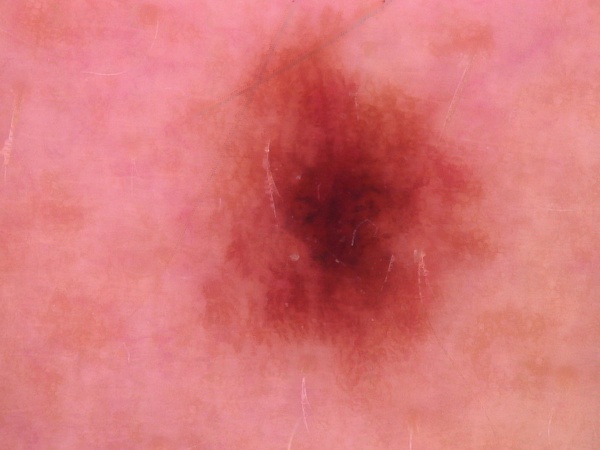
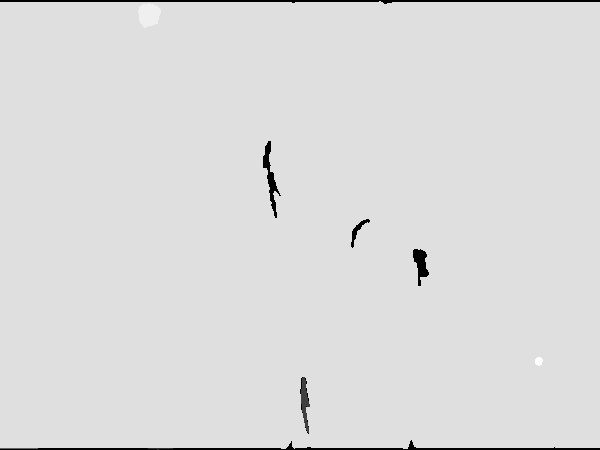
I am trying to use SamAutomaticMaskGenerator to generate masks for some skin lesion images recently and it seems that the automatically generated masks do not work well on these types of images as the border is not very clear. There are plenty of parameters that could be adjusted in SamAutomaticMaskGenerator but I did not really get a better result from them. Are there some suggestions on how the arguments in SamAutomaticMaskGenerator should be set for this task?
An example of the image acquired from SamAutomaticMaskGenerator is shown below.
Input image:
Output mask (grayscale):
Any help is appreciated. Thank you!
Contributor guide
Research direction
Start with the SamAutomaticMaskGenerator entry point and the supplied skin-lesion input and output examples. Review how its arguments affect mask generation, compare results on the example image, and establish what parameter changes would produce an acceptable border; the issue does not define a concrete completion test.
Written by the indexing model from the issue text.
Assessment
- Tech stack
- jupyter-notebook
- Domain
- computer-vision
- Issue type
- Bug
- Difficulty
- 5/5
- Estimated time
- Over a week
- Activity status
- Stale
- Clarity
- Needs clarification
- Newbie friendliness
- 20/100