elementor / elementor/elementor
🐞 Improved CSS Loading does not load for similar widgets on subsequent Pop-ups [ED-15220]
- Dominant language
- PHP
- Stars
- 7.1k
- Forks
- 1.6k
- Avg merge
- 1d 5h
- Merged PRs (30d)
- 193
Description
### Prerequisites
- [X] I have searched for similar issues in both open and closed tickets and cannot find a duplicate.
- [X] The issue still exists against the latest stable version of Elementor.
### Description
The concept behind "Improved CSS Loading" experiment is to load only the CSS of the widgets that are placed in a page **once**. This doesn't sit well with popups as the popup's content is loaded when the popup is triggered and gets removed when the popup is closed.
Consider the following scenario:
Suppose you need 3 mega-menus for your site's main menu that contain some call-to-action (CTA) widgets. You would essentially need to create 3 popups and link them to the menu buttons so they get triggered accordingly.
So we have created those 3 popups and their IDs are `3105`, `3131` & `3124` . A visualization would be something like that:
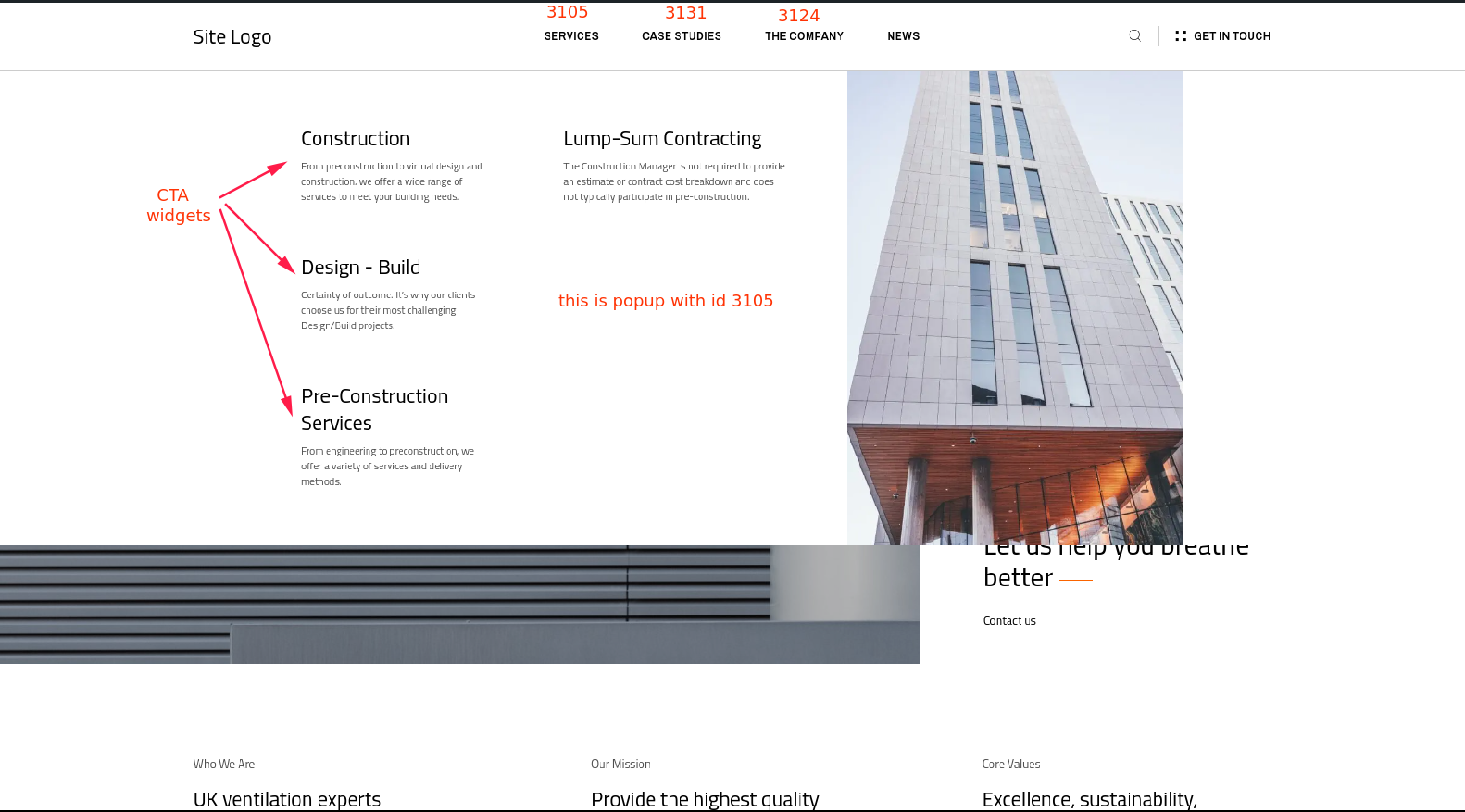
Suppose there are **no** other CTA widgets on the page except those in the 3 popups.
The way "Improved CSS Loading" currently works, the CTA CSS styles will be loaded **only once**, inside popup with id `3131`. That will look like that:
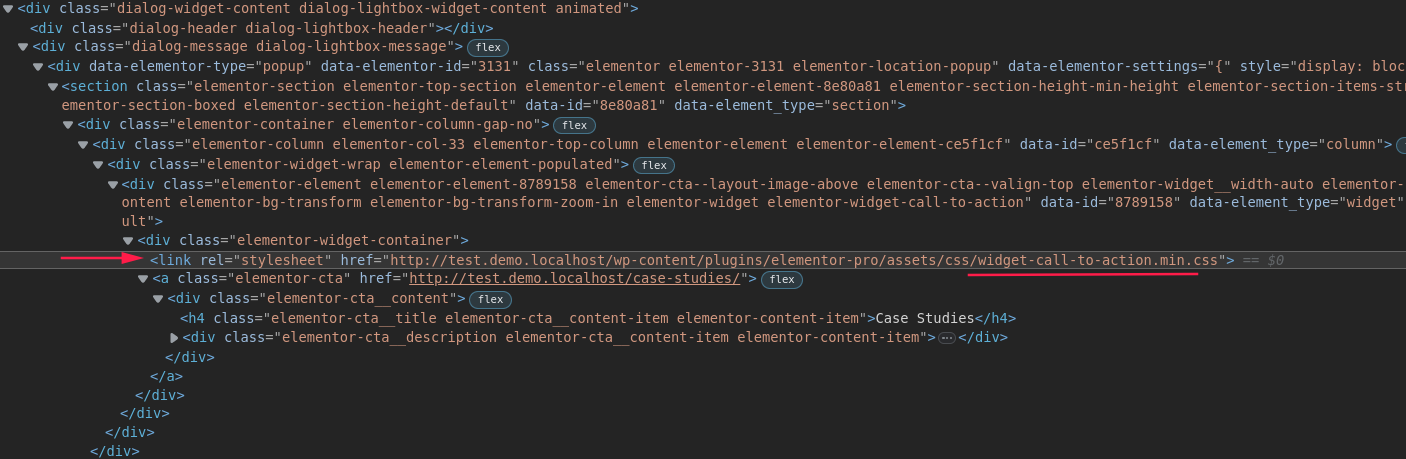
This means that **only** when popup with id `3131` is shown, the CTA CSS styles will apply, and after closing it the styles will get removed again.
So while **all** popups contain CTA widgets that **need** the CTA CSS styles, the styles are only applied when a particular popup is opened.
This, of course, is not limited to the CTA widget, but I'm using it here as an example.
### Steps to reproduce
1) Enable "Improved CSS Loading" experiment
2) Create 2/3 popups
2) Add CTA widgets to all of them
3) Assign them to triggers on a page (buttons/menu-items etc) so they can be toggled independently
4) Switch to frontend and as you trigger them search for `call-to-action.min.css` in the Elements tab of Dev Tools to see that the styles get applied only to one of the popups.
### Isolating the problem
- [X] This bug happens with only Elementor plugin active (and Elementor Pro).
- [X] This bug happens with a Blank WordPress theme active ([Hello theme](https://wordpress.org/themes/hello-elementor/)).
- [X] I can reproduce this bug consistently following the steps above.
### System Info
[system_info.txt](https://github.com/elementor/elementor/files/10854724/system_info.txt)
*This is a logical bug. There are no errors associated with it.
Contributor guide
Research direction
Start with the reproduction steps for the Improved CSS Loading experiment and inspect how widget CSS is loaded and removed when independently triggered popups open and close. Done means the CTA styles, and equivalent widget styles, remain available for every popup containing that widget rather than only the popup that first loads them.
Written by the indexing model from the issue text.
Assessment
- Tech stack
- css, php
- Domain
- frontend, performance
- Issue type
- Bug
- Difficulty
- 4/5
- Estimated time
- 3-5 days
- Activity status
- Stale
- Clarity
- Mostly clear
- Newbie friendliness
- 35/100