elementary / elementary/settings-bluetooth
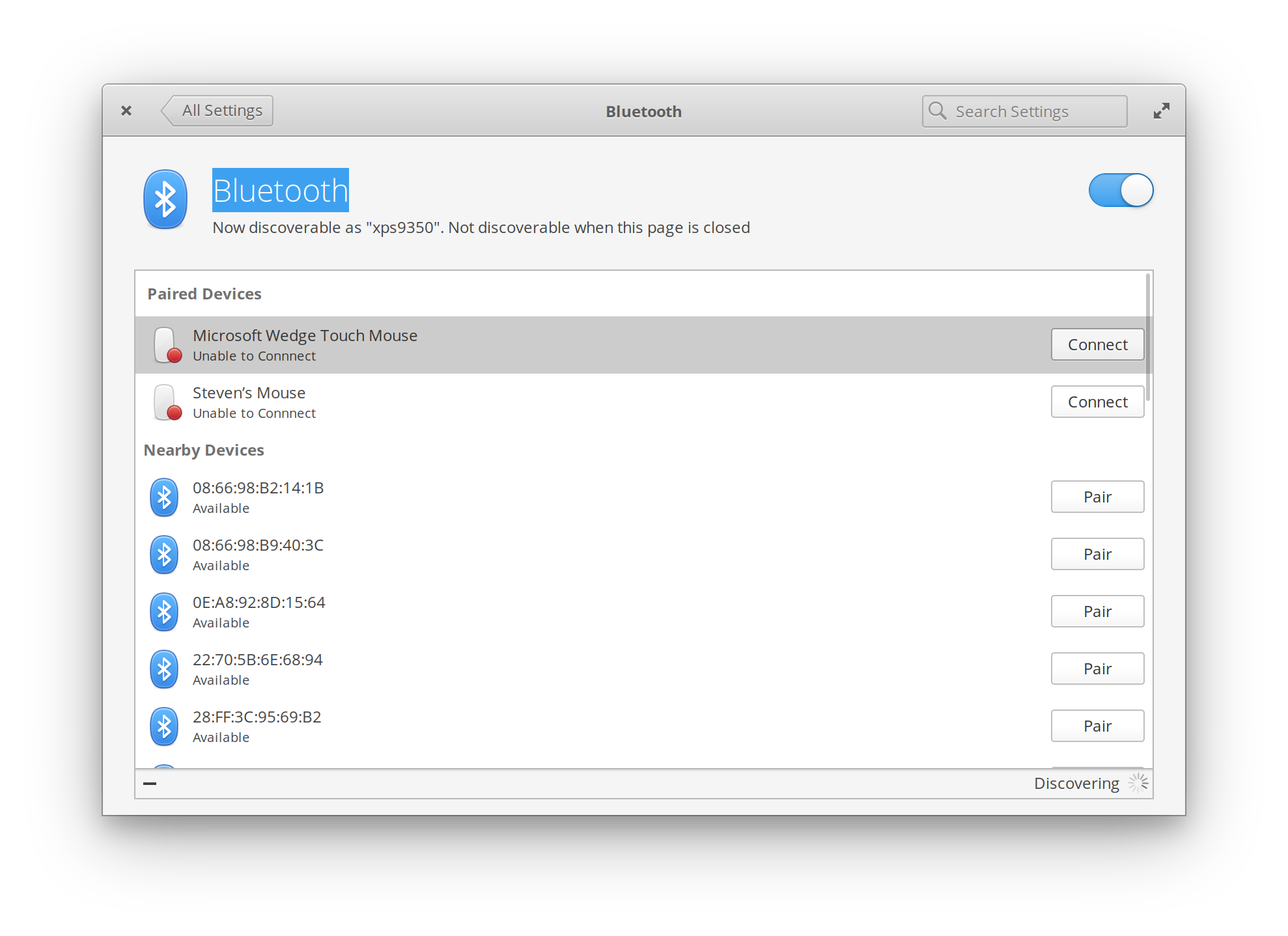
"Unable to Connect" to paired bluetooth mice
- Dominant language
- Vala
- Stars
- 26
- Forks
- 10
- Avg merge
- 10h 55m
- Merged PRs (30d)
- 2
Description
## Prerequisites
- [X] I have searched open and closed issues for duplicates.
## Describe the bug
I have been unable to connect to either of two different bluetooth mice, one Apple branded and one Microsoft branded.
The mice are discovered during the BT scan, and appear to pair successfully, however their status immediately changes to "Unable to Connect".
Additionally, there appears to be no way to unpair a paired device from the GUI.
### To Reproduce
1. Go to Bluetooth pane of settings
2. Place BT mouse in pairing mode
3. Wait for mouse to be discovered by OS
4. Click pair
### Expected behavior
OS pairs with mouse, connects, and becomes functional.
Paired device can be unpaired at a later time from the Bluetooth settings GUI.
### Screenshots or screen recordings
### Logs
Happy to provide logs -- please indicate which log files are required and where they are stored.
## Platform Information
- [ ] I'm using the latest version from git that I've manually compiled
- [X] I'm using the latest released stable version

## Additional context
Additional clicks on the "Connect" buttons cause the status to change for a split second but immediately revert to the "Unable to Connect" status.
Contributor guide
Assessment
This issue has not been assessed yet.