elementary / elementary/installer
Partition visualizer not accessible to keyboard users
- Dominant language
- Vala
- Stars
- 182
- Forks
- 53
- Avg merge
- 2d 16h
- Merged PRs (30d)
- 1
Description
**Describe the bug**
Hey folks, without access to a mouse it's not possible to select a partition using the graph. This is tricky if you have a bluetooth mouse and haven't set it up yet during the install process on a real machine.
This graph:
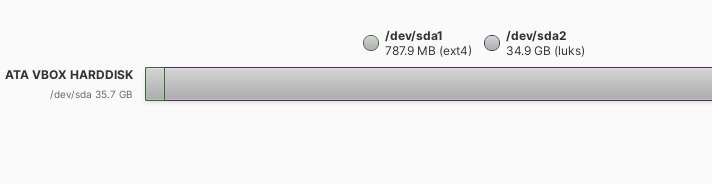
The workaround is to go to "Try Demo Mode", use search to get to the bluetooth panel, add your mouse, then open "Install Elementary"
**To Reproduce**
Steps to reproduce the behavior:
1. Install beta, go through keyboard options
2. Click on Custom (Advanced)
3. Try to use the keyboard to select your partition
**Expected behavior**
Active states, and pressing enter/space to trigger the popover
**Desktop (please complete the following information):**
- OS: e6 beta
- Browser N/A
Contributor guide
Assessment
This issue has not been assessed yet.