Non-latin texts are not concealed
- Dominant language
- Vala
- Stars
- 302
- Forks
- 83
- Avg merge
- 1d 1h
- Merged PRs (30d)
- 7
Description
## Prerequisites
- [x] I have searched open and closed issues for duplicates.
## Describe the bug
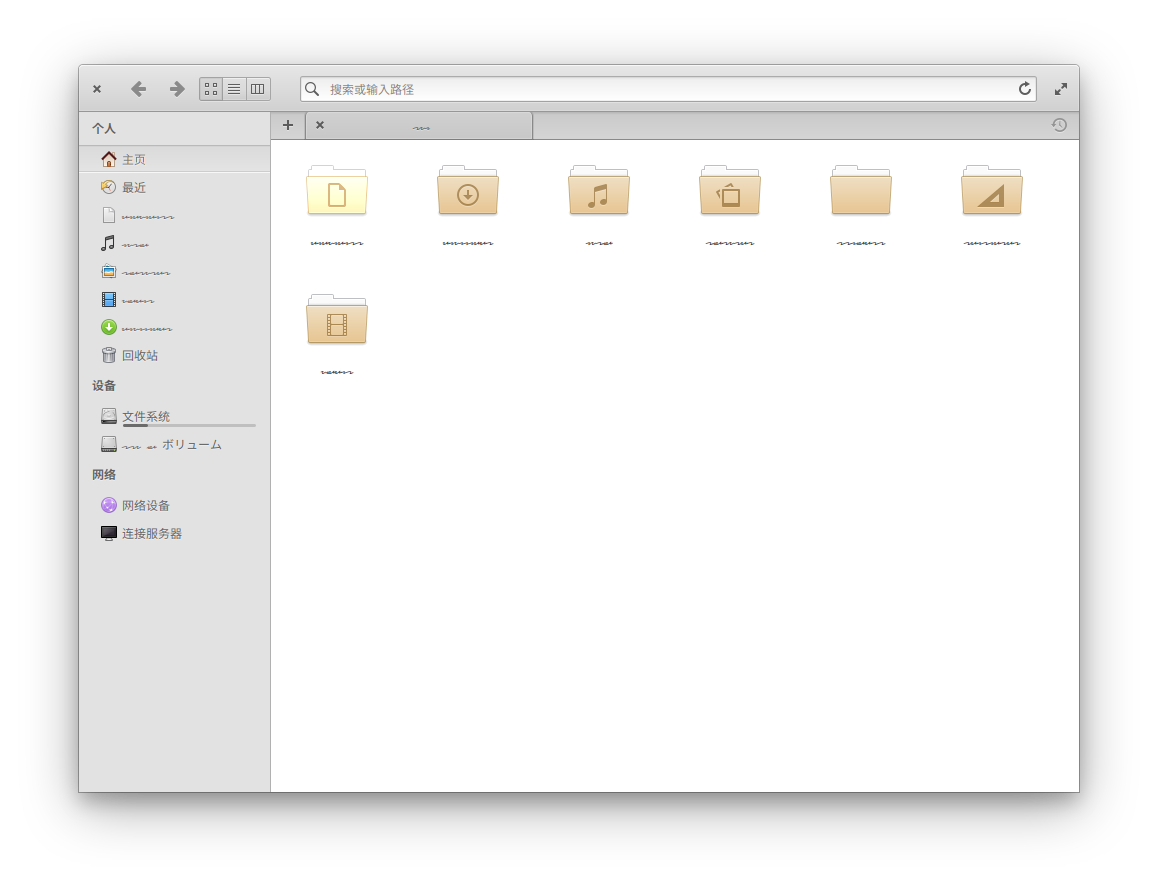
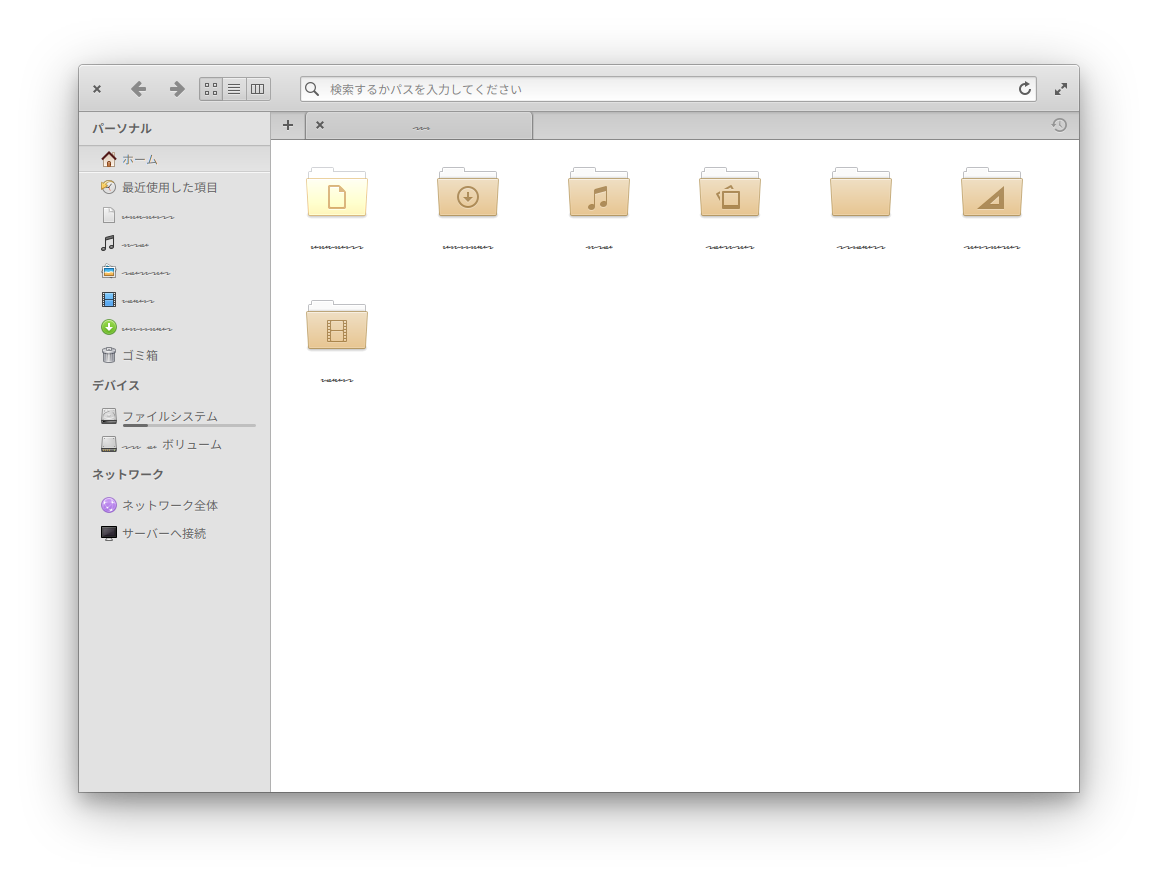
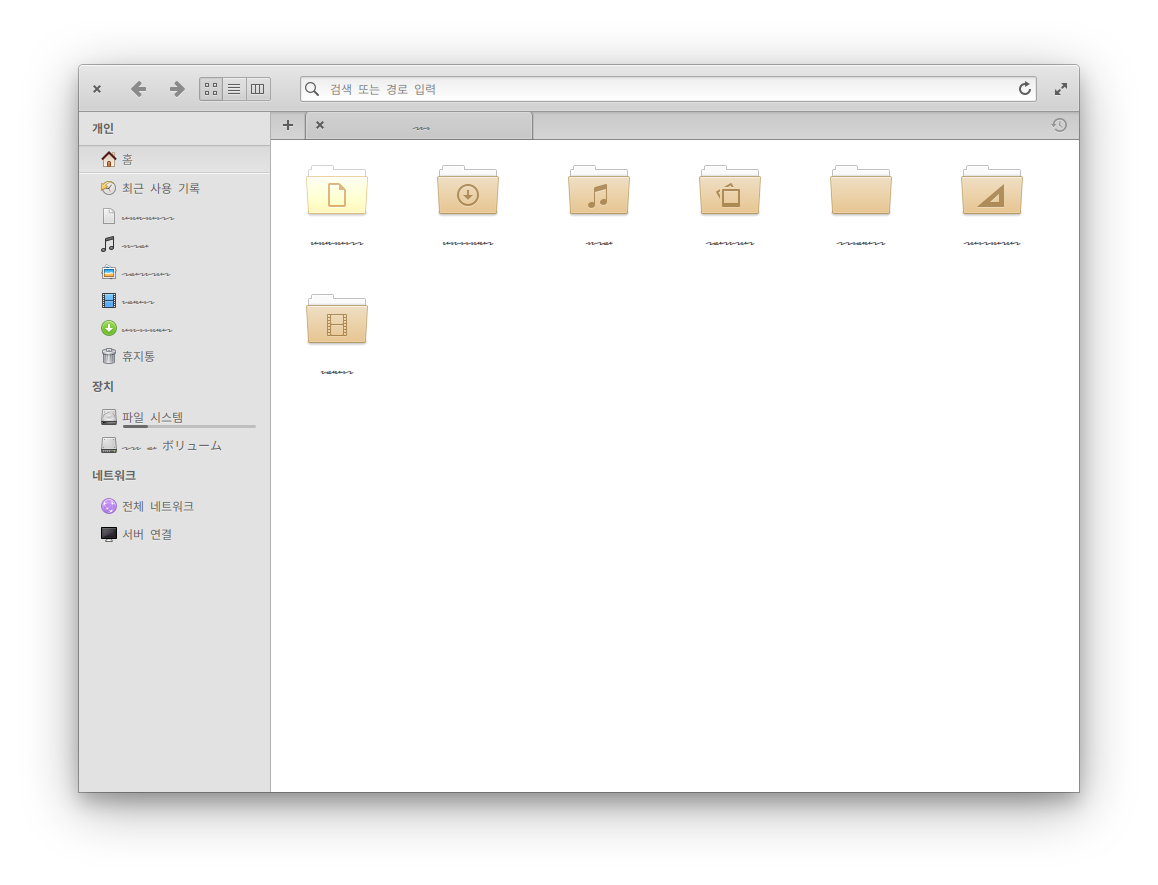
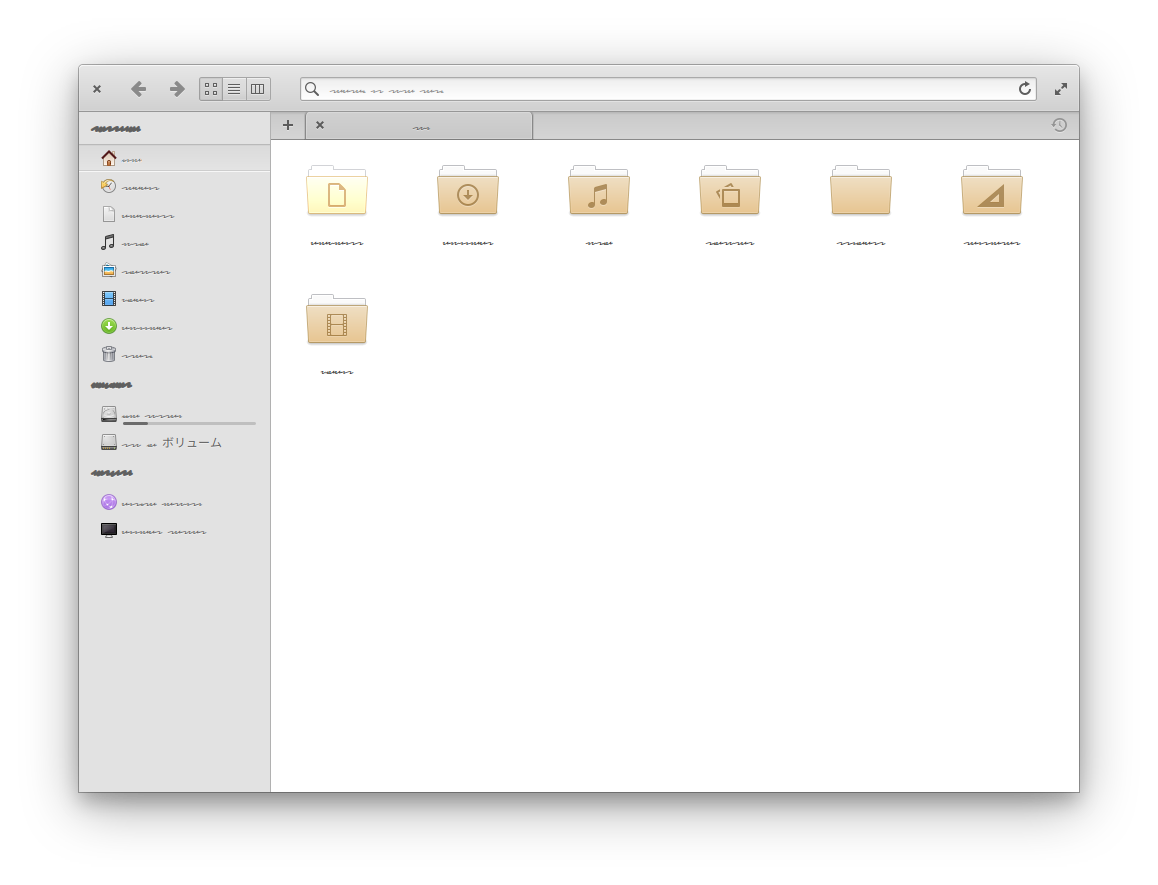
If non-latin texts (like Chinese/Japanese/Korean characters) are on your screen and you take a screenshot of them with "Conceal texts" option, they're not concealed and only English alphabets are concealed.
This might be because the font used to conceal texts does not support non-latin characters.
### To Reproduce
Steps to reproduce the behavior:
1. Open Terminal
2. Run some app with the following command: `LANGUAGE=ja ` (or `zh_CN` / `ko` instead)
3. Run Screenshot and take a screenshot with the concealed option
4. You'll find all Chinese/Japanese/Korean characters remain unconcealed.
### Expected behavior
Non-latin texts like Chinese/Japanese/Korean characters should be concealed like latin texts.
### Screenshots or screen recordings
#### Chinese
#### Japanese
#### Korean
#### English (as a comparsion)
## Platform Information
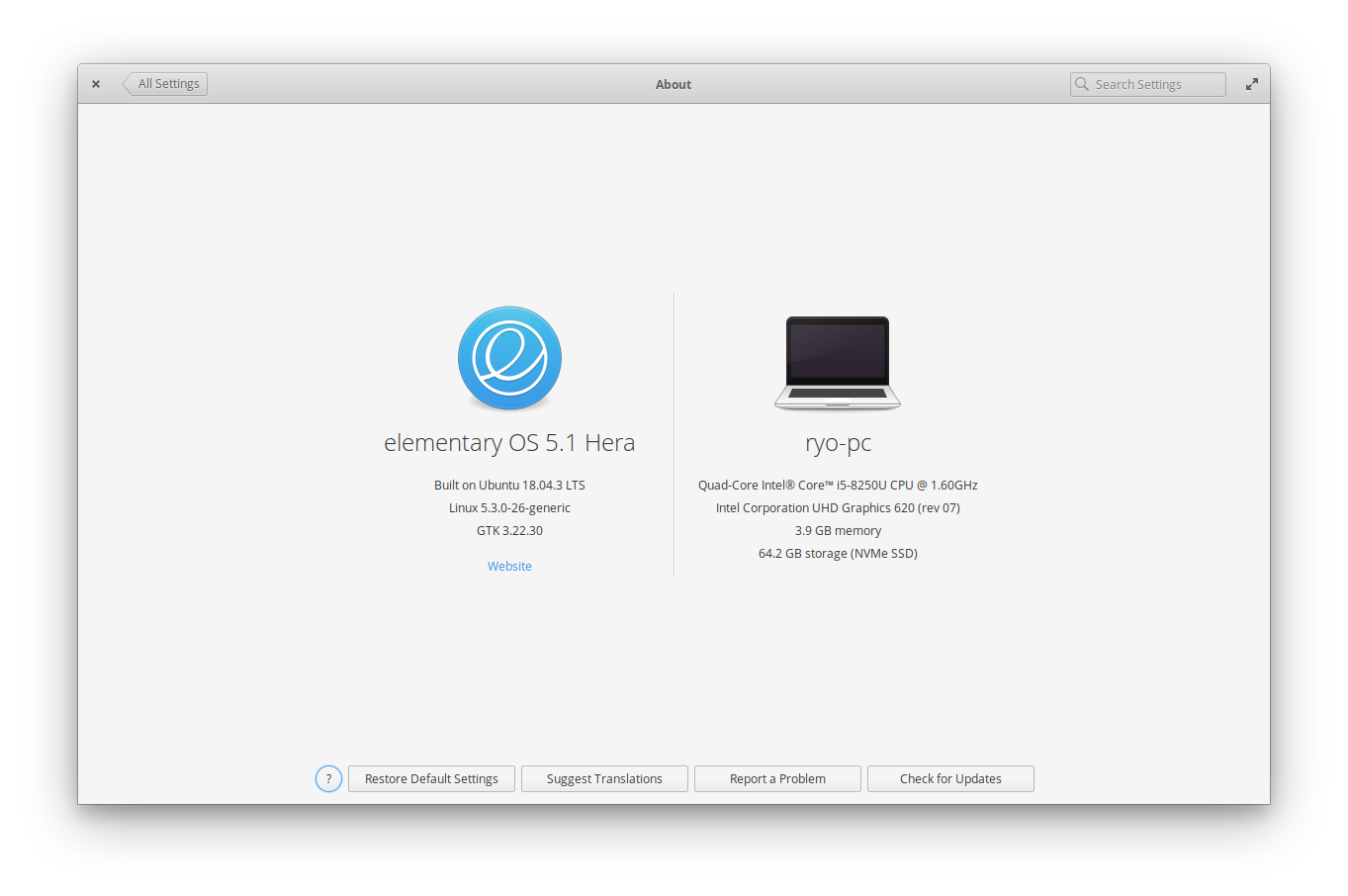
- System Language: Japanese
- [ ] I'm using the latest version from git that I've manually compiled
- [x] I'm using the latest released stable version
Contributor guide
Assessment
This issue has not been assessed yet.