Incorrect focused pathbar icons after switching away with Alt-Tab
- Dominant language
- Vala
- Stars
- 365
- Forks
- 82
- Avg merge
- 4d 2h
- Merged PRs (30d)
- 3
Description
### What Happened?
While editing the pathbar, switched to another window with `Alt-Tab`. While the Files window is unfocused, the pathbar icons change back to those appropriate for the breadcrumbs. See Screenshot
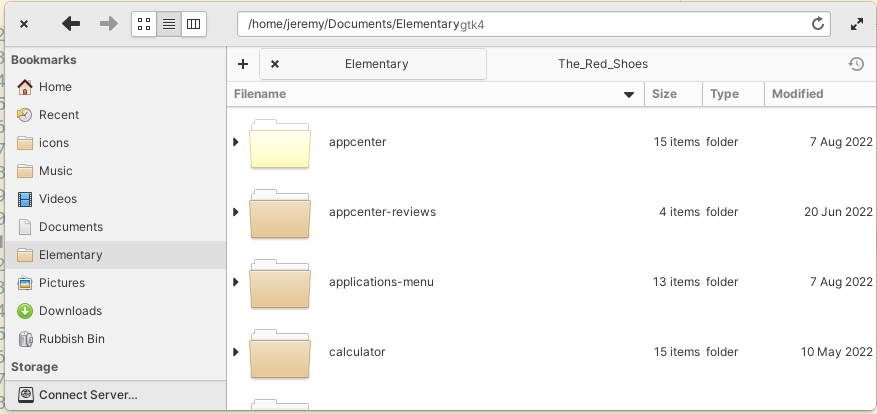
When the Files window is refocused the icons change back.
### Steps to Reproduce
1. Click on the pathbar to enter edit mode
2. Use `Alt-Tab` to move to another window
3. Notice icons change (but still in edit mode)
### Expected Behavior
The primary and secondary pathbar icons do not change unexpectedly when another window is focused while in edit mode.
### OS Version
7.x (Early Access)
### Software Version
Compiled from git
### Log Output
_No response_
### Hardware Info
_No response_
Contributor guide
Assessment
This issue has not been assessed yet.