Changing a parent folder during the gliding animation creates a logically incorrect tree structure of opened folders
- Dominant language
- Vala
- Stars
- 365
- Forks
- 82
- Avg merge
- 4d 2h
- Merged PRs (30d)
- 3
Description
# Prerequisites
- [x] I have searched open and closed issues for duplicates.
# Describe the error
Changing a parent folder during the gliding animation creates a logically incorrect tree structure of opened folders.
## To reproduce
1. Open Files.
2. Use the Column View.
3. Create a folder Essai, two folders inside that named Essai1 and Essai2, and a folder inside each of those folders respectively named Essai1_1 and Essai2_2.
4. Use the arrow keys to select Essai1.
5. Press the right arrow key to open the folder, and as you do, click on Essai2 during the gliding animation.
6. The contents of Essai1 are displayed in the rightmost column, but the opened parent folder is shown as being Essai2.
## Expected behaviour
The clicked folder is opened rather than merely being selected.
## Screenshots or screen recordings
[Screen recording](https://github.com/elementary/files/files/4135737/Changing.a.parent.folder.during.the.gliding.animation.creates.a.logically.incorrect.tree.structure.of.opened.folders.zip)
# Platform information
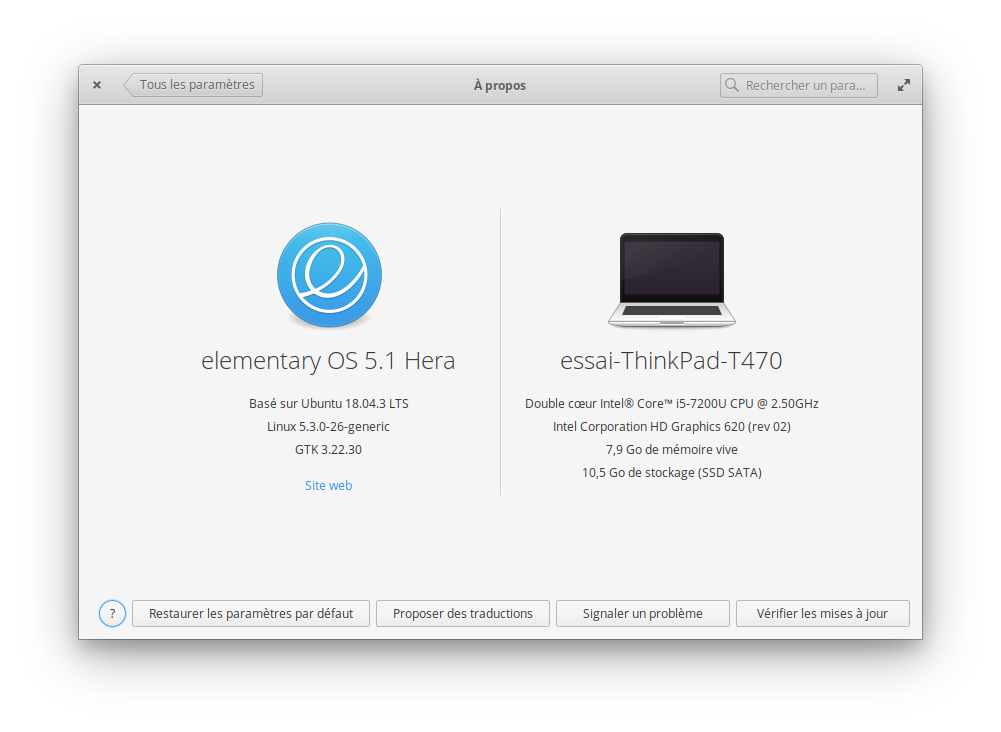
- [ ] I'm using the latest version from git that I've manually compiled
- [x] I'm using the latest released stable version
Language: French
Keyboard: English (US) - English (Dvorak intl., with dead keys)
Location: Paris
The testing system is installed on a small partition on a ThinkPad T470 laptop on which UEFI Secure Boot is disabled. Aside from specifying the language, keyboard, location, initial user, and the specific partition in which to install elementary OS, all of the default settings were used during the installation. No Internet connection was used during the installation. The only system-wide changes which have been made after the installation are that the system connects to the Internet by wi-fi via a Linksys WRT54GL Wireless Router and that [Screen Recorder](https://appcenter.elementary.io/com.github.mohelm97.screenrecorder/) has been installed via AppCentre.
# Additional context
Before this test was performed, the following steps were followed:
1. All system-wide changes from previous tests were reverted.
2. All system components were updated via the blue “Update All” button in AppCentre.
3. A new administrator user named “Essai” or “Essai 2” was created with the password “komalleana”.
4. The current user was logged out and the new user was logged in.
5. The old user was deleted, the screen resolution was set to 800x600 at 60 Hz, tap clicking was disabled, and the touchpad pointer speed was set to the maximal value.
6. The computer was rebooted.
6. The test user was logged in.
Contributor guide
Assessment
This issue has not been assessed yet.