elementary / elementary/browser
Poor dark theme contrast on console output
- Dominant language
- Meson
- Stars
- 8
- Forks
- 4
- Avg merge
- 3h 6m
- Merged PRs (30d)
- 4
Description
### What Happened?
Hello! How are y'all doing?
I'd like to thank y'all first for the amazing work with elementaryOS 6.1 Jólnir, you guys did something really good here.
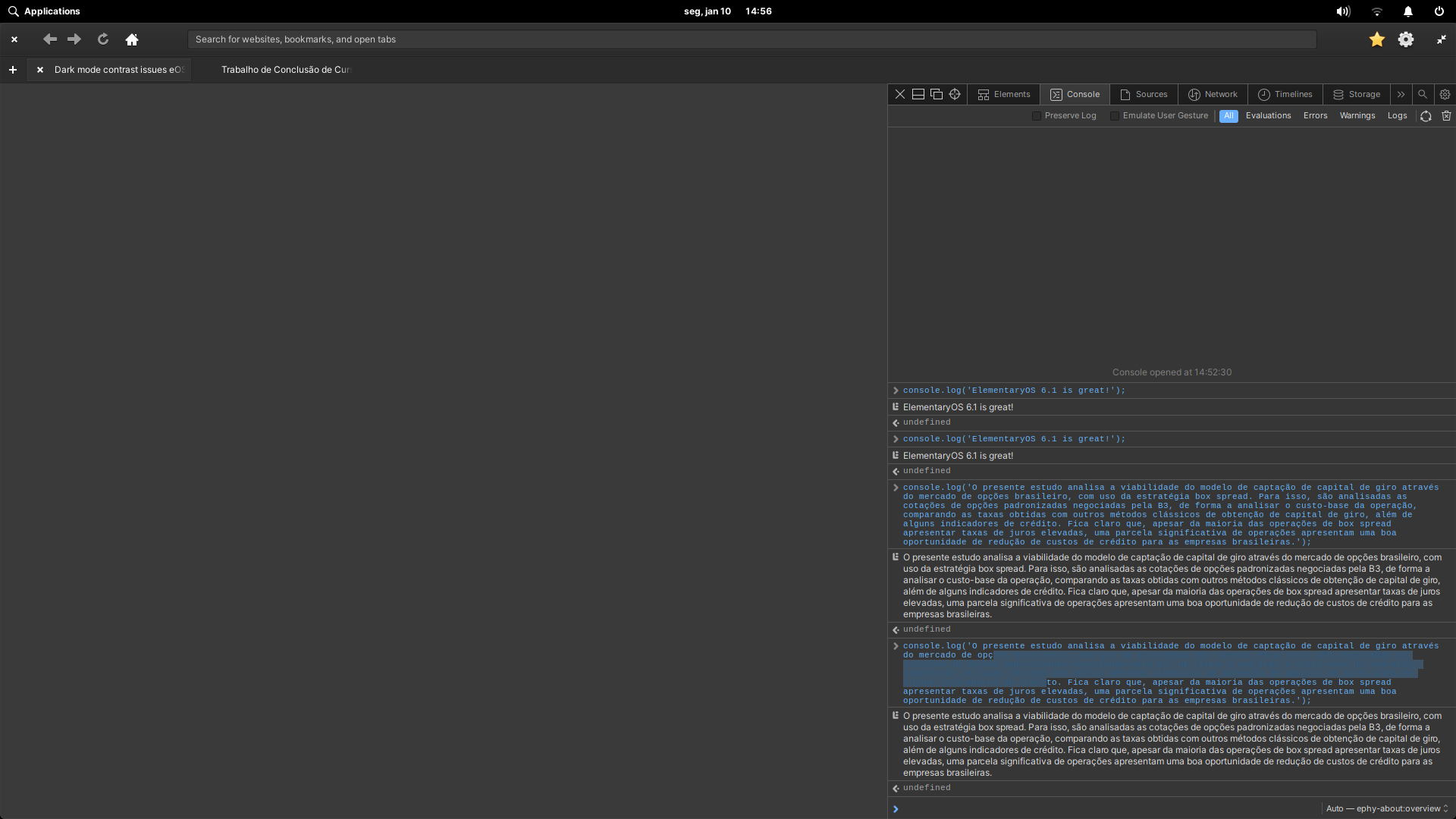
About the issue, I was experimenting with Epiphany 41.0 today on my elementaryOS 6.1 install and noticed that, when using the dark mode, the text selection becomes quite hard to read on the devtools console due to bad contrast. I don't know if it is a WebkitGTK issue, if it is an Epiphany issue or if it is a elementaryOS stylesheet issue, but it gets really bad to read, and that's not a good experience for those using dark mode and GNOME Web at the same time.
## Here are some screenshots of this problem.
### Dark theme console selection with poor contrast
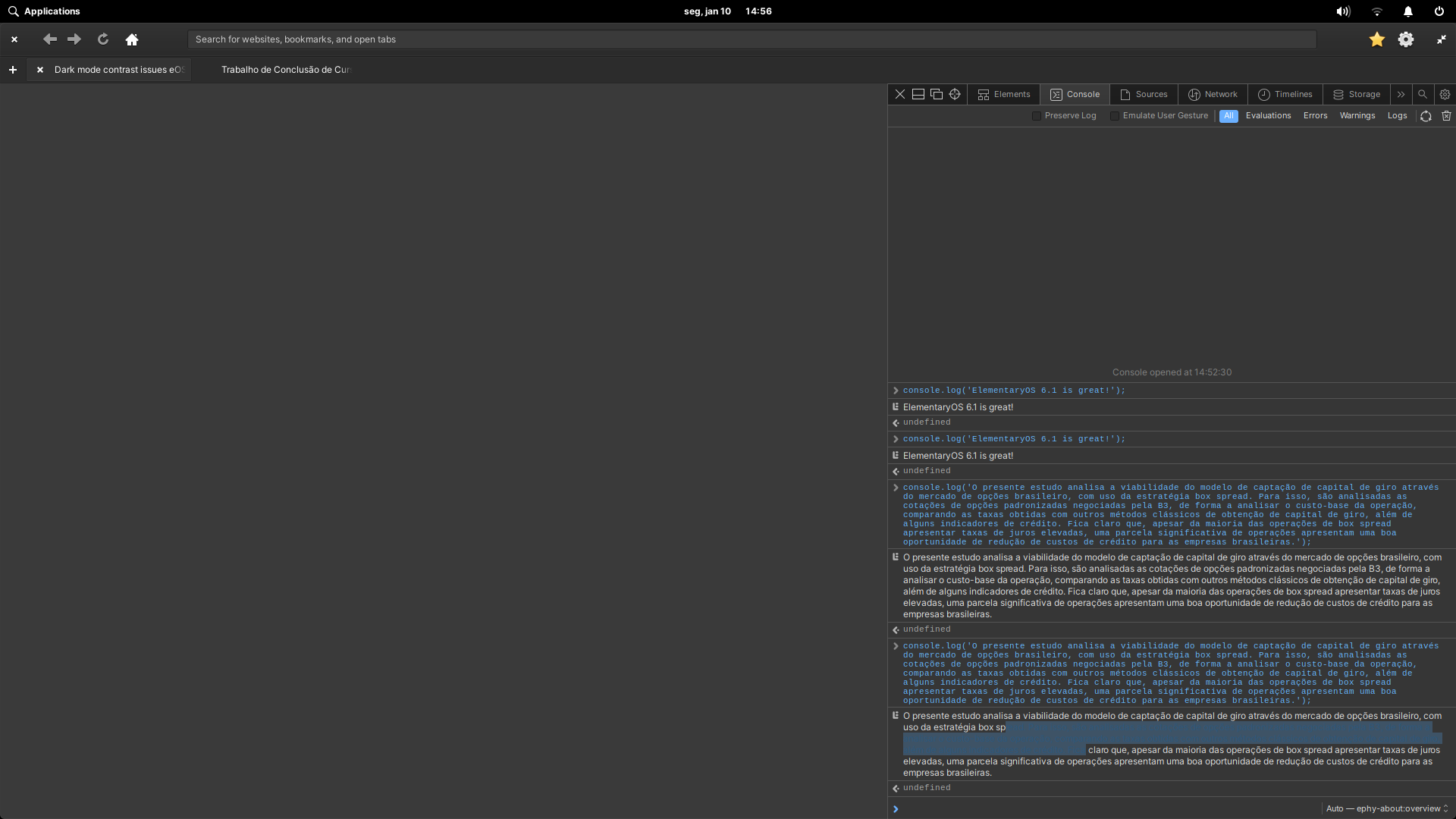
### Dark theme console output selection with poor contrast
## And here are some screenshots of the light theme that works just fine!
### Light theme console selection with good contrast
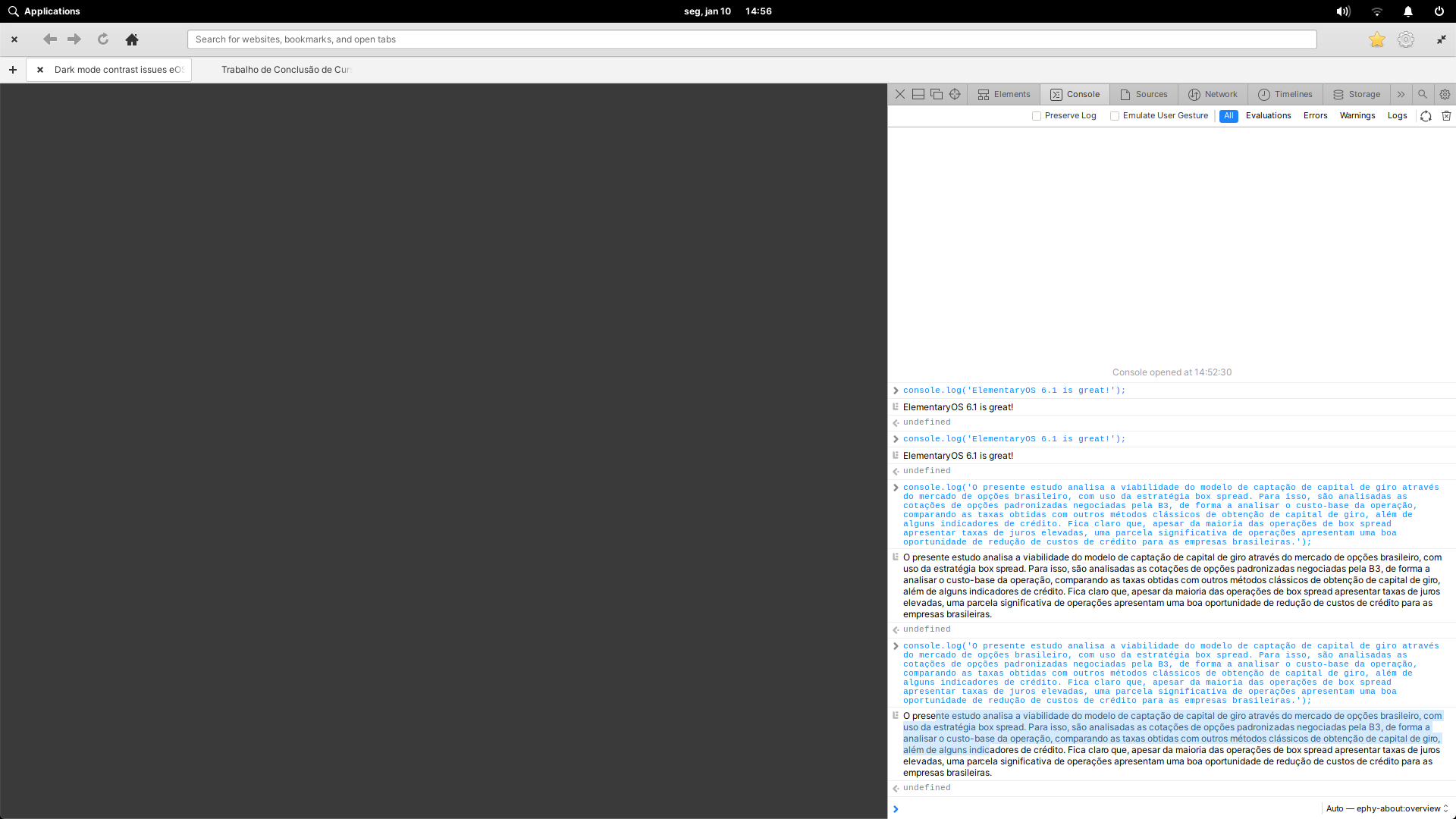
### Light theme console output selection with good contrast

Using elementaryOS 6.1 Jólnir and GNOME Web 41.0.
System up to date as of January 1st, 2022.
### Steps to Reproduce
1. Set your elementaryOS 6.1 Jólnir to dark mode.
1. Open Epiphany 41.0 (GNOME Web).
1. Open the devtools (F12).
1. Open the console.
1. console.log('something');
1. Try to select the logged text.
### Expected Behavior
Good contrast in dark mode.
### OS Version
6.x (Odin)
### Software Version
Latest release (I have run all updates)
### Log Output
```shell
No logs found.
```
### Hardware Info
System specs:
* CPU: Intel Core i5 4460
* GPU: Nvidia Geforce GTX 750 TI
* RAM: 8GB DDR3 1600MHz
Contributor guide
Assessment
This issue has not been assessed yet.