elementary / elementary/appcenter
Unable to uninstall Web from Applications Menu
- Dominant language
- Vala
- Stars
- 554
- Forks
- 104
- Avg merge
- 15h 57m
- Merged PRs (30d)
- 2
Description
## What Happened
When trying to unistall Web from Applications Menu by right clicking and selecting Uninstall I get this message: Failed to uninstall “GNOME Web”, This may have been caused by external or manually compiled software.
## Expected Behavior
To just uninstall the app.
## Steps to Reproduce
1. Open Applications Menu
2. Find the app you want to remove.
3. Right click on it.
4. Press Uninstall.
5. Click the red Uninstall button.
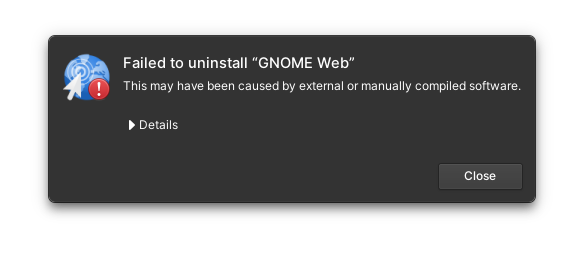
### Logs
From details: Application state not set as installed in AppCenter for package: GNOME Web
## Platform Information
I am using eOS 6.
Contributor guide
Assessment
This issue has not been assessed yet.