element-hq / element-hq/element-web
Element Desktop Cannot Authenticate Etherpad Widget
- Dominant language
- TypeScript
- Stars
- 13.5k
- Forks
- 2.8k
- PR merge metrics
- PR metrics pending
Description
### Steps to reproduce
#### Summary
We have our own Etherpad instance that has the authenticate parameter set so that pads can only be accessed by users in our LDAP. Using the custom widget function in the default integration manager (or indeed in the Dimension one) we are able to successfully link to it. In the browser (firefox, the range of chromium-based ones), or in the Android app we are able to authenticate and see our pads. However, in Element-Desktop (linux and Windows) we are unable to. We can fill in the user name and password and the Etherpad server notes a successful verification, but it immediately reverts to the login page and we don't access the pad (as per the attached screenshot).
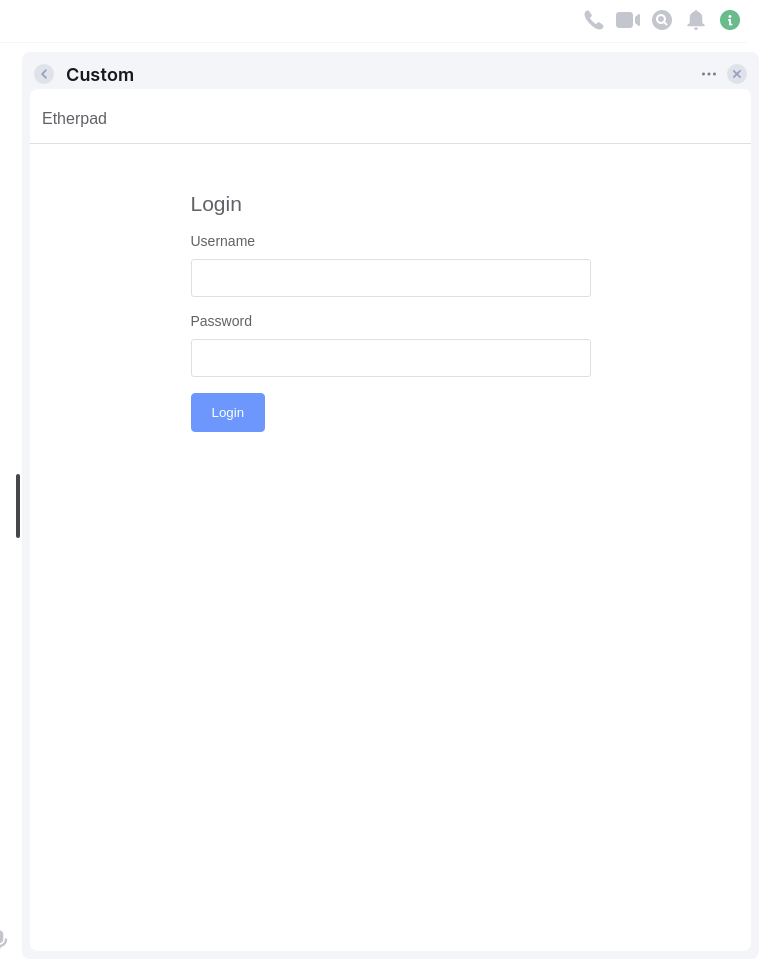
#### Steps to Reproduce
1. Set an Etherpad instance to authenticate, with a username and password.
2. Create a custom widget in a room pointing to a pad in that Etherpad instance
3. Open that widget and try to log in.
4. Verify that the problem is only present in the Element-Desktop App and not in browsers or mobile apps.
### Outcome
#### What did you expect?
With all other element clients (browser, mobile) the authentication works and the pad assigned to the room loads. The expectation is that it would load here also.
#### What happened instead?
Authentication is successful (as per log in Etherpad server), but it immediately reverts to the login screen and the app does not load.
NB. similar behaviour exists with the Jisti Meet Electron App using an etherpad with authentication set. You can authenticate and load the etherpad in the browser or android app, but not in the desktop app. So I imagine it has to be something to do with how Electron apps work, but hoping there might be a simple fix, because this really nicely helps resolve the [issue](https://github.com/vector-im/element-integration-manager/issues/14) with public url etherpads
### Operating system
Windows 10, Ubuntu, Debian, Fedora
### Application version
Element Version 1.9.8, Olm version 3.2.8
### How did you install the app?
https://element.io/get-started#download for Windows; through the deb and rpm repos and with flatpak for linux
### Homeserver
self-hosted, docker-based, synapse v 1.38.5
### Will you send logs?
Yes
Contributor guide
Assessment
This issue has not been assessed yet.