element-hq / element-hq/element-web
Textareas in devtools do not expand the devtools modal
- Dominant language
- TypeScript
- Stars
- 13.5k
- Forks
- 2.8k
- PR merge metrics
- PR metrics pending
Description
### Steps to reproduce
1. Use a monitor with a reasonable height (say 1200p)
2. open devtools
3. open "explore account data"
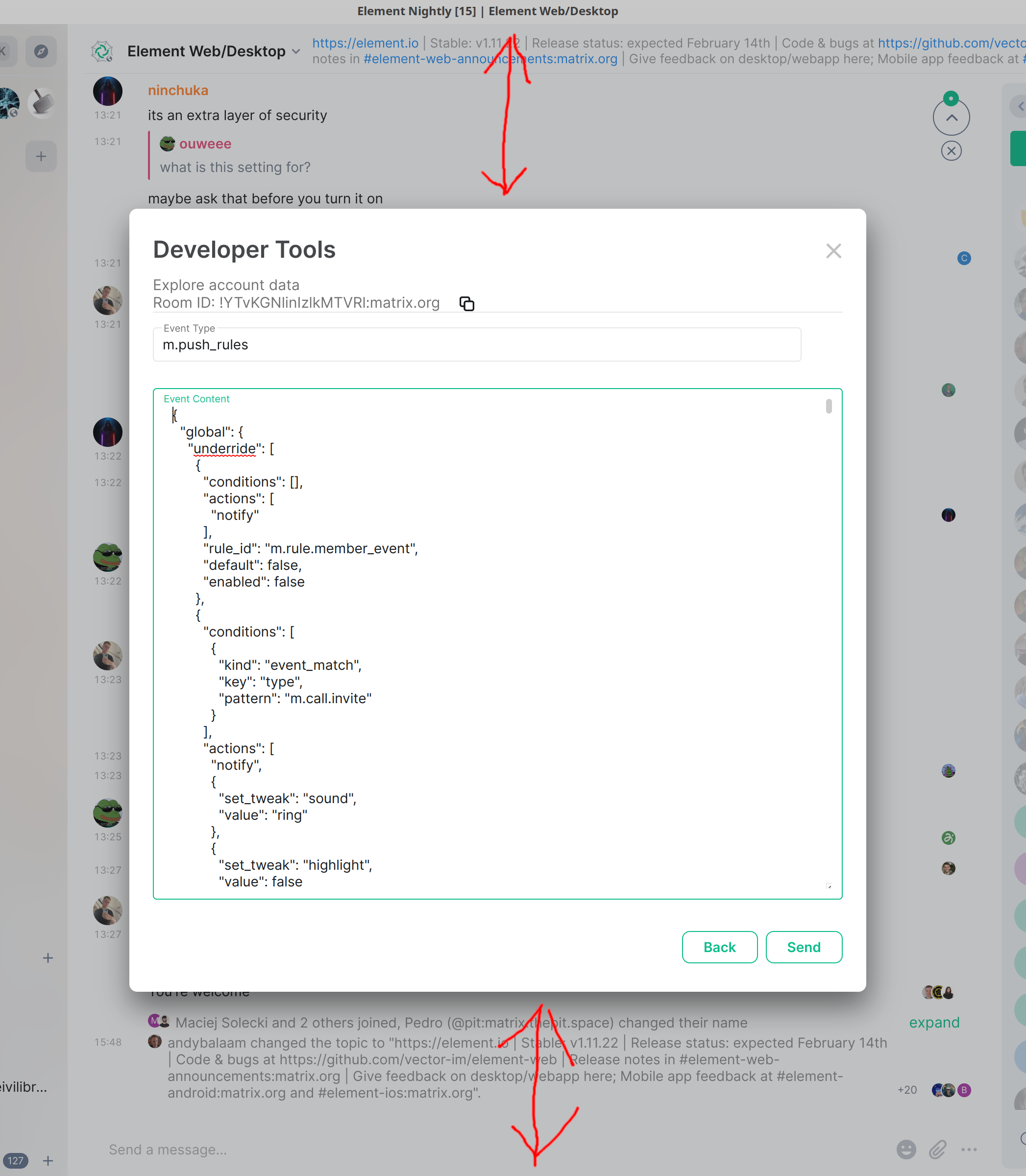
4. open `m.push_rules`. Note that the devtools modal expands to show as much of the data as possible.
5. Click "Edit". Note that the devtools modal shrinks.
### Outcome
#### What did you expect?
I expect the devtools modal to be as tall as it it is before I click "edit", so as to show as much of the data as possible.
#### What happened instead?
The devtools modal shrank after clicking Edit. See red arrows:
### Operating system
_No response_
### Application version
Element Nightly version: 2023013101 Olm version: 3.2.12
### How did you install the app?
_No response_
### Homeserver
_No response_
### Will you send logs?
No
Contributor guide
Assessment
This issue has not been assessed yet.