element-hq / element-hq/element-web
Only WISIWIG-editing possible, when trying to correct an input - mode problems with the WISIWIG-mode
- Dominant language
- TypeScript
- Stars
- 13.5k
- Forks
- 2.8k
- PR merge metrics
- PR metrics pending
Description
### Steps to reproduce
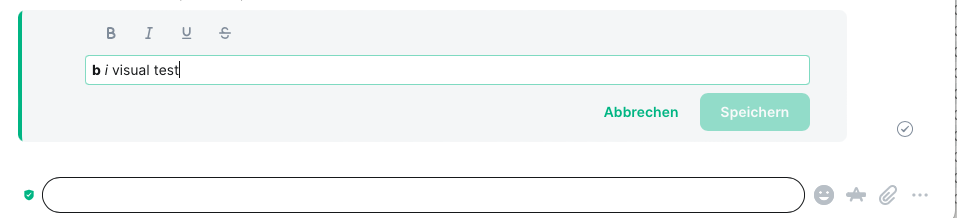
1. Where are you starting? What can you see? I start, with the editor set to ''show plain text''. Then I enter **b** *i* visual test; after Carriage Return the formatted line is visible. Then I try to correct it - but I do not get my input presented, instead the WISIWIG-editor mode comes up
2. What do you click?
3. More steps…
### Outcome
#### What did you expect?
I would prefer to get the data I have entered, when I try to correct my input
#### What happened instead?
The mode of the WISIWIG-editor changed back to ''show formatting''
This mode-changes happens too, if I look into another room and go back to my editing - then the mode ''show plain text'' is resetted and my partial input is gone.
### Operating system
macOS 13.0 (22A380)
### Browser information
Safari 16.1 (18614.2.9.1.12)
### URL for webapp
https://develop.element.io
### Application version
Version von Element: 1b9860187036-react-d92fdc1f5bfc-js-068fbb766099 Version von Olm: 3.2.12
### Homeserver
synod.im
### Will you send logs?
No
Contributor guide
Assessment
This issue has not been assessed yet.