element-hq / element-hq/element-web
Press `ESC` to close chat into the sidebar
- Dominant language
- TypeScript
- Stars
- 13.5k
- Forks
- 2.8k
- PR merge metrics
- PR metrics pending
Description
### Your use case
#### What would you like to do?
When I press `ESC`, I'd like for the chat window to empty, and the room in the sidebar to become deselected.
#### Why would you like to do it?
This way, my chat window would be empty, and various things that would rely on a chat window being actively viewed (loading content, having a particular image on screen, and/or read markers being moved by you) would disable.
### Have you considered any alternatives?
_No response_
### Additional context
Telegram desktop (tdesktop) has this functionality, and I've come to rely on it to close out or "blank" the main window, be it for stressful conversations, to lessen the stimulation on screen, or simply to be sure I do not move my read marker forward in the chat window the next time I open telegram.
Example:
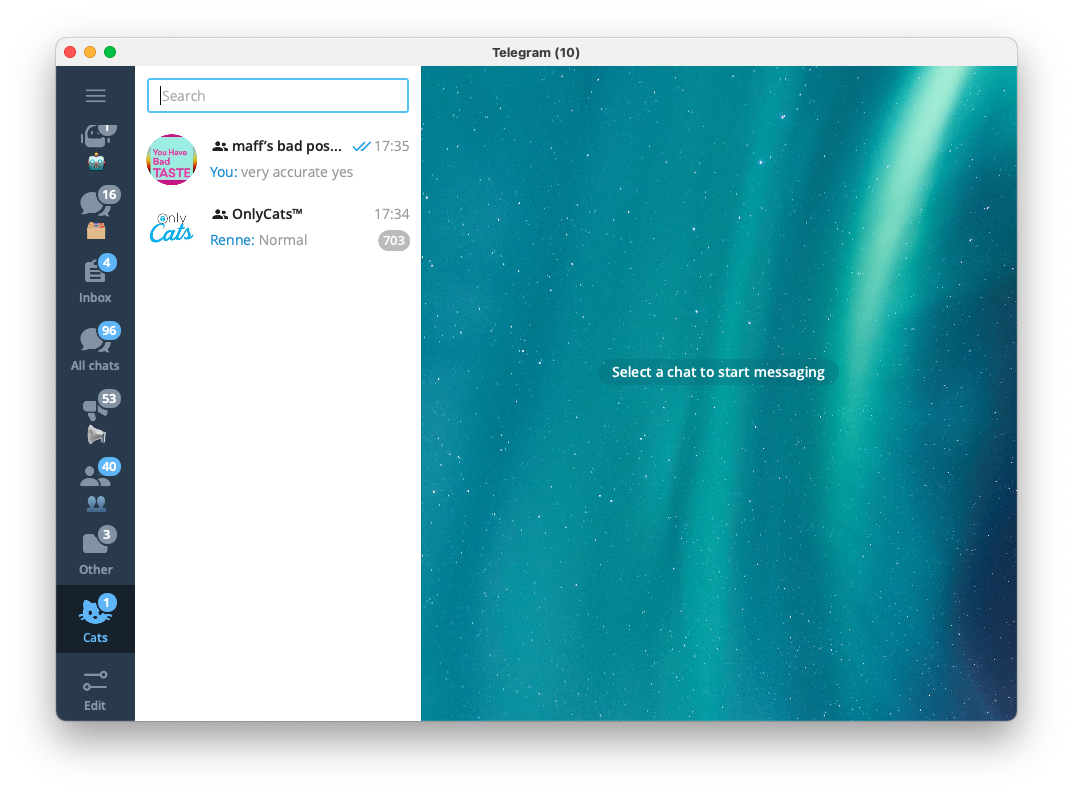
Edit: additional context
> Esc does two other things at the moment: dismisses "reply" mode and clears read receipts
Contributor guide
Assessment
This issue has not been assessed yet.