element-hq / element-hq/element-web
The size of the remaining disk space will affect the download of large files.
- Dominant language
- TypeScript
- Stars
- 13.5k
- Forks
- 2.8k
- PR merge metrics
- PR metrics pending
Description
### Steps to reproduce
1. Log in to an account;
2. Upload a large file to the chat room, such as 2048MB;
3. Download this file.
### Outcome
The result depends on the remaining space of the partition where the Element user data folder is located.
If there is less space left, a 2048 MB file will fail to download (it may also be aborted during the download process).
If it fails, there is no warning. Even if the free space is slightly larger than the size of this file.
That is to say, to download large files, you need to ensure that the partition has enough free space, but you are not sure how much space is needed.
If you want to download large files smoothly in the future, you need to ensure that the free space of the partition is kept within a certain range, such as 50%.
This problem also exists in the web version. If running Element Web on a browser, it will be affected by the remaining space of the partition where the browser's user data folder is located.
The desktop version uses some startup parameters:
````--user-data-dir="D:\fakepath\Element User Data" --disable-http-cache --disable-smooth-scrolling --disable-gpu --hidden````
The usage of the partition at this time:
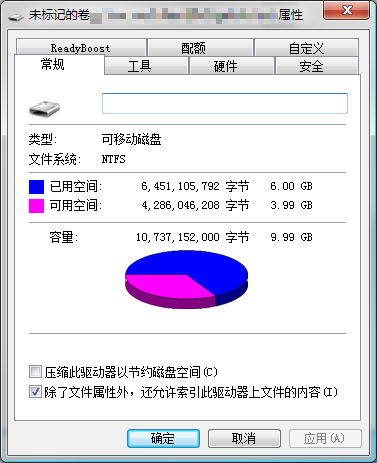
Element Desktop:
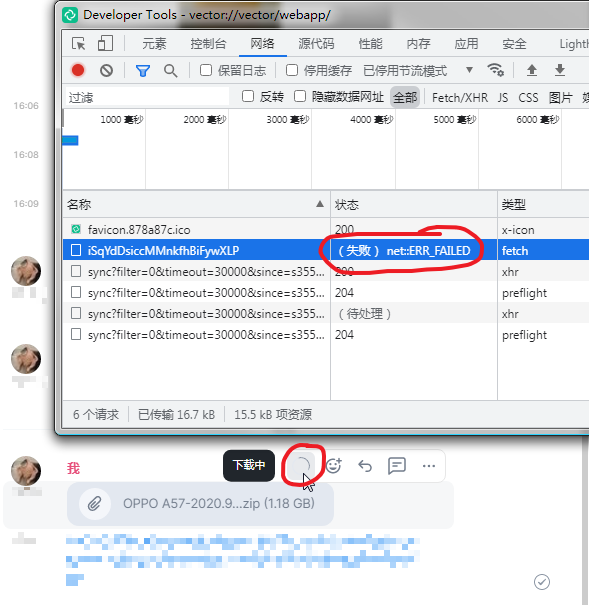
Element Web:
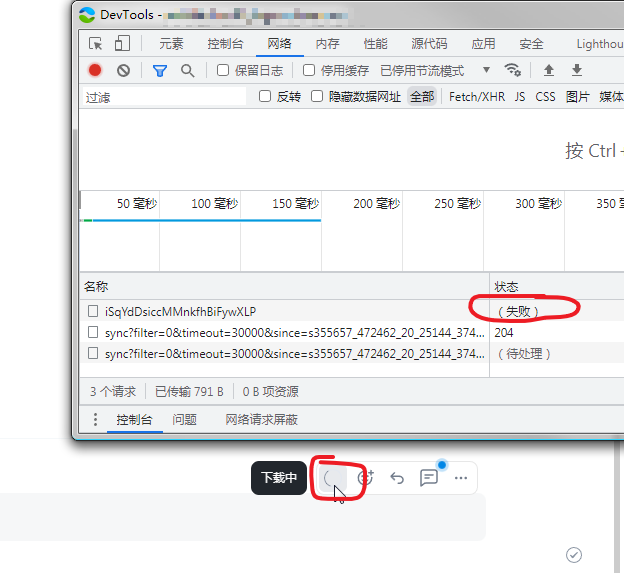
**There are currently 2 temporary workarounds:**
**1. Grab the HTTP request address of the file in the developer tools, paste it into the browser and download it separately;**
**2. Make more free space for the partition until large files can be downloaded without a hitch.**
### Operating system
x64 Windows 7 SP1; x64 Windows 10 21H2 Enterprise LTSC
### Application version
Element Desktop 1.10.13; Element Web f906cc306734-react-f427f09b8bbb-js-af6915b4fc49 (Dev)
### How did you install the app?
From https://packages.element.io/desktop/update/win32/x64/
### Homeserver
Synapse 1.58.0
### Will you send logs?
No
Contributor guide
Research direction
Start by reproducing the 2048 MB download in Element Web and Element Desktop with limited free space, using the reported Windows setup and versions as reference. Trace the download behavior from the user-visible failure and determine how insufficient space should be communicated or handled. Done means large-file downloads fail safely with a clear warning or complete when sufficient space is available.
Written by the indexing model from the issue text.
Assessment
- Tech stack
- typescript
- Domain
- desktop-dev, frontend, web-dev
- Issue type
- Bug
- Difficulty
- 4/5
- Estimated time
- 3-5 days
- Activity status
- Stale
- Clarity
- Mostly clear
- Newbie friendliness
- 35/100