element-hq / element-hq/element-web
Verifying with QR code says I've verified the *scanning* device and not the *new* device
- Dominant language
- TypeScript
- Stars
- 13.5k
- Forks
- 2.8k
- PR merge metrics
- PR metrics pending
Description
### Steps to reproduce
1. Log in to your account on web/desktop
2. Dismiss the notification on Element Android because your sync will take forever (not sure if relevant, but this is what I did)
3. After web syncs, use "Verify with another device"
4. Grab your Element Android (or any mobile device?) and accept the gray banner for verification
5. Do QR code scanning, using Android as the scanning device
6. Verified successfully: Android says the new session is verified, but web says the Android device is verified
### Outcome
#### What did you expect?
For the dialog to say "this device is verified" or "new device is verified", not mention the Element Android device.
#### What happened instead?
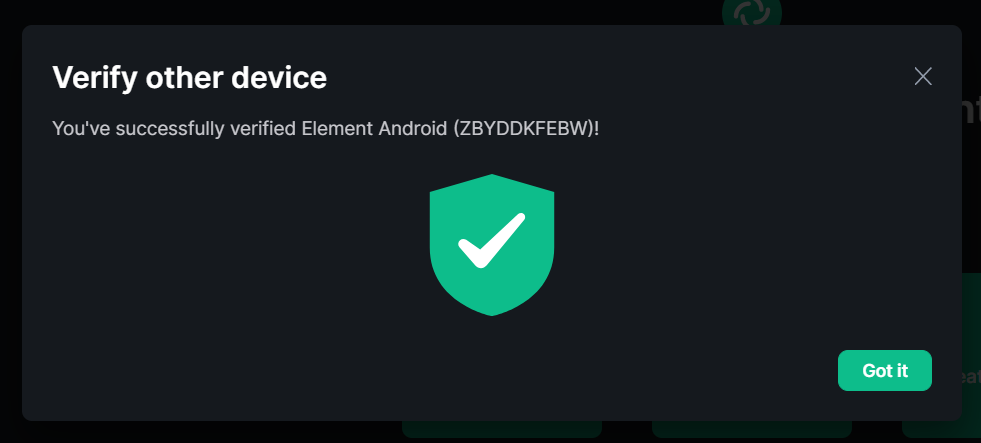
### Operating system
Windows 10
### Application version
Nightly (2022-04-19)
### How did you install the app?
The Internet
### Homeserver
t2l.io
### Will you send logs?
Yes
Contributor guide
Assessment
This issue has not been assessed yet.