element-hq / element-hq/element-web
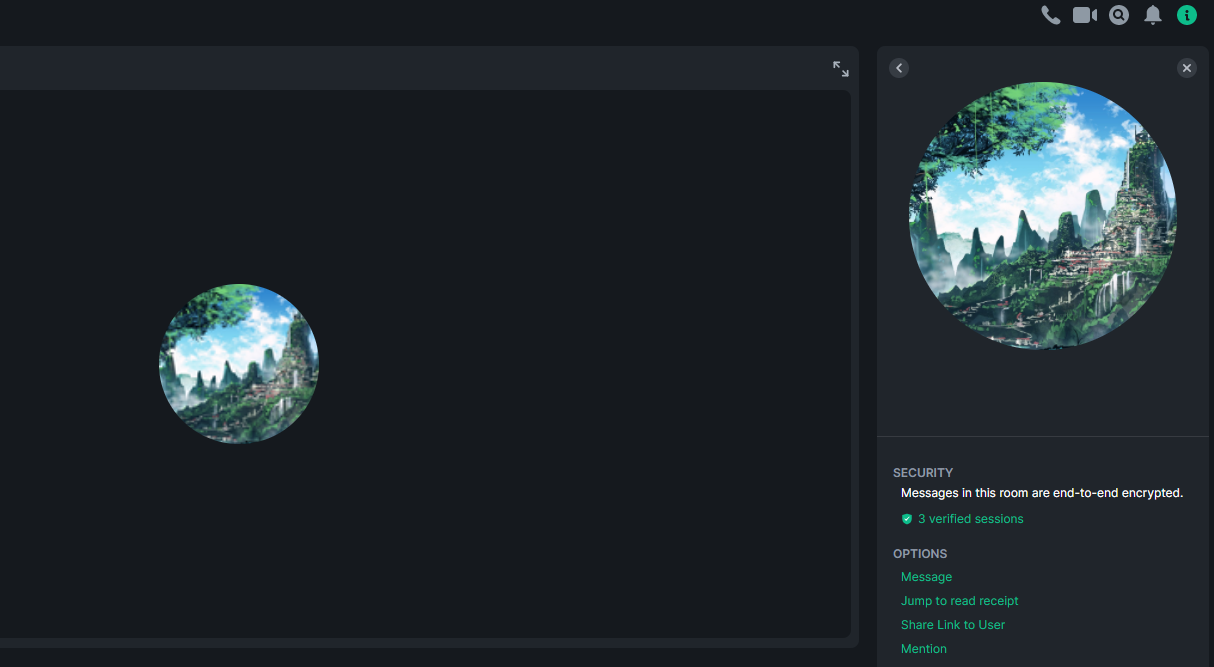
Avatars appear blurry in the call panel
- Dominant language
- TypeScript
- Stars
- 13.5k
- Forks
- 2.8k
- PR merge metrics
- PR metrics pending
Description
### Steps to reproduce
1. Start a call with someone who has an avatar
2. Call button (to view the avatar in the call panel)
3. Room Info button, Select the friend you're in a call with (to view the avatar in the room info panel)
### Outcome
#### The quality of the avatar in the call panel should be the same as the one in the room info panel
#### The avatar appears blurry in the call panel
### Operating system
Windows 10
### Application version
Element version: 1.9.3 Olm version: 3.2.3
### How did you install the app?
https://packages.riot.im/desktop/install/win32/x64/Element%20Setup.exe
### Homeserver
matrix.org
### Will you send logs?
No
Contributor guide
Research direction
Reproduce the issue in the call panel and compare its avatar rendering with the avatar shown in Room Info. Locate the frontend components responsible for those two views, then verify that the call-panel avatar matches the Room Info quality on Windows and that the reported reproduction steps no longer show a blurry image.
Written by the indexing model from the issue text.
Assessment
- Tech stack
- typescript
- Domain
- audio-video-rtc, frontend
- Issue type
- Bug
- Difficulty
- 3/5
- Estimated time
- 1-2 days
- Activity status
- Stale
- Clarity
- Mostly clear
- Newbie friendliness
- 42/100