element-hq / element-hq/element-web
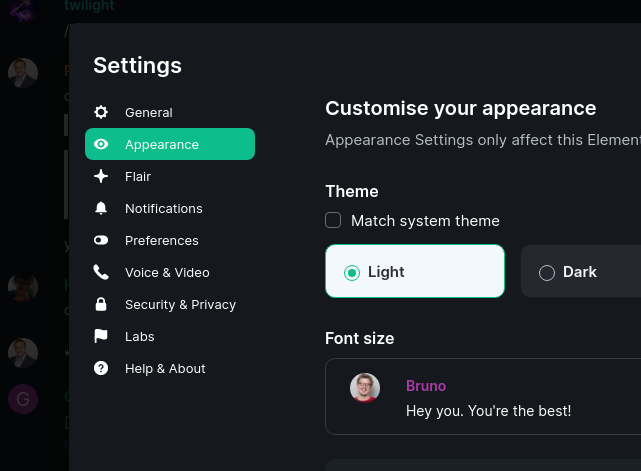
on new login, I unexpectedly get the dark theme by default and can't change
- Dominant language
- TypeScript
- Stars
- 13.5k
- Forks
- 2.8k
- PR merge metrics
- PR metrics pending
Description
After a new login with element desktop, I got presented with the app in dark theme (see settings account data below), which surprises me as I've never used the dark theme for more than a brief test so far, More importantly though, I could not switch away in the settings back to the light theme.
```
{
"type": "im.vector.web.settings",
"content": {
"autoplayGifsAndVideos": true,
"enableWidgetScreenshots": true,
"MessageComposerInput.autoReplaceEmoji": true,
"MessageComposerInput.isRichTextEnabled": false,
"MessageComposer.showFormatting": true,
"theme": "dark",
"useCompactLayout": true,
"pinMentionedRooms": true,
"pinUnreadRooms": true,
"RoomList.orderByImportance": false,
"breadcrumbs": true,
"showRoomRecoveryReminder": false,
"VideoView.flipVideoHorizontally": false,
"RoomList.orderAlphabetically": false,
"room_directory_servers": [
"mozilla.org"
]
}
}
```
Contributor guide
Assessment
This issue has not been assessed yet.