element-hq / element-hq/element-web
No way to scroll to messages mentioning you directly
- Dominant language
- TypeScript
- Stars
- 13.5k
- Forks
- 2.8k
- PR merge metrics
- PR metrics pending
Description
### Description
When someone mentions you, a little red circle with a number in it appears in various places to alert you to this. However there's no way to actually jump directly to those messages. If the mention happened in a very busy chat, you have to scroll through the whole thing.
### Steps to reproduce
- Have people send a few dozen or hundred messages
- Be mentioned in a chat
- Have people send another few dozen or hundred messages
- Go to that chat
At this point, you'll see something like the following:
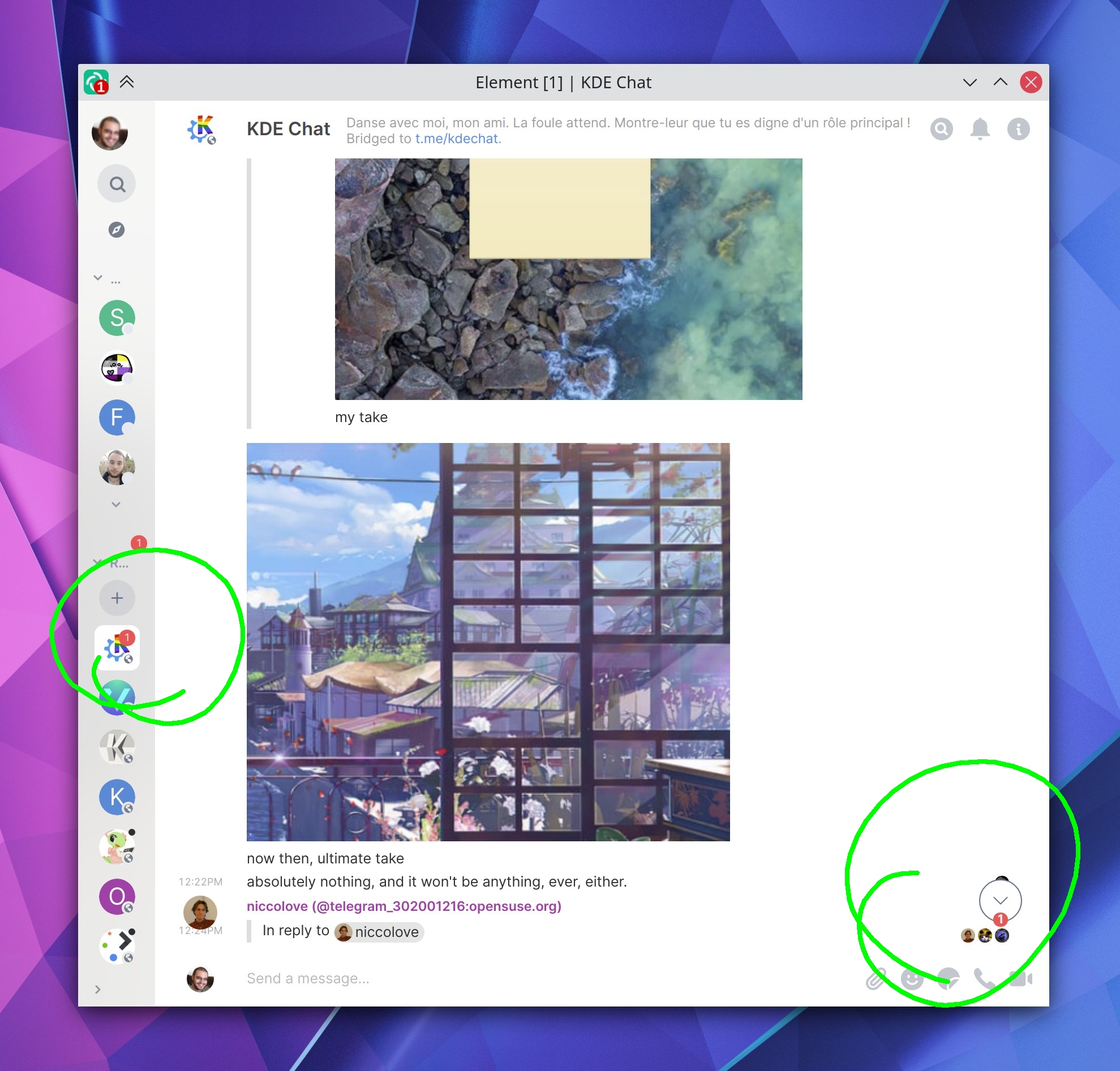
Frustratingly, the circular button in the bottom-right corner has a red circle in it to tell you that you've been mentioned, but if you click it, you'll be taken to the latest unread message, not the first message mentioning you.
### Version information
- **Platform**: desktop
- **OS**: Linux: openSUSE Tumbleweed
- **Version**: 1.7.10
Contributor guide
Research direction
Start by reproducing the mention and unread-message behavior in a busy desktop chat on Linux, then trace the existing bottom-right circular navigation control. The issue provides no file or test names, so identify where mention indicators and unread navigation are implemented. Done means activating the mention alert takes you directly to a message mentioning you rather than only to the latest unread message.
Written by the indexing model from the issue text.
Assessment
- Tech stack
- typescript
- Domain
- frontend
- Issue type
- Feature
- Difficulty
- 4/5
- Estimated time
- 3-5 days
- Activity status
- Stale
- Clarity
- Mostly clear
- Newbie friendliness
- 35/100