element-hq / element-hq/element-web
Scrollbar does not always follow on new messages
- Dominant language
- TypeScript
- Stars
- 13.5k
- Forks
- 2.8k
- PR merge metrics
- PR metrics pending
Description
### Description
Since the latest update of the Linux Riot client (updated from 1.6.6 to 1.6.8) I have issues with the vertical scrollbars in conversations. Often (but not always) when a new message is sent in a channel, the scrollbar will not follow the new message and I'll have to scroll in order to see the message.
When this happen, the down icon to go to the latest message appears and clicking it does indeed lead me to the latest message, but the icon won't disappear as if I was not as the very bottom. Also scrolling up and then back down doesn't make the down icon disappear
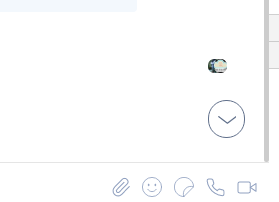
I've also noticed some time that the down icon appear when I click into another window of my desktop
### Steps to reproduce
No idea... It happenned to me both in private conversation and channels
I've looked into the JS console, and I haven't really seen anything related
### Version information
- **Platform**: desktop
- **OS**: Xubuntu 20.04
- **Version**: 1.6.8 (issue was not present with 1.6.6)
Contributor guide
Research direction
Start by reproducing the scrollbar and down-icon behavior in private conversations and channels on the Linux desktop client, using the JavaScript console while comparing versions 1.6.6 and 1.6.8. Done means new messages consistently bring the view to the latest message when appropriate, and the down icon disappears after reaching the bottom.
Written by the indexing model from the issue text.
Assessment
- Tech stack
- typescript
- Domain
- desktop, frontend
- Issue type
- Bug
- Difficulty
- 4/5
- Estimated time
- 3-5 days
- Activity status
- Stale
- Clarity
- Needs clarification
- Newbie friendliness
- 38/100