element-hq / element-hq/element-ios
Wrong button order in un/hide confirmation
- Dominant language
- Swift
- Stars
- 1.8k
- Forks
- 544
- PR merge metrics
- PR metrics pending
Description
**Describe the bug**
The order of the buttons in the un/hide confirmation should be reversed, as it's exactly the opposite of what is intuitive.
**To Reproduce**
Steps to reproduce the behavior:
1. Un/Hide a user
2. Observe the order of the buttons
**Expected behavior**
The "do something" button should be on the right, and the "cancel" button on the left. Preferentially one of them also colored to help distinction.
The official source:
> **Place buttons where people expect them.** In general, buttons people are most likely to tap should be on the right. Cancel buttons should always be on the left.
[Apple Human Interface Guidelines - Alerts](https://developer.apple.com/design/human-interface-guidelines/ios/views/alerts/)
**Screenshots**
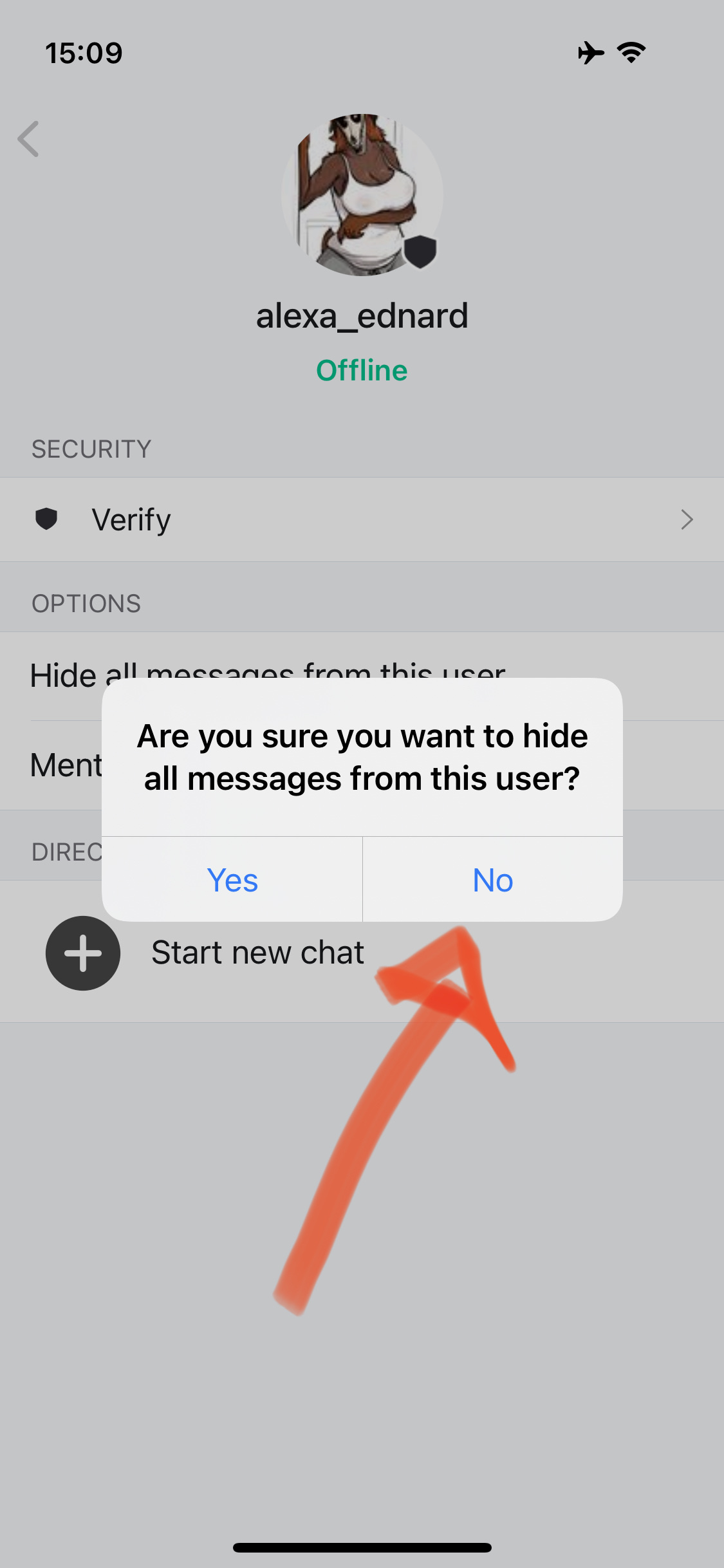
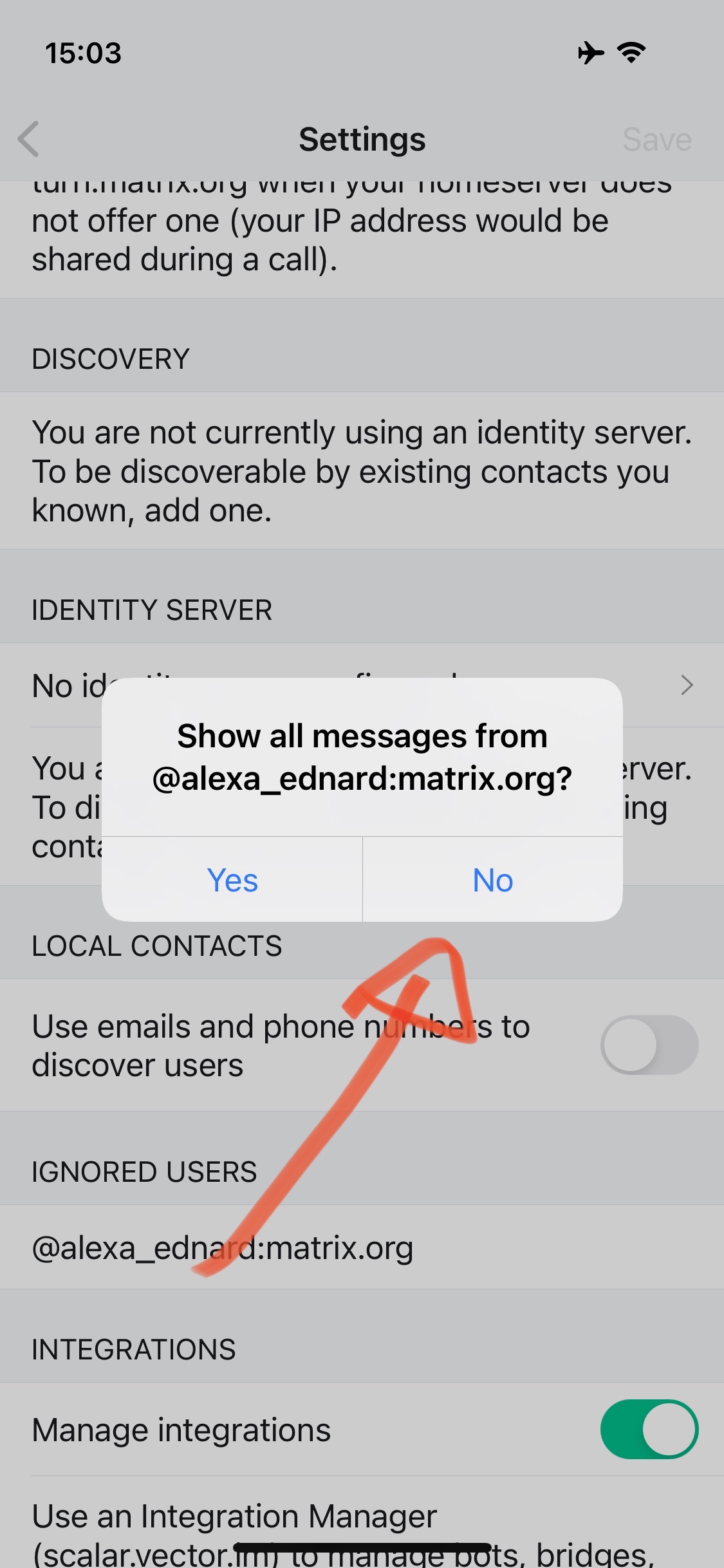
**Smartphone (please complete the following information):**
- Device: iPhone 12 mini
- OS: iOS 14.4.2
- Element Version: 1.2.7
**Additional context**
Contributor guide
Research direction
Start by reproducing the un/hide user confirmation dialog described in the issue on the listed iOS setup, using the screenshots as the reference. Trace the dialog's button configuration and verify that the action button is on the right, Cancel is on the left, and the distinction is visually clear.
Written by the indexing model from the issue text.
Assessment
- Tech stack
- ios, swift
- Domain
- design, mobile
- Issue type
- Bug
- Difficulty
- 3/5
- Estimated time
- 1-2 days
- Activity status
- Stale
- Clarity
- Mostly clear
- Newbie friendliness
- 43/100