element-hq / element-hq/element-android
The new notification tab doesn't show notification number correctly
- Dominant language
- Kotlin
- Stars
- 3.7k
- Forks
- 917
- PR merge metrics
- No merged PRs in 30d
Description
### Steps to reproduce
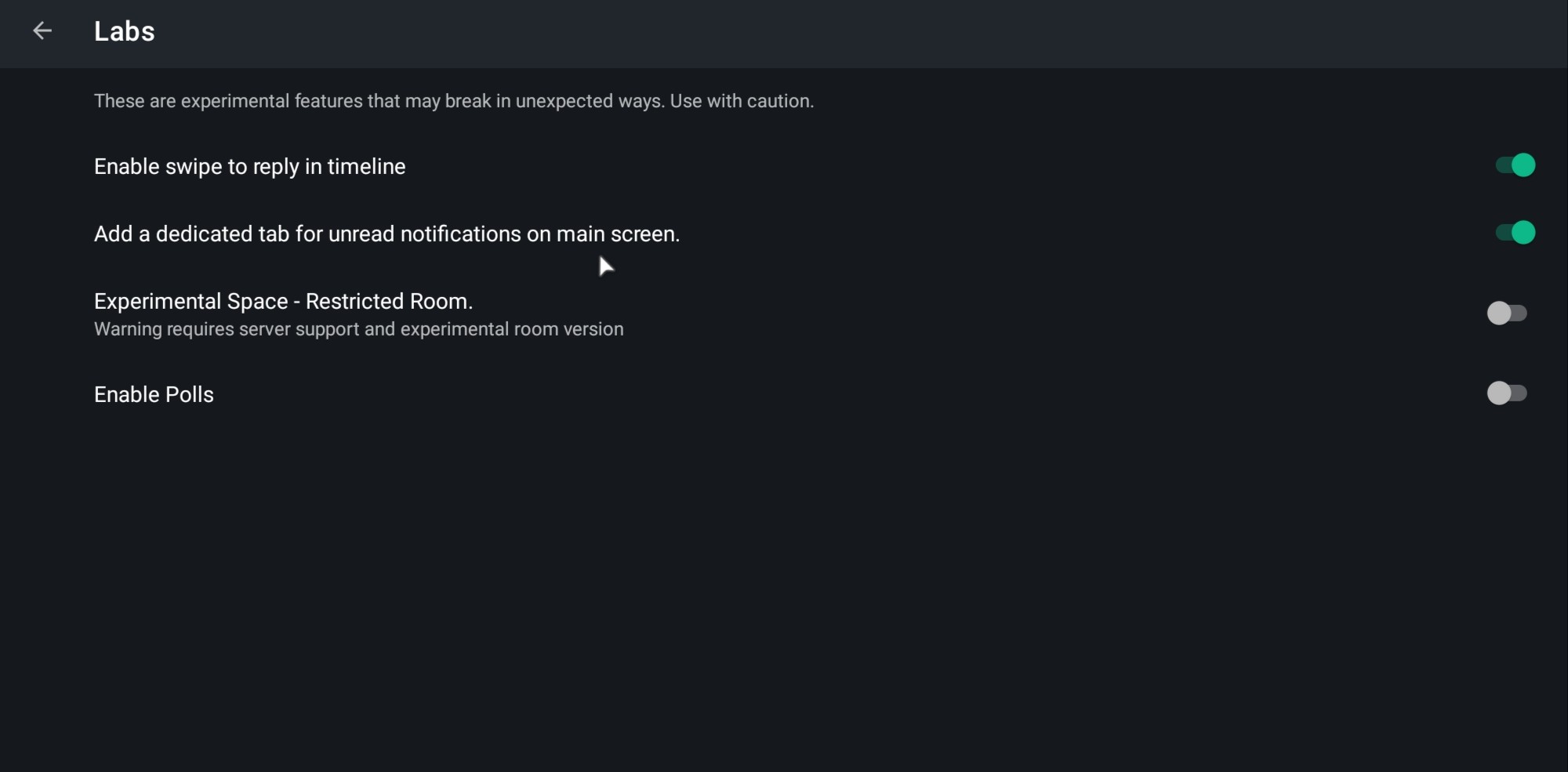
1. Open "Labs" feature in the settings.
2. Enable the "Add a dedicated tab for unread notifications on main screen." option as shown in the screenshot below:
3. Call someone or receive a call, then end the call.
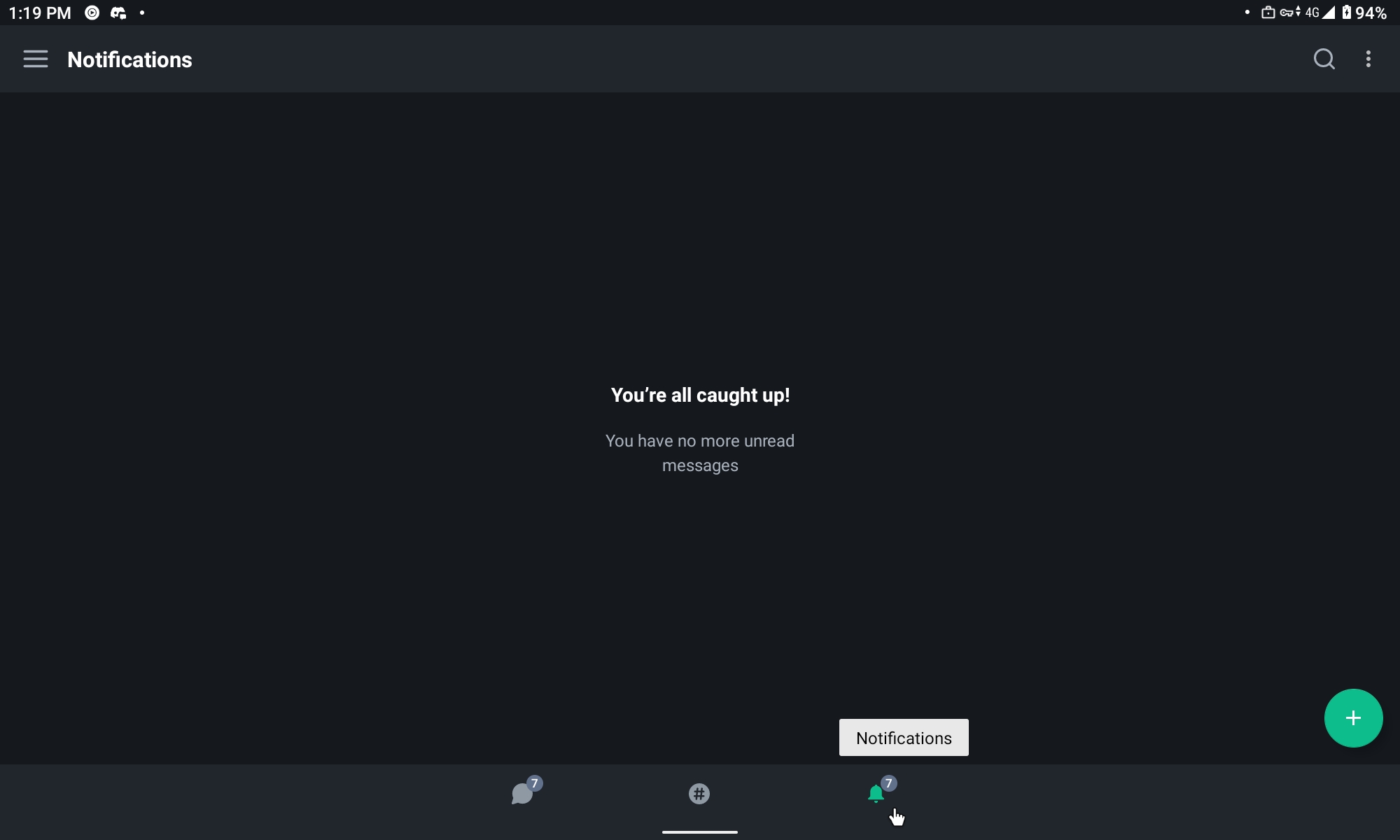
4. The new notification tab's icon will show the number of unread notifications.
5. However, there'll be no message to be read as shown in the screenshot below:
### Outcome
#### What did you expect?
I expect the notification number to show up correctly.
#### What happened instead?
The number of notifications doesn't show up correctly. It's very confusing to see a lot of notification numbers only to see that there's no notification at all making the new notification tab feature useless and better to be turned off.
This issue could be related to issue #4513.
### Your phone model
Lenovo Tab P11, TB-J606L
### Operating system version
Android 11
### Application version and app store
Element version: 1.3.12 [40103122] (G-b5040), olm version: 3.2.7, from Play Store.
### Homeserver
matrix.org
### Will you send logs?
No
Contributor guide
Assessment
This issue has not been assessed yet.