element-hq / element-hq/element-android
Self-image in portrait despite device landscape rotation
- Dominant language
- Kotlin
- Stars
- 3.7k
- Forks
- 917
- PR merge metrics
- No merged PRs in 30d
Description
### Steps to reproduce
1. Enable device rotation on Android;
2. Start a video call in landscape orientation, or rotate device to landscape after call is connected;
### Outcome
#### What did you expect?
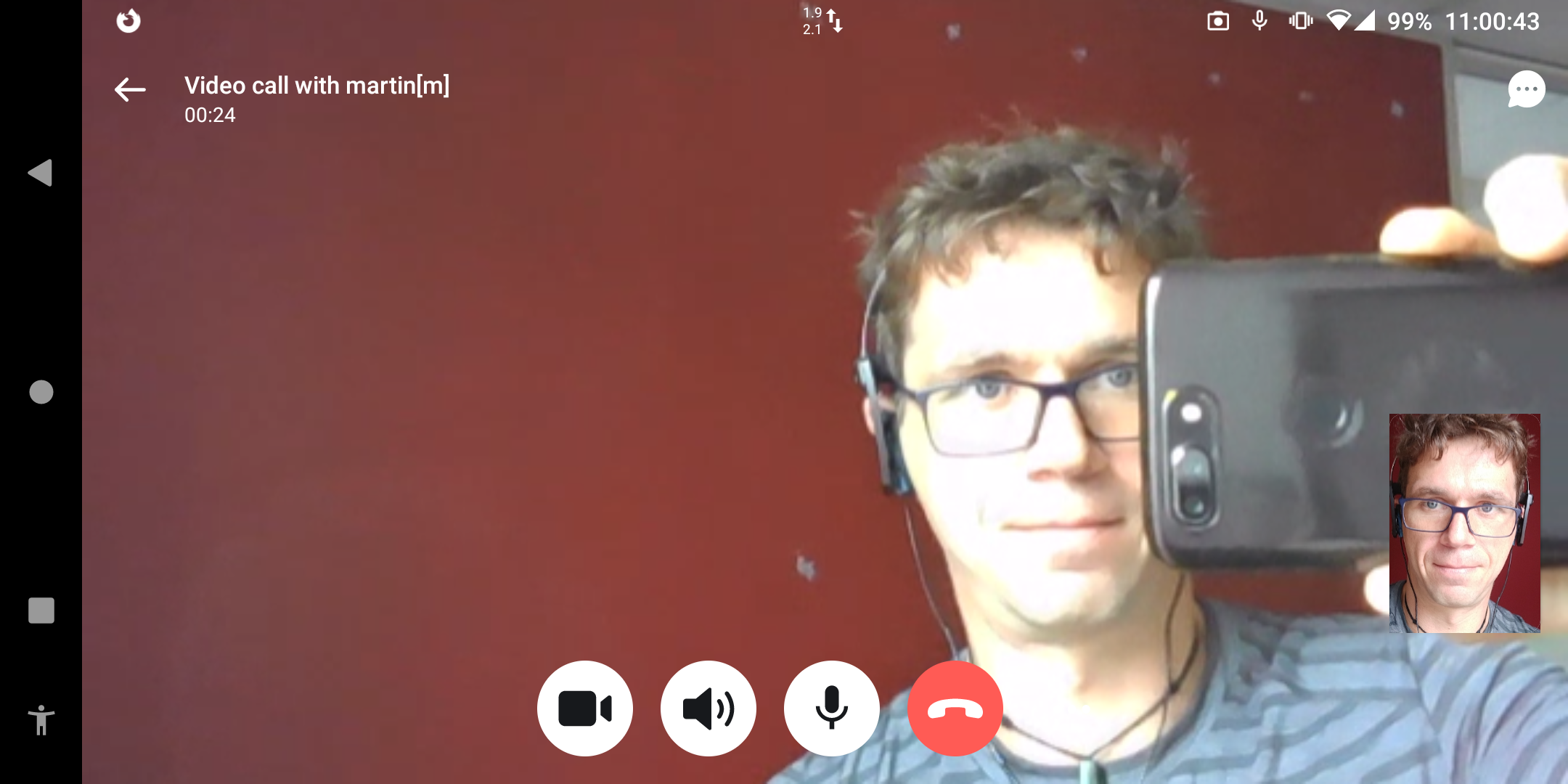
I expected the in-picture display of my own camera to rotate to landscape …
#### What happened instead?
… but it stayed at portrait, thus cutting off part of the image. Here is a screenshot of the device in landscape mode, showing the portrait self-image:
### Your phone model
OnePlus 5T
### Operating system version
LineageOS 18.1
### Application version and app store
1.3.7 [40103070] from F-Droid
### Homeserver
matrix.madduck.net
### Will you send logs?
No
Contributor guide
Assessment
This issue has not been assessed yet.