eclipse-jdt / eclipse-jdt/eclipse.jdt.ui
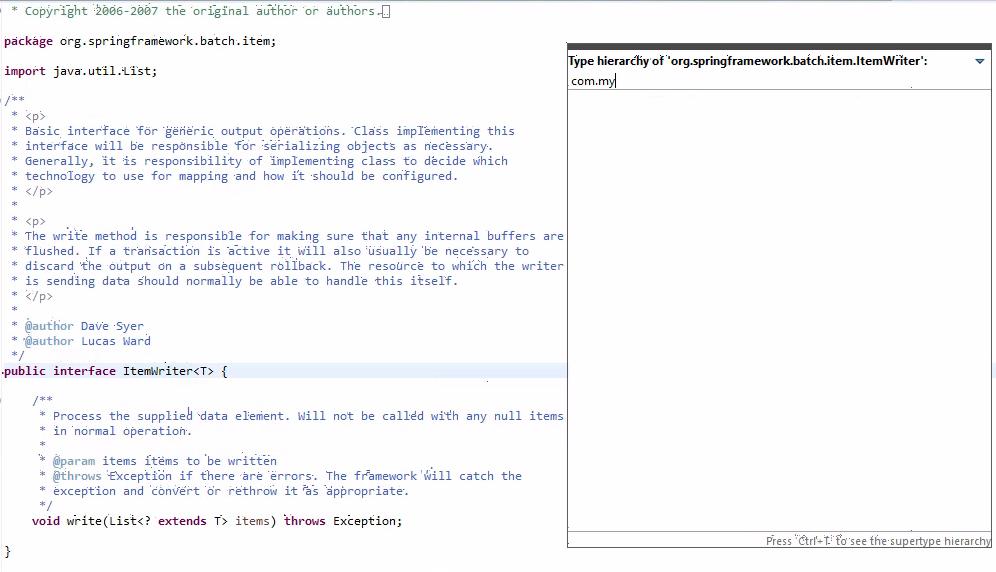
Filter in Quick Type Hierarchy by package name
- Dominant language
- Java
- Stars
- 59
- Forks
- 127
- Avg merge
- 23h 30m
- Merged PRs (30d)
- 35
Description
As a developer I want to be able to look over the list of posterities (interfaces and classes) for the selected package with ability to filter them by package name and sub-name, like any of the following:
com.*
com.my*
com.myproject.*
com.\*.myproj\*
To do that I want to type text in the text field on the top of dialog.
If there is dot in the text then is require to show the list of all posterities in this package (all nested packages).
Contributor guide
Research direction
Start in the Quick Type Hierarchy dialog shown in the issue and trace the top text field to the posterities list. Verify filtering for package names and sub-names using the examples in the issue, including nested packages and wildcard forms; done means the displayed interfaces and classes match those filters.
Written by the indexing model from the issue text.
Assessment
- Tech stack
- java
- Domain
- desktop
- Issue type
- Feature
- Difficulty
- 4/5
- Estimated time
- 3-5 days
- Activity status
- Stale
- Clarity
- Mostly clear
- Newbie friendliness
- 35/100