How disable "File Download - Security Warning" popups in webbrowser control
- Dominant language
- C#
- Stars
- 7.7k
- Forks
- 1.3k
- Avg merge
- 1d 11h
- Merged PRs (30d)
- 61
Description
I have a WebBrowser control in my application. Whenever there is an error condition occurs, like a bad request(400) or page not found(404) etc.. my application navigates to "Navigation to the webpage was cancelled" page. On the same time, a popup dialog(File Download - Security warning) is appears in that background. I want to block this popup dialog and needs a smooth navigation. It shows that the file is from ieframe.dll
I have tried _webBrowser.ScriptErrorsSuppressed = true;
But it didn't worked. The popup was still there. The image is attached below.
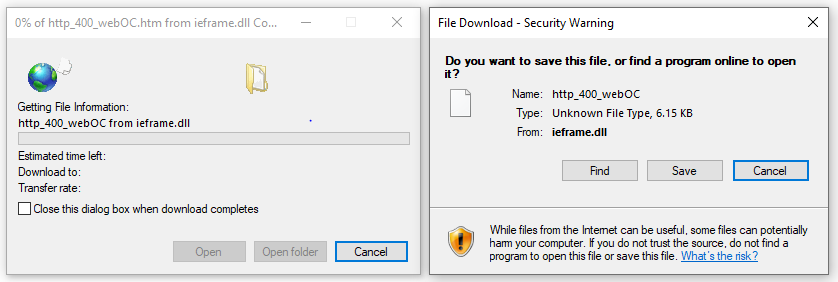
Can anyone please help me to resolve this issue?
Thanks in Advance.
Contributor guide
Assessment
This issue has not been assessed yet.