WindowsFormsHost does not scale children correctly when the DPI is changed
- Dominant language
- C#
- Stars
- 7.7k
- Forks
- 1.3k
- Avg merge
- 1d 11h
- Merged PRs (30d)
- 61
Description
* .NET Core Version: .Net 6.0.3
* Windows version: Windows 11 21H2 (OS Build 22000.556)
* Does the bug reproduce also in WPF for .NET Framework 4.8?: Yes (Except for some of the issues with NumericUpDown - some of these issues did not exist in .Net Framework 4.8)
**Problem description:**
When scaling to a new DPI using Per Monitor V2, the contents of WindowsFormsHosts often do not scale correctly - this issue is worse in .Net 6 compared to .Net Framework 4.8 (I have not tested with .Net Core 3 or .Net 5). The main issue appears to be that the height and width of the child window hosting the Windows Forms control does not scale at all, and in .Net 6 the NumericUpDown control completely ignores DPI changes.
**Actual behavior:**
Below is a screenshot of a WPF window with some Forms controls in it, opened on a monitor with the DPI scaling set to 100% and set to the main monitor:
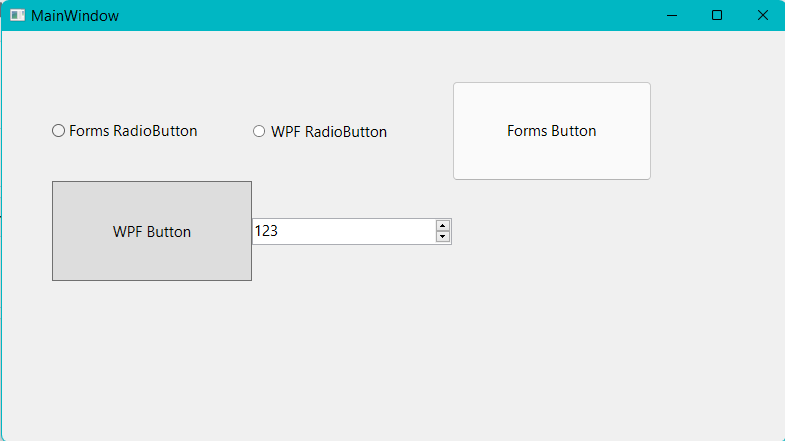
After moving the window over to a monitor with a scaling of 225%, it looks like this:

Note that the height and width of all the Forms controls did not scale at all. While the font size scales fine on most of the controls in the screenshot, it completely fails on the NumericUpDown control - the control seems to ignore the change in DPI completely.
In regards to the NumericUpDown control, I made the exact same project in .Net Framework 4.8 and moved the window over from the 100% scaling monitor to the 225% scaling one and here is a screenshot of that:
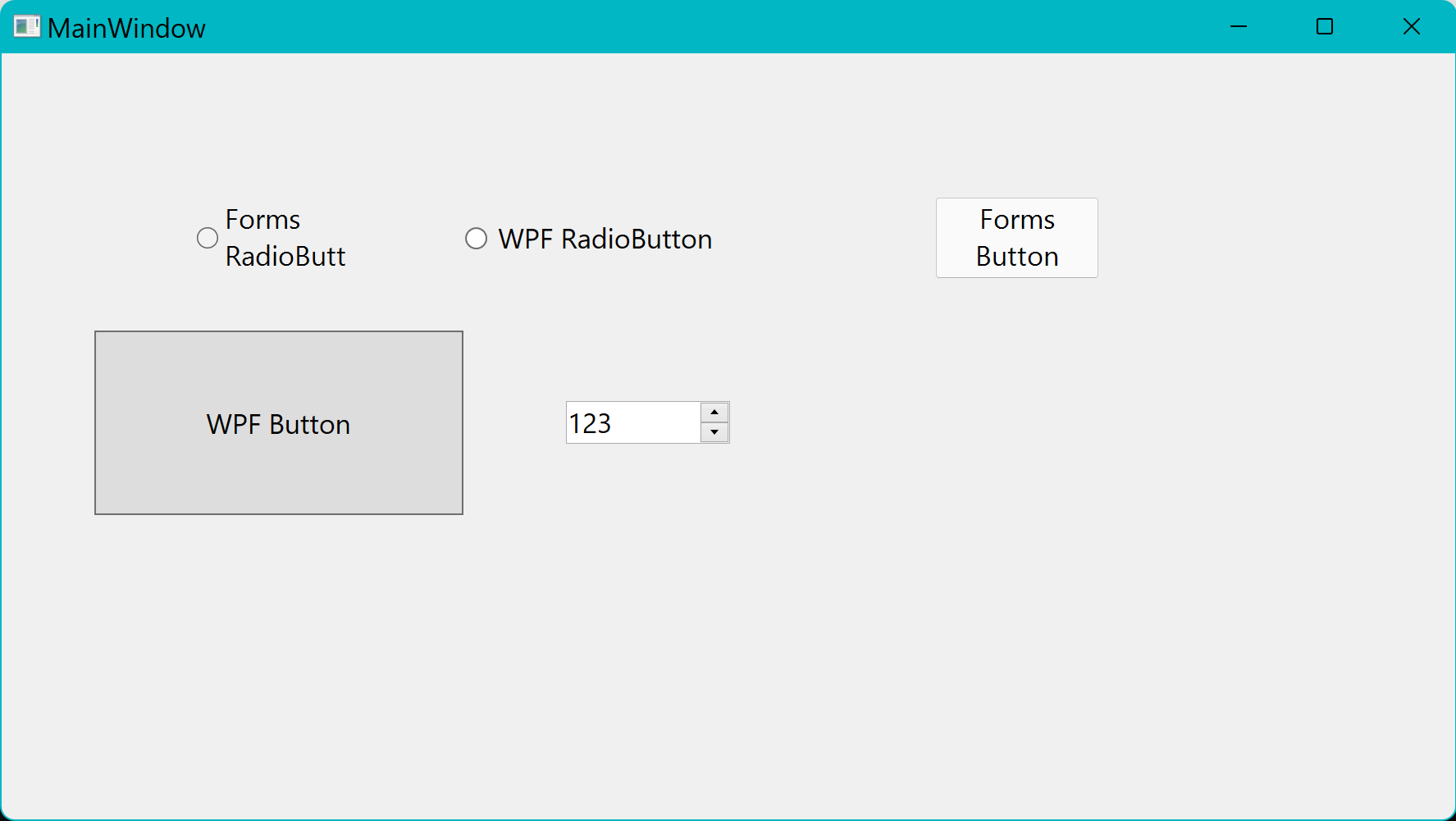
Note that the text and up/down buttons do scale correctly for the NumericUpDown control in .Net Framework 4.8 - this seems to have been broken somewhere in between then and .Net 6. The other issues still seem to persist.
If I open the .Net 6 WPF window directly on the monitor with 225% scaling with that monitor set as my main one, it scales nicely:

But then if I move it over to the 100% scaling monitor, I get this:
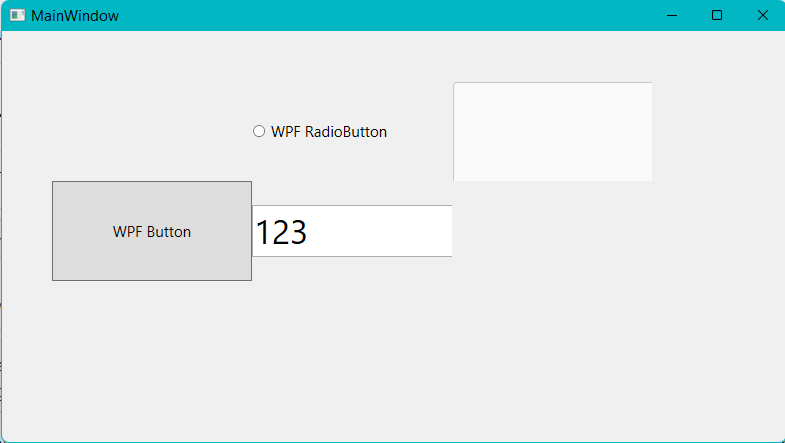
So to sum up, the physical height and width of these Windows Forms controls is not changing at all when the DPI changes. I have used Visual Studio to check the logical height and width of the WindowsFormsHost, and it remains correct after the DPI change, but the physical height and width of the child window hosting the Windows Forms content appears to not change.
I have uploaded the demo project I used for the screenshots. Both are very basic apps with as many modern DPI scaling features enabled as I could (such as in the Manifest and App.config - see the minimal repo for specifics) and with the DPI scaling mode set to Per Monitor V2. Also note that the same issues seem to occur if the DPI for the monitor the WPF window is on is changed, not just if dragged to a new monitor.
**Expected behavior:**
When moving from the 100% DPI monitor to the 225% one, the controls should scale like so:

Also for comparison, here is a .Net 6 Windows Form with the same controls on the 100% DPI monitor:
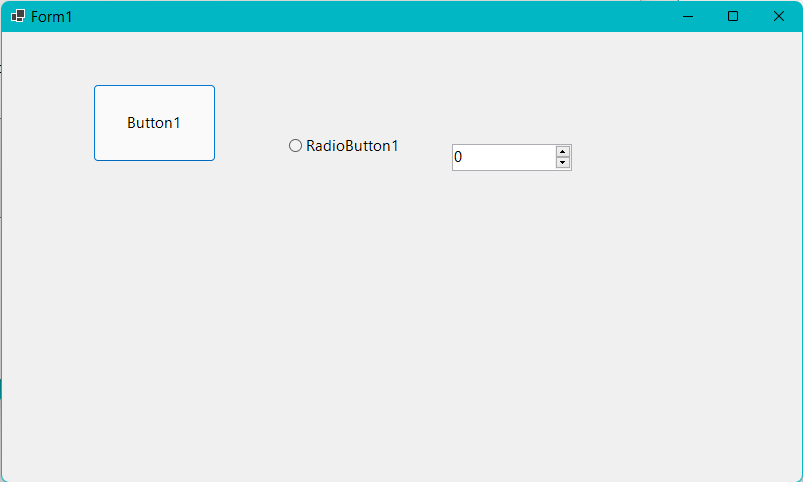
And now moved over the the 225% one:
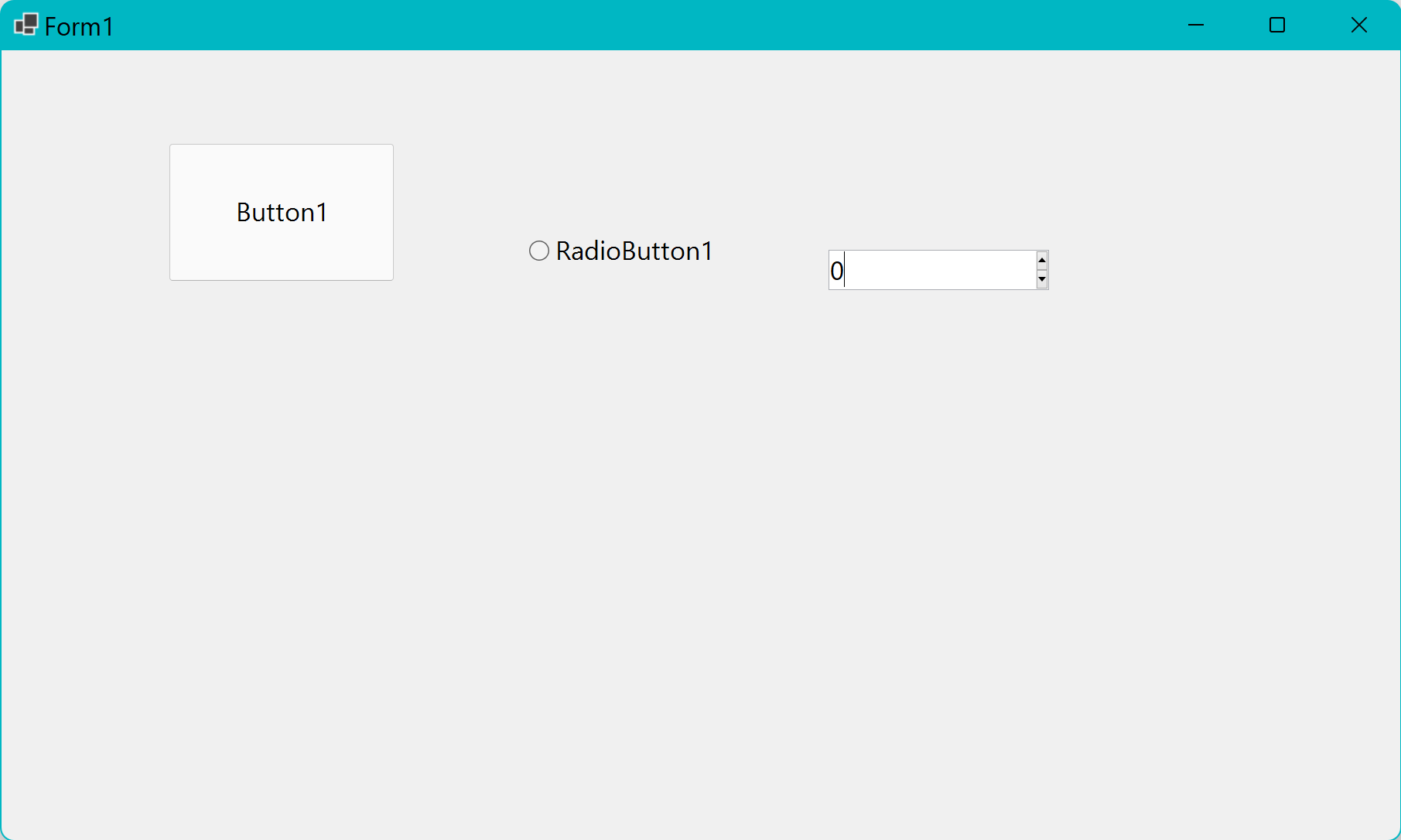
It scales almost perfectly except for the up/down buttons in the NumericUpDown box.
**Minimal repro:**
[WpfApp1.zip](https://github.com/dotnet/wpf/files/8322247/WpfApp1.zip)
Contributor guide
Assessment
This issue has not been assessed yet.