The default font family of Chinese characters in a WPF app in non-zh-CN region is Segoe UI instead of Microsoft YaHei UI
- Dominant language
- C#
- Stars
- 7.7k
- Forks
- 1.3k
- Avg merge
- 1d 11h
- Merged PRs (30d)
- 61
Description
* .NET Core Version: 3.1.413, 5.0.403, 6.0.200
* Windows version: Windows 8/10/11 (since the first version of Windows 8 to the latest Windows 11)
* Does the bug reproduce also in WPF for .NET Framework 4.8?: Yes (even since the first release of WPF)
**Problem description:**
The default font family of Chinese characters of all the Windows apps is Microsoft YaHei UI. However, it's Segoe UI in a WPF app in a non-zh-CN region which is different from any other app including the Windows system apps.
We are native developers in China so we can change the default font family which causes the ugly default text. But most other apps that are released by foreign developers don't know much about the best font family in every region so their apps use the wrong default font family which makes an ugly UI.
**Actual behavior:**
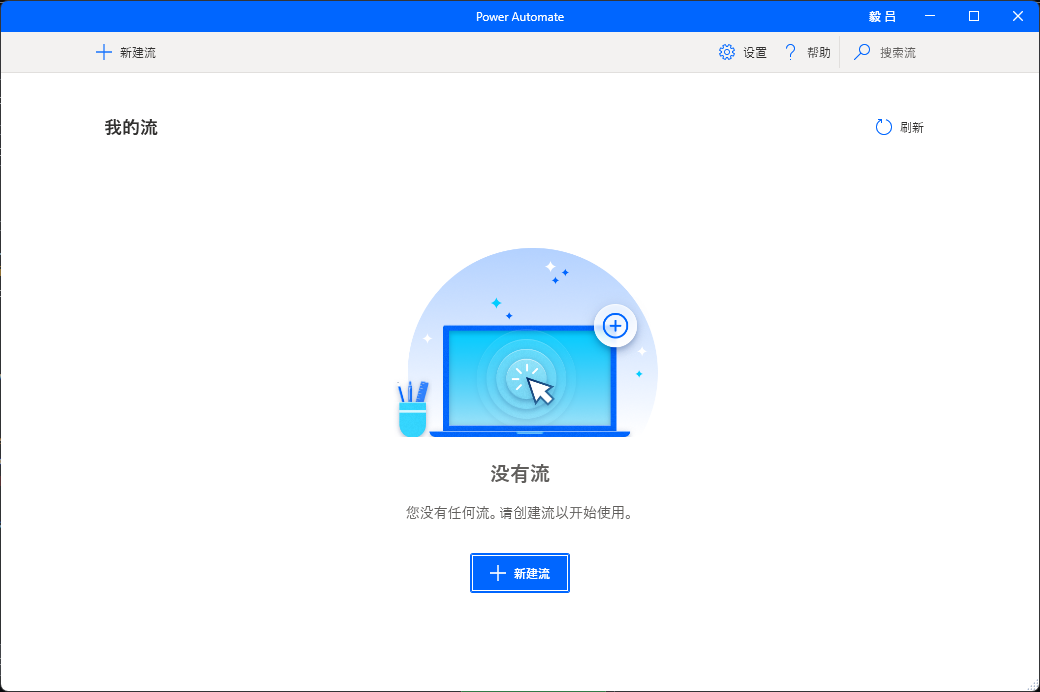
▲ Chinese Characters in Segoe UI of Microsoft Power Automate Desktop
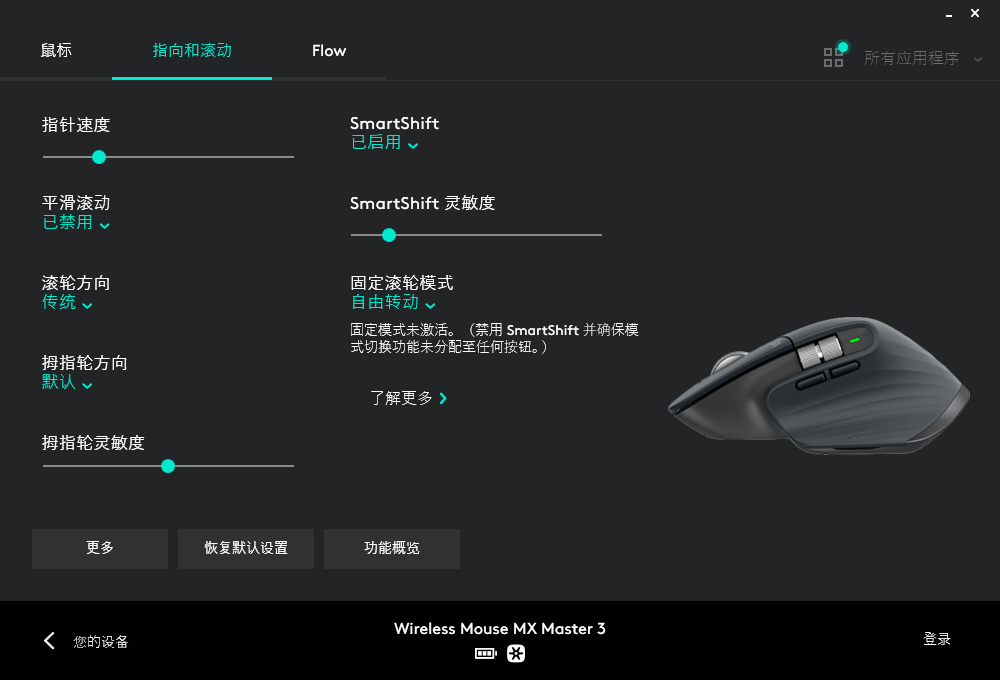
▲ Chinese Characters in Segoe UI of Logitech Options
**Expected behavior:**
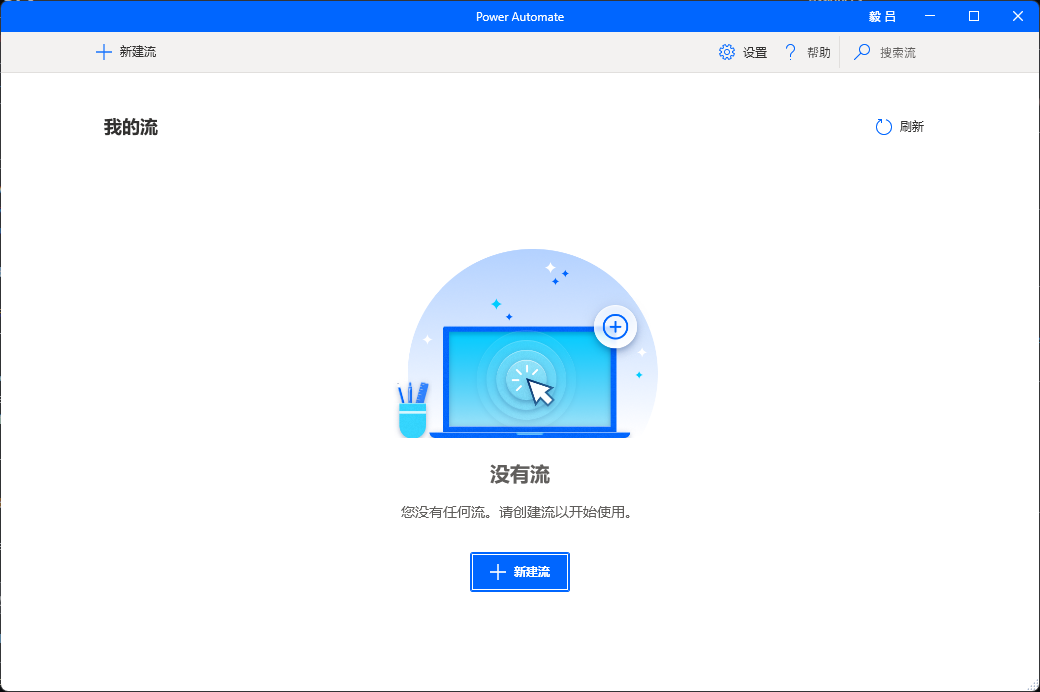
▲ Chinese Characters in Microsoft YaHei UI of Microsoft Power Automate Desktop
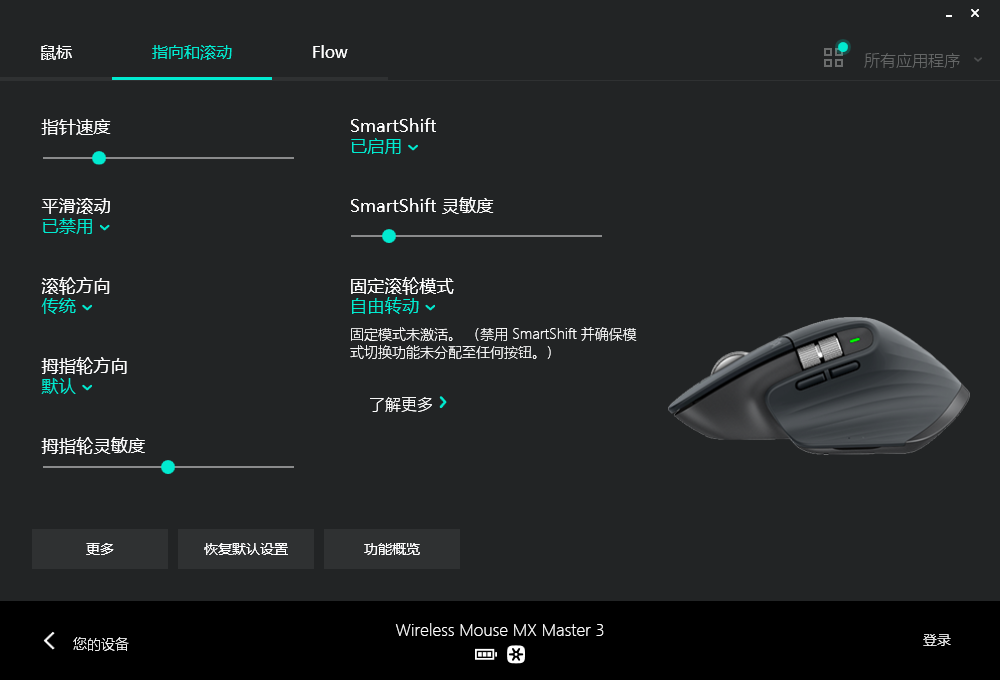
▲ Chinese Characters in Microsoft YaHei UI of Logitech Options
**Minimal repro:**
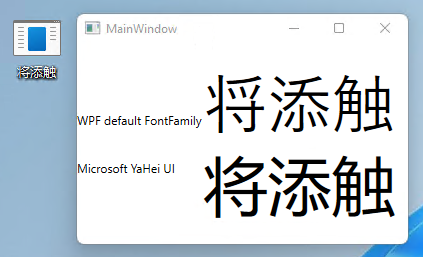
1. Create a WPF app with Chinese characters (such as 将、添、触).
2. Build the app.
3. Run the app in a non-zh-CN system environment such as en-US.
4. Compare the default font family with other apps which also have Chinese characters in the same machine (e.g. the explorer, the task manager, the system settings app, etc.).
Contributor guide
Assessment
This issue has not been assessed yet.