CPU Perfomance issue occurs when setting the visual states.
- Dominant language
- C#
- Stars
- 7.7k
- Forks
- 1.3k
- Avg merge
- 1d 11h
- Merged PRs (30d)
- 61
Description
* Does the bug reproduce also in WPF for .NET Framework 4.8?: Yes
**Problem description:**
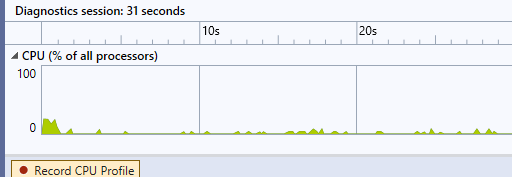
While setting the visual states for the content control, the performance issue occurs even though the application is idle. Please refer the below image. I have created the following visualstategroup and have used the animation to increase the border thickness. Please find the code snippet below.
```
```
And have set the visualstates in the code behind as follows.
`VisualStateManager.GoToState(this, "Bold", true);`
While running the application, I have found that the continuous memory allocation occurs even when the application is idle. Please find the image below.
**Actual behavior:**
Cpu performance issue occurs and memory allocation of 1% or 2% occurs even when the application is idle
**Expected behavior:**
This performance issue should not occurs and memory allocation while application is idle is not acceptable.
**Minimal repro:**
Please find the attached sample.
Run sample using the performance profiler (Enable the Cpu usage).
[WpfApp1.zip](https://github.com/dotnet/wpf/files/7792658/WpfApp1.zip)
Contributor guide
Assessment
This issue has not been assessed yet.