Scrollbar is not updated in the itemcontrol
- Dominant language
- C#
- Stars
- 7.7k
- Forks
- 1.3k
- Avg merge
- 1d 11h
- Merged PRs (30d)
- 61
Description
* Windows version: windows 10
* Does the bug reproduce also in WPF for .NET Framework 4.8?: Yes
* Is this bug related specifically to tooling in Visual Studio (e.g. XAML Designer, Code editing, etc...)? No
**Problem description:**
I have created the itemcontrol with the list of checkbox control as itemcontrol. I have added the selectall checkbox and the itempresenter to load the list of checkboxes. there will be two issue while I perform scrolling
UI appearance

Issue 1:
When I have scrolling the upkey the focus suddenly moves to the selectall checkbox before complete moving focus to every element in the itemcontrol. please refer the below gif image.
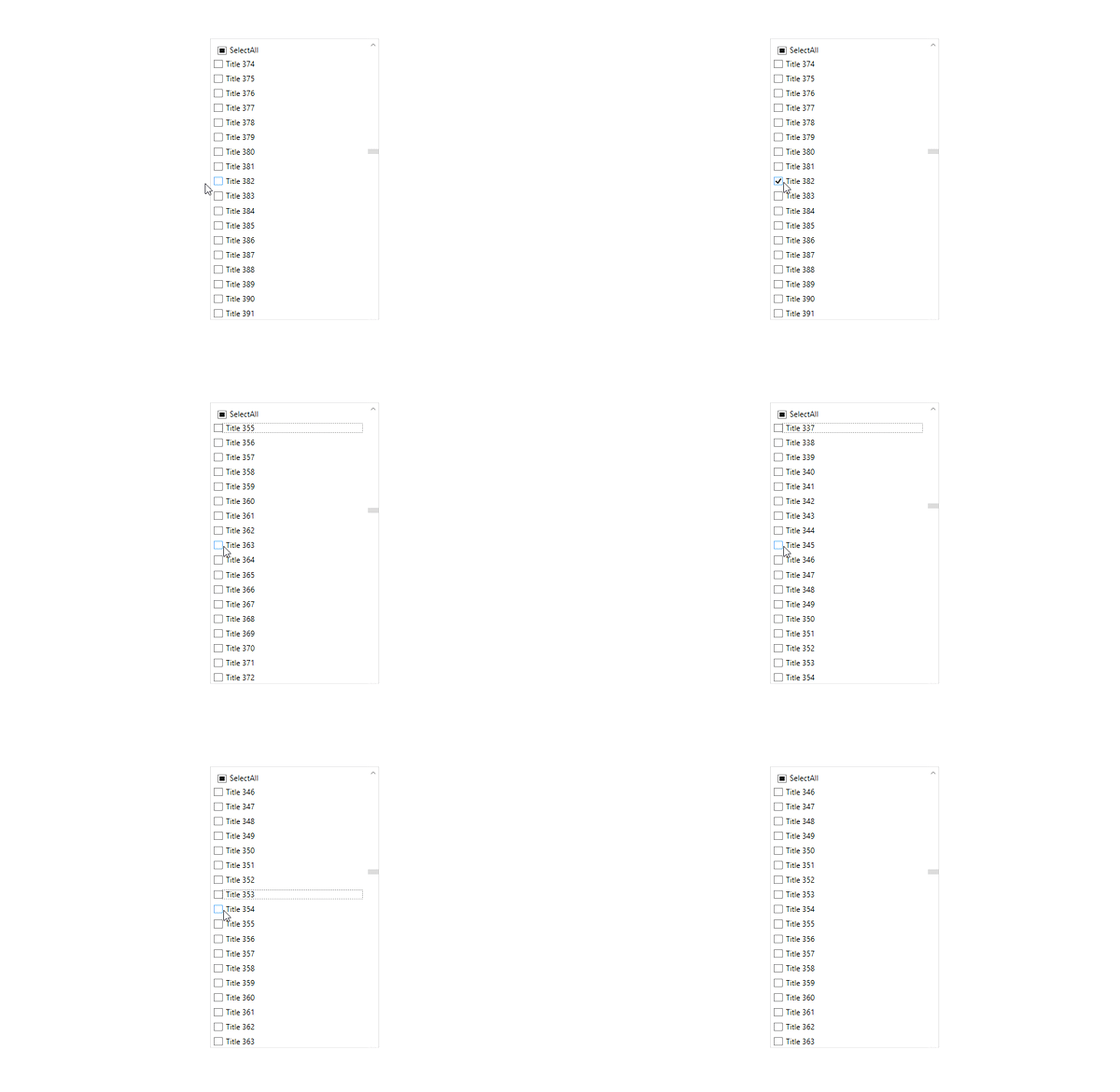
Note: This issue occurs only pressing the up key continuously. This issue will not occurs when doing the singlepress.
Issue 2:
Keep the scrollbar in the middle of the itemcontrol. Then when we click on the selectall checkbox, the focus will be in selectall now click down key button. The scroll bar will not moves to the offset zero automatically.
Note: Keep 100 records and do the same replication. The scrollbar will update automatically to the top.
**Expected behavior:**
Issue 1: While scrolling with uparrow continously the focus shouldnot moves to the selectall checkbox.
Issue 2: Whether it is 100 or 500 records the scrollbar should be come to startposition when we click down key from the selectall checkbox.
**Minimal repro:**
Issue 1:
1. Run the sample
2. scroll to the middle of the itemcontrol
3. And click any checkbox
4. Now press the upbutton continuously.
Observed behavior : Focus suddenly moves to the selectallcheckbox before complete the scroll to top.
Issue 2:
1. Run the sample
2. scroll to the middle of the itemcontrol
3. And click selectall checkbox
4. Now press the downkey.
Observed behavior : Scrollbar not gets updated.
sample
[Sample.zip](https://github.com/dotnet/wpf/files/6955197/Sample.zip)
Contributor guide
Assessment
This issue has not been assessed yet.