Window border and icon was missing after invoking Win32 API 'SetWindowLong'
- Dominant language
- C#
- Stars
- 7.7k
- Forks
- 1.3k
- Avg merge
- 1d 11h
- Merged PRs (30d)
- 61
Description
* .NET Framework Version: 4.8
* Windows version: 20H2 - 19042.1110
* Does the bug reproduce also in WPF for .NET Framework 4.8?: Yes
* Is this bug related specifically to tooling in Visual Studio (e.g. XAML Designer, Code editing, etc...)? No
**WPF window border(left, right and bottom) and icon was missing after invoking Win32 API 'SetWindowLong'.
Someone found the same issue since 2016, but seems still not fixing, click [*here*](https://social.msdn.microsoft.com/Forums/vstudio/en-US/b98e6f8d-aba7-413a-ba54-aa2e67789ba4/wpf-tool-window-amp-windows-10-ui-glitch?forum=wpf) to see the details.**
```
private void HideFromProgramSwitcher()
{
var handle = GetMainWindowHandle();
int style = NativeMethods.GetWindowLong(handle, -20);
windowStyle = style; // windowStyle is used to store original window style.
NativeMethods.SetWindowLong(handle, -20, style | 0x00000080);
}
private void ShowFromProgramSwitcher()
{
var handle = GetMainWindowHandle();
NativeMethods.SetWindowLong(handle, -20, windowStyle);
}
```
**Actual behavior: only the top border displayed and icon was missing.**
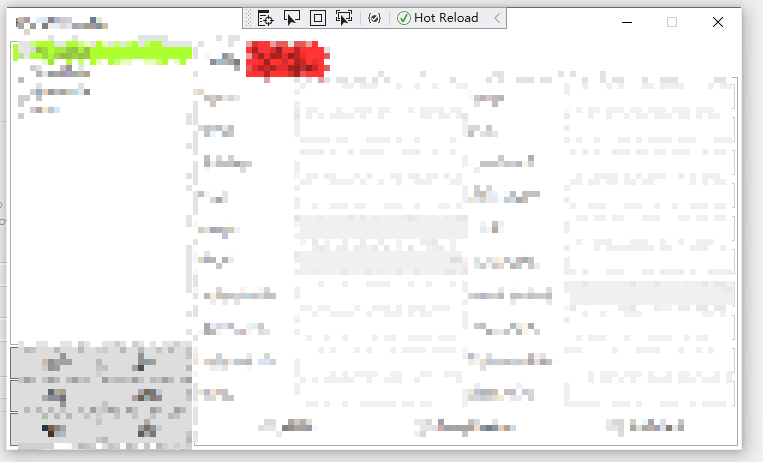
**Expected behavior: left, right and bottom border should be displayed as well.**
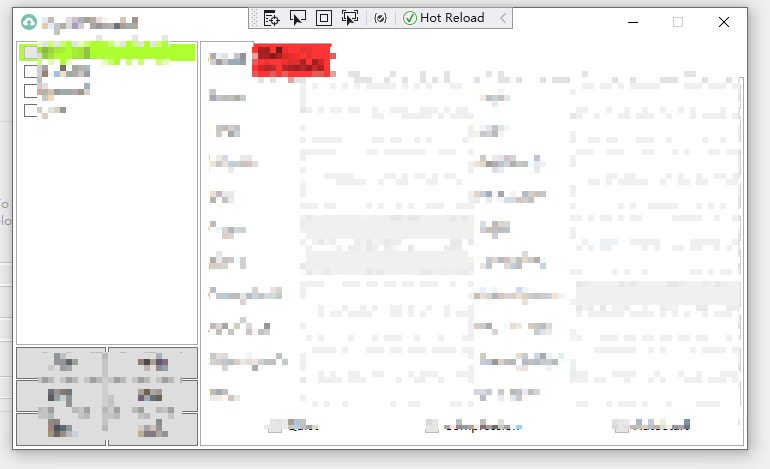
**Minimal repro: This can be reproduced in .NET 4.7.2 & 4.8**
Contributor guide
Assessment
This issue has not been assessed yet.